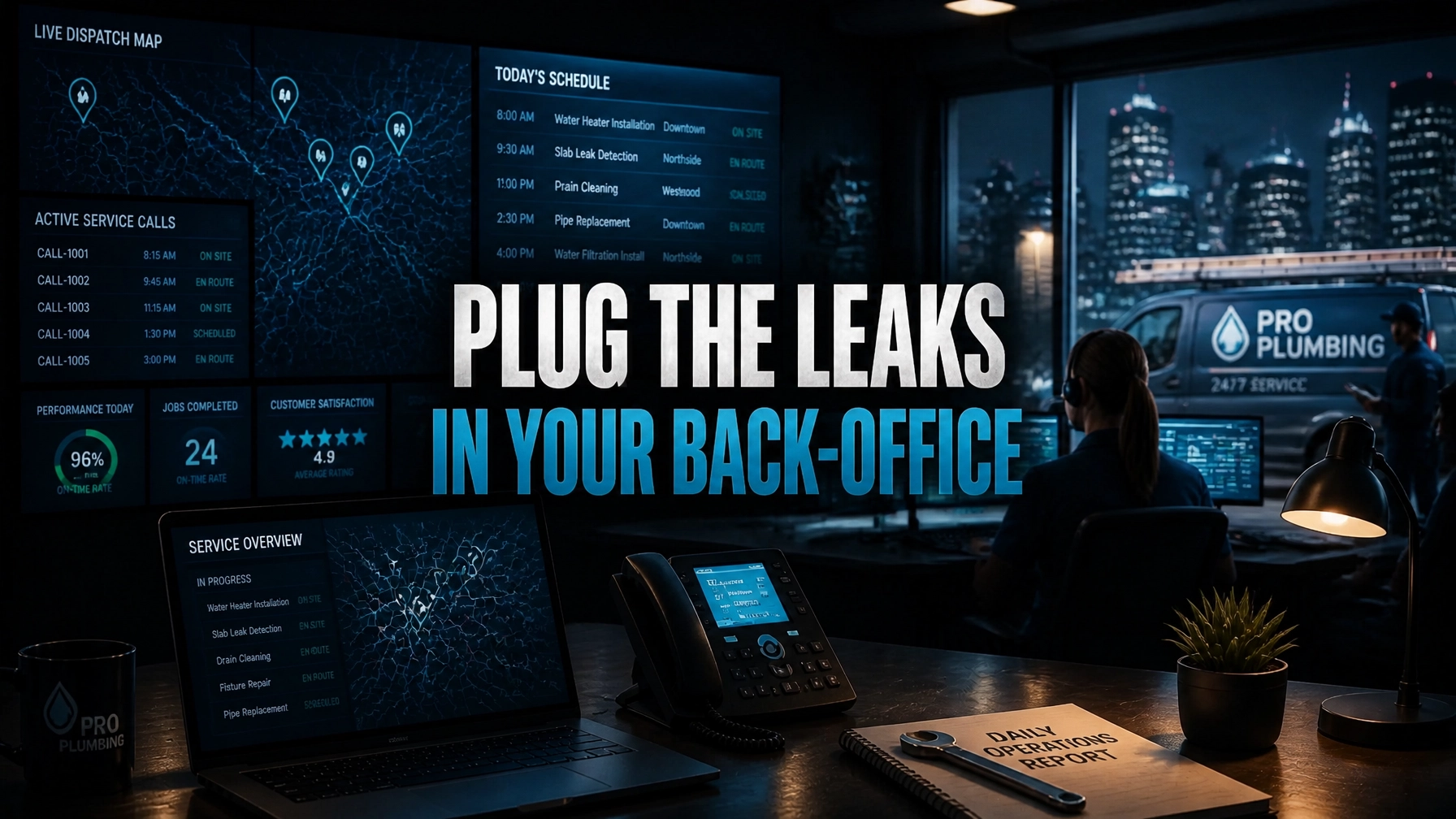
Administrative debt is the silent killer of the modern plumbing company. You see it in the missed calls during the lunch rush, the "windshield time" that eats your fuel budget, and the stacks of unbilled invoices sitting on the dashboard of your lead tech’s truck. This is the "Dispatch Drain", a state where your high-value plumbers spend more time navigating traffic and paperwork than they do turning wrenches.
In 2026, the plumbing industry has reached a tipping point. Customers no longer tolerate a "we'll call you back" response. They expect real-time booking, GPS-tracked arrival windows, and instant digital invoicing. If your back-office systems aren't running 24/7, you are losing jobs to the competitor who has already systematized their response.
The solution isn't hiring another $60,000-per-year office manager who is bogged down by local distractions. The solution is a Plumbing Virtual Assistant from Virtual Nexgen Solutions. For just $8 per hour, you can deploy a specialized professional to execute the following Standard Operating Procedure (SOP), turning your chaotic dispatch board into a high-performance revenue engine.
Plumbing Company SOP: What a Plumbing Virtual Assistant Does
Use this SOP to define exactly how your Plumbing Virtual Assistant supports Emergency Dispatch, Route Optimization, and Inventory Coordination inside your business. Follow these procedures to reduce admin debt, protect technician time, and stop profit leakage across your service board.
SOP Scope and Objective
Apply this SOP to all inbound emergency calls, same-day service requests, active field dispatching, truck routing, and parts coordination. Assign your Plumbing Virtual Assistant to execute these procedures inside ServiceTitan, Housecall Pro, Jobber, FieldEdge, or Commusoft.
Objective: Capture urgent jobs fast, dispatch the right technician, reduce wasted drive time, and ensure every job has the right parts lined up before delays turn into lost revenue.
SOP Roles and Ownership
Plumbing Virtual Assistant
Own intake, call handling, job tagging, dispatch coordination, route monitoring, customer updates, parts follow-up, and documentation support.
Dispatcher or Office Manager
Review escalations, approve major schedule changes, and support exception handling during surge periods.
Field Technician
Confirm job status, share material needs, upload photos, and report changes in scope immediately.
Operations Owner or Service Manager
Review KPIs, enforce compliance, and refine the workflow weekly.
SOP 1: Emergency Dispatch Procedure for Plumbing Companies
Use this procedure for burst pipes, sewer backups, water heater failures, slab leaks, clogged main lines, overflowing fixtures, and no-water emergencies.
Purpose
Answer fast, triage correctly, and move the job from phone call to technician assignment without confusion.
Trigger
Start this SOP the moment an emergency plumbing call, web form, SMS, or after-hours message comes in.
Procedure
- Answer within 3 rings or respond within 2 minutes. Open the customer profile in your field service software. Create a new lead if the caller is not in the system.
- Confirm caller identity and service address. Verify full name, callback number, property type, and exact location of the issue.
- Classify the emergency. Ask direct triage questions:
-
- Is water actively flowing?
- Has the shutoff valve been turned off?
- Is sewage backing up?
- Is water near electrical outlets or panels?
- Is the issue affecting the entire home or one fixture?
- Give immediate safety instructions. Tell the customer to shut off the main water line if needed. Tell them to avoid affected electrical areas. Tell them not to use fixtures involved in a sewage backup.
- Tag the job by urgency and type. Mark the call as burst pipe, drain emergency, water heater failure, sewer issue, leak detection, or no-water service.
- Capture job-ready notes. Record gate codes, pets on site, parking limitations, tenant or homeowner status, and any prior service history.
- Request visual proof when helpful. Send a text and ask for a photo or short video of the leak, fixture, or unit label.
- Check technician availability in real time. Review the live board. Match the job with the nearest qualified technician based on skill, truck stock, and current workload.
- Assign the technician and confirm ETA. Give the customer a realistic arrival window. Never give vague wording.
- Send dispatch confirmation. Text the customer with technician name, ETA, and any next-step instructions.
- Update the technician immediately. Push the full job summary, urgency level, access notes, and visuals to the technician.
- Monitor until arrival. Watch the board until the tech is marked on the way or on site. Escalate any delay at once.
Emergency Dispatch Best Practices
- Use a standard call script for every emergency.
- Prioritize active water loss and sewage exposure first.
- Route calls by revenue risk and damage severity, not just by time received.
- Document every promise made to the customer.
- Keep communication tight during evenings, weekends, and overflow periods.
SOP 2: Route Optimization Procedure for Plumbing Service Calls
Use this procedure for emergency jobs, same-day appointments, estimate visits, return trips, and preventive service calls.
Purpose
Reduce windshield time, tighten ETAs, increase daily job count, and keep your best plumbers in the field instead of stuck in traffic.
Trigger
Start this SOP when a new job enters the board, a technician runs behind schedule, a cancellation opens a slot, or an urgent call needs insertion into the route.
Procedure
- Review the live dispatch map. Check all active technicians, job stages, and open time windows.
- Group jobs by zone and zip code. Keep trucks working inside logical service clusters whenever possible.
- Match technician skill to call type. Send drain specialists to drain issues, water heater techs to replacement calls, and senior techs to diagnostic-heavy or commercial work.
- Check truck readiness before assignment. Confirm the assigned tech carries the likely parts and equipment needed for the call.
- Insert emergency calls with minimal disruption. Reorder non-urgent stops around the closest qualified technician rather than disrupting the entire board.
- Update downstream customers early. Call or text customers immediately if the route changes affect arrival windows.
- Fill dead time intentionally. Move nearby estimates, maintenance visits, or short service calls into open gaps created by cancellations.
- Watch for route drift. Correct backtracking, long idle gaps, and inefficient crossover between north, south, east, and west zones.
- Track technician status changes in real time. Adjust the next assignment when a job runs long, parts are needed, or a customer is not available.
- Close the loop after each job. Confirm completion, release the next dispatch, and update the board before the tech starts driving.
Route Optimization Best Practices
- Build primary service zones and backup overflow zones.
- Protect premium billable hours between morning dispatch and late afternoon.
- Avoid stacking diagnostics far apart unless revenue justifies it.
- Use recurring route reviews to identify habitual wasted mileage.
- Keep one flexible technician or float slot open during peak emergency windows if call volume supports it.
SOP 3: Inventory Coordination Procedure for Plumbing Virtual Assistants
Use this procedure for truck stock support, emergency parts sourcing, warehouse coordination, vendor follow-up, and return-visit prevention.
Purpose
Make sure technicians get the right materials fast and complete more jobs on the first visit.
Trigger
Start this SOP when a technician requests a part, truck stock falls below minimum levels, a quoted job needs special-order materials, or a return visit is caused by missing inventory.
Procedure
- Maintain a minimum stock list by truck type. Track standard items such as supply lines, shutoff valves, angle stops, flappers, fill valves, wax rings, PEX fittings, copper fittings, cartridges, traps, connectors, disposal parts, and common water heater accessories.
- Log low-stock alerts daily. Review technician notes, completed invoices, and material usage for replenishment needs.
- Respond to field part requests immediately. Ask for part name, size, brand, quantity, compatibility notes, and urgency level.
- Check approved vendor sources. Contact supply houses such as Ferguson, Winsupply, or local plumbing distributors to confirm stock and pickup timing.
- Place will-call orders when approved. Reserve the needed part under the company or technician name. Send exact pickup instructions to the field.
- Update the job record. Add vendor name, part details, estimated cost, and pickup plan inside the CRM or dispatch notes.
- Coordinate return trips only when necessary. If the part is unavailable, reschedule fast and communicate clearly with the customer.
- Flag repeat stock failures. Report parts that regularly cause delays so your office can raise truck minimums or warehouse quantities.
- Reconcile parts used against invoices. Check that every material pulled or purchased is reflected in the final ticket.
- Prepare weekly inventory summaries. Report top-used parts, emergency purchases, stockout patterns, and missed revenue tied to unavailable materials.
Inventory Coordination Best Practices
- Standardize truck stock by service line and technician role.
- Keep photo-based part verification in your process for unusual items.
- Build a preferred vendor contact sheet with branch phone numbers and cutoff times.
- Track which jobs needed a second trip due to missing parts.
- Review high-margin materials closely to prevent invoice leakage.
What a Plumbing Virtual Assistant Does Day to Day
A Plumbing Virtual Assistant from Virtual Nexgen Solutions acts as the back-office control point for your service operation. You assign them to handle:
- Emergency call intake and customer triage
- Same-day scheduling and dispatch board updates
- Technician-to-customer ETA communication
- Route reshuffling during delays and cancellations
- Zone-based dispatch planning
- Parts sourcing and will-call coordination
- Vendor communication and stock checks
- CRM updates and job documentation
- Invoice support and material reconciliation
- Follow-up calls, review requests, and maintenance tagging
Plumbing Tools and Systems a VA Can Handle
A Virtual Nexgen Solutions assistant is proficient in the industry's leading tools and plumbing workflows:
- Field Service Software: ServiceTitan, Housecall Pro, Jobber, FieldEdge, and Commusoft
- Dispatch Coordination: Live schedule boards, technician status updates, GPS-based routing, and customer ETA messaging
- Inventory Support: Ferguson ordering workflows, Winsupply coordination, vendor stock checks, and will-call part staging
- Documentation: Job notes, before-and-after photo tracking, invoice backup, and service summaries
- Customer Communication: Call handling, SMS updates, review requests, and reschedule notices
Case Studies: ROI in Action
Case Study 1: Scaling a 24/7 Response in Georgia
A residential plumbing company in Atlanta was losing approximately $8,000 per month in "after-hours" calls that went to an old-school answering service. The answering service was taking messages but not booking jobs. Virtual Nexgen Solutions implemented a specialized Plumbing Virtual Assistant who worked the 4:00 PM to midnight shift. By giving the VA access to Housecall Pro, the company began booking emergency water heater and drain calls in real-time. Within the first 30 days, the company booked an additional 14 emergency jobs, resulting in $19,600 in new revenue, all for a VA cost of roughly $1,280.
Case Study 2: Slashing Fuel Costs in Southern California
A multi-truck plumbing firm in Riverside was spending over $6,500 monthly on fuel. Their technicians were choosing their own routes, often backtracking across the city. We deployed a Construction Virtual Assistant to manage all dispatching using ServiceTitan’s route optimization tools. By enforcing a strict "Zone-Only" dispatching policy and clustering non-emergency calls by zip code, the company reduced their monthly fuel spend by 22% and added one additional billable job per truck per week due to reduced travel time.
Case Study 3: Dominating Local Search in Illinois
A small family-owned plumbing shop in Chicago had only 12 Google reviews despite being in business for a decade. They didn't have the time to follow up with customers. Their $8/hour Virtual Assistant began a systematized "Review Capture" workflow, calling every customer within 24 hours of a job completion. In six months, the shop grew to 148 five-star reviews, moving them into the "Map Pack" top three for "Plumber Near Me." Their organic lead volume increased by 300% without spending an extra dollar on ads.
Why Virtual Nexgen Solutions?
You have two choices. You can hire a local administrative assistant, pay for their desk space, health insurance, and $60,000 annual salary. Or, you can partner with Virtual Nexgen Solutions for $8 per hour.
We provide the administrative engine that allows you to focus on growth. We don't just provide a person; we provide the SOPs and the technical expertise to integrate seamlessly into your plumbing business. Stop letting your profits leak out of your back office. Systematize your dispatch, optimize your routes, and protect your margins.
Book a 30-minute Operational Audit to see how a Plumbing VA can scale your business.
Frequently Asked Questions
1. Can a Virtual Assistant really handle emergency plumbing dispatch?
Yes. Our VAs are trained in plumbing-specific triage. They follow your custom scripts to identify the severity of the leak, provide immediate safety instructions to the customer, and book the job directly into your CRM in real-time.
2. What software do your Plumbing VAs use?
We are experts in the major Field Service Management (FSM) tools including ServiceTitan, Housecall Pro, Jobber, FieldEdge, and SimPRO. We integrate directly into your existing workflow.
3. How does the VA communicate with my plumbers in the field?
VAs communicate via your CRM’s internal chat, SMS, or apps like Slack and WhatsApp. They provide technicians with job notes, photos, and customer history before the tech arrives on site.
4. Can an $8/hr VA really save me $60k a year?
Absolutely. An in-house admin costs roughly $60,000 when you factor in salary, taxes, benefits, and office overhead. A full-time Virtual Nexgen Assistant costs about $16,000 per year, providing the same, or higher, level of specialized output while saving you $44,000 in pure overhead.
5. How do you handle route optimization to save on fuel?
Our VAs use your FSM’s GPS data and mapping tools to cluster jobs geographically. We ensure your technicians are moving in a logical flow throughout the day, minimizing backtracking and reducing idle time in traffic.
6. Can a VA help with my plumbing permits?
Yes. We can handle the data entry and submission of permit applications to your local building departments, as long as the process can be completed online or via email.
7. How do I know the VA is actually working?
Virtual Nexgen Solutions provides transparent activity tracking and regular performance reports. Because they work directly within your CRM, you can see every call logged, every job booked, and every invoice sent in real-time.
8. What happens if a customer is angry about a leak?
Our VAs are trained in de-escalation techniques. They act as a professional buffer, listening to the customer’s concerns, documenting the issue, and immediately escalating it to you or a field manager according to your specific protocol.