
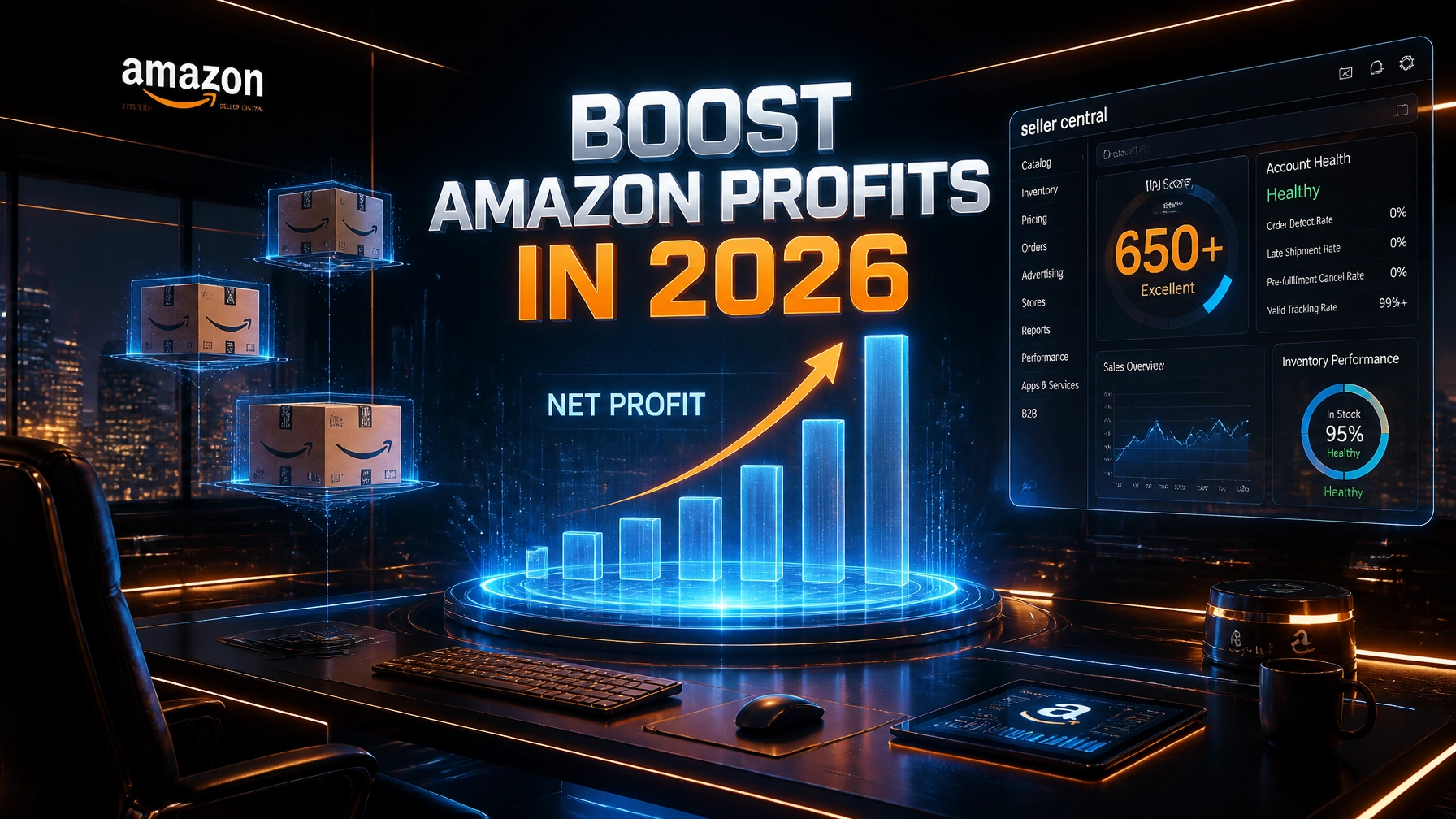
The 2026 Amazon landscape is no longer a "growth at all costs" game; it is a battle for every percentage point of margin. With fuel surcharges hitting 3.5% and fulfillment fees climbing, the average FBA seller is seeing fees swallow nearly 50% of their revenue. If you are a Private Label brand doing $500k to $5M, you aren't just fighting competitors; you are fighting the hidden "Profit Leakage" in your own Seller Central account.
Most owners are buried under "Admin Debt", the mountain of repetitive tasks like negative keyword pruning, inventory reconciliation, and listing updates that prevent them from focusing on "Category Alpha" product development. You cannot scale a business if you are acting as a $150/hour file clerk for Jeff Bezos.
Virtual Nexgen Solutions provides specialized e-commerce virtual assistants starting at just $8/hour. These are not generic freelancers; they are trained administrative engines that systematize your operations so you can reclaim your time and your profits. Here is the 2026 playbook to turn your Amazon operation into a lean, profit-generating machine.
The Margin Erosion Crisis: Why Your Growth is Feeling Heavy
In 2026, high-volume sales often mask a dying bottom line. We see it constantly: a brand in Texas doing $2M a year, yet the owner hasn't taken a distribution in six months because "unforeseen" Amazon storage surcharges and PPC bloat ate the cash flow. This is the reality of the "Hard Market" in e-commerce.
If you are struggling with any of these six pain points, you are currently bleeding capital:
- The PPC Hemorrhage: Your TACoS (Total Advertising Cost of Sales) is creeping up to 20%+, but your total sales are flat. You are essentially paying Amazon to keep your own customers.
- Inventory Bloat & IPI Penalties: Your Inventory Performance Index (IPI) is hovering near the danger zone, triggering massive storage surcharges that you didn't budget for.
- The Rufus AI Gap: Amazon’s new conversational AI, Rufus, is the primary way customers find products now. If your listings are still optimized for 2023-style keyword stuffing, you are invisible to the most qualified buyers.
- Data Overwhelm: You have the reports, but no one is looking at them. You know there is "gold" in your Search Term Reports, but you haven't opened one in three weeks.
- Reimbursement Neglect: Amazon owes you money for lost or damaged inventory, but the process of filing cases is so tedious that you’ve left thousands of dollars on the table.
- Owner Burnout: You are spending 40 hours a week on "maintenance" instead of "growth." You are the bottleneck.
SOP 1: The Daily "Profit Guard" Dashboard Update
Every morning, your Virtual Assistant must update a "Profit Guard" sheet that tracks real-time data.
- Log into Seller Central and navigate to Reports > Business Reports.
- Extract the "Unit Session Percentage" and "Total Sales" for your Top 5 SKUs.
- Log the previous day’s Ad Spend and calculate TACoS (Ad Spend / Total Sales).
- Alert the owner immediately if TACoS exceeds 15% on any Top 5 SKU.
- Update the "Net Profit per Unit" column based on the updated 2026 fee structure.
Tip 1: The "Negative Keyword Leak" Audit
Amazon PPC is designed to spend your money as quickly as possible. In 2026, broad match and auto-campaigns are more aggressive than ever. Without weekly "Negative Keyword Hygiene," you are likely wasting 20-40% of your budget on terms that have zero chance of converting, like "free," "manual," or irrelevant competitor brand names.
A Virtual Assistant from Virtual Nexgen Solutions can systematize this audit, ensuring that not a single dollar is spent on "junk" traffic.
SOP 2: Weekly Negative Keyword Pruning
- Download the Search Term Report for the last 7 days.
- Filter the "Spend" column from high to low.
- Identify terms with >$15 in spend and 0 sales.
- Cross-reference these terms with the product’s core features. (e.g., if you sell "silicone spatulas," block "metal spatulas").
- Add these terms as "Negative Exact" at the campaign level.
- Log the projected monthly savings in the PPC Audit Tracker.
SOP 3: Competitor "Share of Voice" Negative Seeding
- Use Helium 10 or Jungle Scout to identify top 10 competitors for your primary keyword.
- Extract competitor brand names and ASINs.
- Add these brand names as "Negative Phrase" in your generic "Auto" and "Broad" campaigns to prevent paying for "accidental" clicks from shoppers looking for specific brands.
- Move these high-intent competitor terms to a dedicated "Conquesting" campaign with a strictly controlled budget.
Tip 2: SKU Triage & IPI Shielding
In 2026, Amazon doesn't want you to use their warehouses for long-term storage. The Inventory Performance Index (IPI) is your most important profitability metric outside of margin. If your IPI drops, your storage limits shrink, and your "Aged Inventory Surcharges" skyrocket.
You need a "Lean SKU Strategy." This means pruning the slow-movers and doubling down on your "winners." An $8/hr virtual assistant can manage this "SKU Triage" so you never pay a penny in unnecessary fees.
SOP 4: The 60-Day "Slow-Mover" Liquidation Protocol
- Open the "FBA Inventory Age" report weekly.
- Identify any SKU with >60 days of supply and a sell-through rate below 1.5.
- Calculate the "Cost of Holding" vs. the "Cost of Liquidating."
- If holding for another 30 days costs more than a 20% discount, trigger a 7-day Coupon.
- If the coupon fails to move 50% of the excess, initiate a "Liquidation" order or a removal to your 3PL.
- Record the IPI score improvement in the monthly report.
SOP 5: Stranded Inventory Rescue
- Check the "Fix Stranded Inventory" dashboard daily at 9:00 AM.
- Identify the "Reason for Stranding" (e.g., missing price, deleted listing, restricted product).
- Follow the Amazon-suggested fix (Relist, Update Price, or Change to FBM).
- If the fix requires a "Flat File" upload, draft the file for the owner's final review.
- Confirm the status is "Active" within 24 hours.
Tip 3: Optimizing for Rufus AI
The "Rufus AI" shopping assistant has changed the game. Customers now ask questions like "Is this yoga mat thick enough for hard floors and easy for a 5'2" person to carry?"
To rank in Rufus-generated answers, your listings must be "conversational" and "intent-heavy." You need to answer the questions that buyers are asking in their minds before they even type them.
SOP 6: Rufus-Ready Content Audit
- Go to your Top 3 competitors’ listings and scroll to the "Customer Reviews" and "Q&A" sections.
- Use a "Review Downloader" tool to extract the last 100 reviews.
- Identify the top 5 recurring questions or objections (e.g., "too small," "hard to assemble").
- Rewrite your 2nd and 3rd bullet points to explicitly answer these questions (e.g., "Perfect for Small Spaces – Measures only 12x12 inches").
- Update the "Product Description" to include natural language phrases that Rufus favors.
SOP 7: Visual "Instructional" Optimization
- Review listing images to ensure Image 3 and Image 4 explicitly show the product solving a top-tier customer problem identified in SOP 6.
- Coordinate with a graphic designer to add "Benefit-First" text overlays to these images.
- Upload the new images and monitor the "Unit Session Percentage" (Conversion Rate) for 14 days.
Case Study: Home Goods Brand in California
A mid-sized home goods brand was struggling with a 19% TACoS and a declining IPI of 380. They were paying over $4,000 a month in aged inventory surcharges. After bringing in a Virtual Nexgen Solutions assistant for 40 hours a week ($1,280/month), the VA implemented a strict negative keyword hygiene routine and a 60-day SKU triage.
- Result: Within 90 days, TACoS dropped to 11%, IPI rose to 510, and the brand reclaimed $3,200/month in previously lost margins. The owner shifted their focus to a new product line that added $15k in monthly profit.
Tip 4: Strategic "Dayparting"
Why are you bidding on "Kitchen Gadget" at 3:00 AM when your highest conversion rate is at 8:00 PM? In 2026, bidding 24/7 is a recipe for profit leakage. "Dayparting" allows you to systematize your bids so you are aggressive when customers are buying and "stealth" when they are just window shopping.
SOP 8: Data-Driven Dayparting Setup
- Use an Amazon analytics tool (like Helium 10 or Perpetua) to pull a "Sales by Hour" report for the last 30 days.
- Identify the "Peak Conversion Window" (e.g., 6:00 PM to 10:00 PM EST).
- Identify the "Dead Zone" (e.g., 1:00 AM to 6:00 AM EST).
- Adjust campaign budgets to decrease by 50% during the Dead Zone.
- Increase bids by 20% during the Peak Conversion Window.
- Review the "Spend vs. ROAS" report every Friday to fine-tune the hours.
SOP 9: Weekend vs. Weekday Bid Adjustments
- Pull a 60-day report comparing Weekend vs. Weekday conversion rates.
- If Saturday conversion is 30% lower than Tuesday, set a "Weekend Modifier" to reduce bids by 20% on Friday evening.
- Re-enable full bids on Sunday evening at 5:00 PM to capture the "Sunday Night Shopper" surge.
Tip 5: The VA as the AI "Controller"
While there are many software tools available for Amazon sellers, they are prone to "Bot Errors." A tool might aggressively bid on a keyword that is relevant but has a 0% conversion rate because it fits a certain "pattern."
Your Virtual Assistant acts as the "Human Controller," overseeing these systems to ensure they align with your business goals. This "Human-in-the-loop" approach is what sets Virtual Nexgen Solutions apart.
SOP 10: Seller Central Notification Protocol
- Monitor the "Account Health" dashboard twice daily.
- If a "Policy Violation" or "Performance Notification" appears, immediately screenshot the alert.
- Open a case with Seller Support using a pre-approved template for that specific violation.
- Tag the owner in Slack/Asana with the case ID and the expected resolution time.
- Follow up every 12 hours until the flag is cleared.
SOP 11: Amazon Reimbursement Case Filing
- Once every 30 days, download the "Inventory Adjustments" and "Manage FBA Returns" reports.
- Cross-reference items marked as "Damaged" or "Lost" with "Reimbursement" records.
- Identify any discrepancies where Amazon has not yet paid the brand.
- Manually open a "Missing Reimbursement" case with the required transaction IDs.
- Track the recovered funds in the "Monthly Profit Recovery" column of the Profit Guard sheet.
SOP 12: Monthly TACoS & Net Margin Review
- On the 1st of every month, compile all data from the "Profit Guard" sheet.
- Calculate the "True Net Margin" (Total Revenue - COGS - FBA Fees - Shipping - PPC - VA Cost).
- Compare the current month's margin against the previous 3 months.
- Identify the "Top 3 Profit Leaks" (e.g., rising PPC on SKU A, high returns on SKU B).
- Propose 3 specific actions for the upcoming month to plug those leaks.
The E-commerce Software Stack for 2026
To maximize the efficiency of your $8/hr Virtual Assistant, they should be experts in these six essential tools:
- Helium 10 / Jungle Scout: For deep-dive keyword research, Rufus AI optimization, and competitor tracking.
- Seller Central: The native engine for inventory, business reports, and case management.
- Perpetua / Pacvue: For systematizing PPC bidding and dayparting (with VA oversight).
- Slack: For real-time "Red Alert" communication between the VA and the owner.
- Asana / Trello: To track the progress of the 12 SOPs and listing updates.
- Seller Assistant App: For quick SKU-level profitability analysis during the "Triage" process.
Industry-Specific Tasks Our VAs Handle
- PPC Management: Negative keyword harvesting, bid adjustments, and campaign restructuring.
- Listing Optimization: Copywriting for Rufus AI, A+ Content updates, and back-end search term audits.
- Inventory Control: Monitoring IPI scores, coordinating with 3PLs, and preventing "Aged Inventory Surcharges."
- Customer Experience: Managing buyer-seller messaging, monitoring reviews, and handling reimbursement cases.
- Competitor Intel: Tracking competitor price changes and "Share of Voice" shifts.
- Profit Reporting: Weekly and monthly financial summaries focusing on TACoS and Net Margin.
Case Study: Supplement Brand in Florida
A private-label supplement brand was drowning in "Admin Debt." The owner was spending 20 hours a week just replying to customer messages and checking for suppressed listings. They brought in a Virtual Nexgen Solutions assistant.
- The Workflow: The VA took over all "Level 1" tasks, listing maintenance, review monitoring, and basic PPC cleanup.
- The Result: The owner saved 80 hours a month. With that time, they negotiated a 15% reduction in COGS with their manufacturer and launched two new flavors. By the end of 2026, the brand's net profit had increased by 42%, while the VA cost remained a flat $1,280/month.
Stop Guessing. Start Scaling.
The difference between a "hobbyist" Amazon seller and a "Brand Builder" is the ability to delegate the mundane so you can dominate the market. In-house administrative staff in the US will cost you $60,000 a year plus benefits, a massive overhead that kills your agility.
At Virtual Nexgen Solutions, we provide the same level of precision and expertise for a fraction of the cost. Our $8/hour virtual assistants are the engine that allows you to focus on your "Category Alpha."
Don't let "Profit Leakage" sink your brand in 2026. Systematize your success today.
Frequently Asked Questions (FAQs)
1. Is an $8/hour virtual assistant skilled enough for complex Amazon PPC?
rnYes. Our VAs are trained in technical workflows and SOP-driven management. They work as the "engine" while you provide the strategic direction. By following strict SOPs for negative keyword pruning and bid adjustments, they eliminate the human error often found in manual management.
2. How does a VA help with the new Amazon Rufus AI?
rnVAs conduct the research needed to understand what customers are asking. They audit your listings to ensure they answer these natural-language questions, helping Rufus surface your product in the new conversational search results.
3. Will my data be safe with a Virtual Assistant?
rnVirtual Nexgen Solutions prioritizes security. We recommend using Amazon’s "User Permissions" feature, which allows you to grant specific, limited access to your VA without ever sharing your primary login credentials.
4. How soon can I see an improvement in my TACoS?
rnWhen our VAs implement "Negative Keyword Hygiene" (SOP 2), most sellers see a reduction in wasted spend within the first 14 days. Total TACoS stabilization usually occurs within 30 to 45 days.
5. Can a VA help me avoid Amazon storage surcharges?
rnAbsolutely. Through our "SKU Triage" (SOP 4) and IPI monitoring, VAs identify slow-moving inventory before it hits the 60-day mark, allowing you to liquidate or discount stock and maintain a healthy IPI score.
6. Do I need to provide the SOPs, or do you have them?
rnWe have a library of industry-standard SOPs, but we also adapt to your specific business workflows. We analyze your needs and implement seamless integrations into your current systems.
7. How do I communicate with my Amazon VA?
rnMost of our clients use Slack or Asana for daily communication and task tracking. This ensures a transparent, real-time look at all work being performed.
8. What if I only need a VA for 20 hours a week?
rnWe offer flexible solutions tailored to your business size. Whether you are a $500k seller needing part-time support or a $5M brand needing a full-time "Command Center," we have you covered.
Ready to Reclaim Your Profit Margins?
Stop losing money to Amazon fees and "Admin Debt." Schedule a call with the experts at Virtual Nexgen Solutions today. We will analyze your Seller Central account and show you exactly where your profit is leaking.
Work With Virtual Nexgen Solutions
If your business needs dependable virtual assistant support, Virtual Nexgen Solutions can provide support around your existing workflow. Book a discovery call today.
Get in Touch Now!