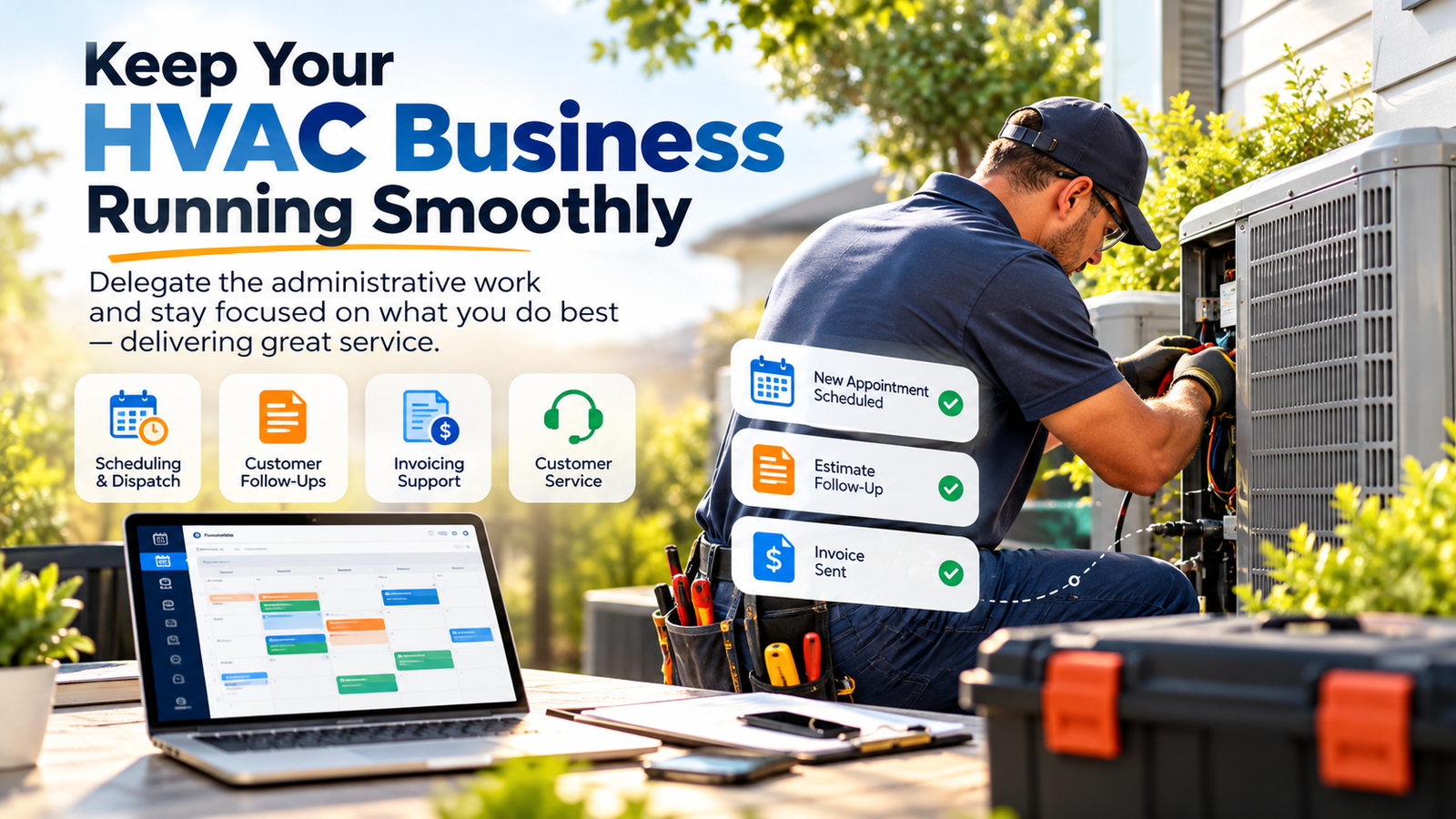
Operational efficiency in the HVAC industry no longer depends solely on the skill of the technician in the field. In 2026, the bottleneck for growth exists within the office. HVAC contractors face a landscape where customer expectations for instant communication are at an all-time high, while the cost of local administrative labor continues to climb. An HVAC Virtual Assistant serves as the operational engine that allows a service business to scale without the overhead of a traditional physical office staff.
Virtual Nexgen Solutions provides specialized support that integrates directly into your existing field service management software. By leveraging a dedicated HVAC Virtual Assistant at a fixed rate of $8 per hour, contractors reclaim hours of billable time and ensure that no service call goes unanswered. This guide examines the strategic deployment of remote talent to optimize dispatching, invoicing, and long-term customer retention.
The Cost of Operational Friction in HVAC
Many HVAC owners attempt to manage dispatching and customer service while simultaneously running calls or managing large-scale installations. This approach leads to "operational drag," where the business owner becomes a bottleneck for their own growth. When a customer calls with a broken furnace in mid-January, they rarely wait for a callback. They move to the next listing on Google.
Failure to delegate administrative tasks results in lead leakage, missed maintenance renewals, and delayed invoicing: all of which directly impact cash flow. Transitioning to a specialized HVAC Virtual Assistant ensures that the back-office remains functional 24/7, providing a seamless experience for the customer and a clear schedule for the technician.
6 Daily Pain Points for HVAC Contractors
- High Volume of Missed Calls: Potential customers call competitors when your office staff is busy or after hours, leading to thousands in lost potential revenue each month.
- Dispatching Chaos: Technicians spending too much time driving between jobs due to poorly optimized routes or overlapping appointments.
- Delayed Invoicing and Collections: Paperwork sits in trucks for days, delaying the billing cycle and straining company cash flow.
- Neglected Maintenance Agreements: Service contracts expire because no one is dedicated to tracking renewals and outbound scheduling.
- CRM Data Decay: Customer records in ServiceTitan or Housecall Pro become cluttered with incomplete information, making marketing efforts ineffective.
- Warranty Claim Backlogs: Manufacturers’ requirements for warranty reimbursements are time-consuming, often leading to unclaimed funds that belong to your bottom line.
10 Critical Tasks for an HVAC Virtual Assistant
A professional assistant from Virtual Nexgen Solutions is trained to handle the specific workflows of a mechanical service business. Their role extends far beyond answering phones; they manage the entire lifecycle of a service ticket.
- Real-Time Dispatching: Monitoring the GPS of technicians and adjusting schedules based on job completion times.
- ServiceTitan/Housecall Pro Management: Maintaining the integrity of your field service software, including job tagging and customer history.
- Inbound Booking: Converting inquiries from phone, web forms, and Angi/Local Services Ads into scheduled appointments.
- Invoicing and Payment Follow-up: Processing credit card payments and sending digital invoices immediately upon job completion.
- Maintenance Agreement Tracking: Proactively calling existing members to schedule their seasonal "tune-ups" before the peak season hits.
- Parts Procurement Coordination: Contacting suppliers to check availability and tracking the arrival of specialized equipment for pending installs.
- Permit Filing: Preparing and submitting necessary documentation to local municipalities for HVAC installations and replacements.
- Online Review Management: Sending follow-up texts to satisfied customers and responding to Google Business Profile reviews to boost local SEO.
- Outbound Lead Nurturing: Following up on quotes that were not closed on-site by the technician.
- Weekly Performance Reporting: Compiling data on average ticket size, technician conversion rates, and total leads generated.
The Strategic Shift: Why 2026 Demands Specialized HVAC Administrative Partners
The HVAC market in 2026 rewards speed, precision, and consistency. Customers expect fast answers, tighter arrival windows, and better communication than they accepted even two years ago. In many local markets, the first company to answer the phone and confirm a credible service window wins the job. That reality changes the role of administration. HVAC office support is no longer basic reception work. It is a specialized operational function tied directly to revenue capture, technician utilization, and customer retention.
Dispatch speed now carries financial consequences. A delayed callback on a no-cool call in July can mean the loss of a same-day repair ticket, a future maintenance agreement, and a five-star review. A disorganized dispatch board can also create technician downtime, unnecessary windshield time, and lower daily ticket counts. In practical terms, weak administrative support quietly drains profit even when field demand is strong.
Seasonal volatility raises the pressure. HVAC companies live through sharp swings in call volume tied to heat waves, cold snaps, shoulder-season maintenance demand, and replacement surges. During peak periods, owners often pull technicians or install coordinators into phone coverage and scheduling support. That decision hurts both field productivity and office responsiveness. During slower periods, many contractors hesitate to add full-time local administrative headcount because the fixed cost feels too heavy. A specialized HVAC Virtual Assistant solves both problems by giving the company scalable support without adding high domestic payroll burden.
The skilled labor shortage makes this shift even more urgent. The broader HVAC industry continues to face technician recruitment and retention pressure. Industry groups such as ACCA and the U.S. Bureau of Labor Statistics continue to highlight strong long-term demand for HVAC service professionals. When skilled field labor is difficult to replace, every technician hour becomes more valuable. Owners should protect those hours aggressively. Do not waste licensed or revenue-producing labor on callbacks, schedule reshuffling, invoice follow-up, membership reminder calls, or CRM cleanup. Assign those activities to a trained HVAC Virtual Assistant who can operate inside ServiceTitan, Housecall Pro, Jobber, or FieldEdge with discipline.
A specialized administrative partner also improves customer trust. Homeowners and commercial clients judge professionalism long before the technician arrives. They notice whether the office answers quickly, confirms appointments accurately, shares ETA updates, records equipment details correctly, and follows up after service. Strong back-office execution supports stronger reviews, higher close rates, and more repeat business.
This is the strategic shift: treat the HVAC Virtual Assistant as part of the company’s operations infrastructure, not as overflow labor. Build them into dispatch, service agreement management, invoice follow-up, reporting, and outbound retention. When the office runs with precision, the field performs better and the owner regains managerial control.
The Financial Impact of an $8 Per Hour Assistant
Hiring a local dispatcher in the United States often requires a salary between $45,000 and $60,000, plus benefits, taxes, and office space. This places a significant burden on the profit margins of a growing HVAC company.
Virtual Nexgen Solutions provides a higher level of specialization for only $8 per hour. This cost structure allows contractors to hire two or three assistants for the price of one local employee, enabling 24/7 coverage. This is particularly vital for emergency service providers who need to capture high-ticket repair calls during nights and weekends.
ROI Deep Dive: The Financial Mathematics of Delegation
The real ROI of an HVAC Virtual Assistant becomes clear when you compare labor value by function. Many owners still handle dispatch, missed-call follow-up, estimate follow-up, and invoice chasing themselves. Some assign these tasks to top technicians or install managers when the office gets overloaded. That practice feels efficient in the moment, but the math usually says otherwise.
Start with the owner’s hour. If an HVAC owner can generate sales, manage teams, build vendor relationships, improve close rates, or oversee operations that materially affect growth, that hour is not worth clerical wages. Even a conservative internal valuation of $75 to $150 per hour for an owner’s time makes routine admin work a poor use of leadership capacity. Every hour spent on schedule juggling, renewal reminder calls, and after-hours message cleanup carries a hidden opportunity cost.
Now look at technicians. A skilled HVAC service technician may produce several hundred dollars of billable revenue per day and support high gross-margin repair or replacement opportunities. If that technician spends 30 to 60 minutes per day handling customer updates, rescheduling, parts-status calls, or incomplete notes that office staff should process, the business loses service capacity. Even if the technician’s loaded wage is only a fraction of the ticket value they generate, that time remains too expensive for back-office work.
By contrast, a trained HVAC Virtual Assistant at $8 per hour can absorb repeatable non-field tasks at a dramatically lower cost. Consider a basic example. If an owner offloads 15 hours per week of scheduling, follow-up, CRM updates, invoice follow-up, and maintenance agreement outreach, the direct weekly labor cost is $120. If that reclaimed time helps the owner close one additional replacement, improve technician productivity by one extra service call per day across the team, or reduce missed calls enough to capture a handful of repair tickets, the return compounds quickly.
The same logic applies to dispatch support. Suppose a VA improves route efficiency, fills last-minute cancellations, and shortens technician idle gaps. Even a modest improvement in completed calls per week can outweigh the assistant’s cost many times over. If the VA also protects maintenance agreement revenue by scheduling renewals on time and supporting off-season tune-up campaigns, the long-term customer value increases further.
This financial equation is not only about payroll savings. It is about role alignment. Put expensive people on high-value work. Put structured administrative work in the hands of a trained specialist. That is how HVAC companies improve margin without overextending local payroll.
Standard Operating Procedures for HVAC Virtual Assistants
To ensure quality control, every task must follow a strict SOP. Below are the frameworks used by Virtual Nexgen Solutions to manage core HVAC operations.
SOP 1: Inbound Service Call Booking (ServiceTitan)
- Answer the call within three rings using the approved company greeting.
- Identify the customer’s immediate need (Repair, Maintenance, or Install Quote).
- Search the ServiceTitan database for existing customer history. Create a new profile if no record is found.
- Gather specific details: unit age, brand, and symptoms of the issue.
- Check the dispatch board for technician availability in the customer’s zone.
- Confirm the diagnostic fee and arrival window with the customer.
- Save the job and assign it to the "Unassigned" or "Pending Dispatch" bucket.
SOP 2: Emergency Dispatch Coordination
- Monitor the "Emergency" tag in the job queue.
- Identify the nearest technician with the correct skill set (e.g., Boiler specialist vs. AC specialist).
- Call the technician to confirm they have seen the alert on their mobile device.
- Update the customer via SMS with the technician's name, photo, and estimated time of arrival.
- Adjust the subsequent jobs on the technician’s board to account for the emergency priority.
SOP 3: Maintenance Agreement Renewal
- Export a list of agreements expiring in the next 30 days from Housecall Pro.
- Conduct an outbound call to the customer 15 days before expiration.
- Explain the benefits of renewal (e.g., 15% discount on repairs, priority service).
- Process the renewal payment over the phone or send a secure payment link.
- Schedule the upcoming seasonal maintenance visit immediately.
SOP 4: Post-Install Follow-up and Review Request
- Identify all "Install" jobs marked as completed in the last 24 hours.
- Call the customer to ensure the system is running to their satisfaction.
- Ask if the technicians left the workspace clean and answered all questions.
- Send a direct link to the company’s Google Business Profile via SMS.
- Log any feedback or complaints in the CRM for the owner to review.
SOP 5: Warranty Claim Management
- Collect the failed part's model and serial number from the technician’s job notes.
- Access the manufacturer’s portal (e.g., Carrier, Trane, Lennox).
- Submit the claim with the required diagnostic codes and proof of purchase.
- Track the claim status weekly until the credit is issued to the company account.
- Notify the accounting department once the credit is verified.
The Advanced Dispatch Engine: Managing ServiceTitan and Housecall Pro with Precision
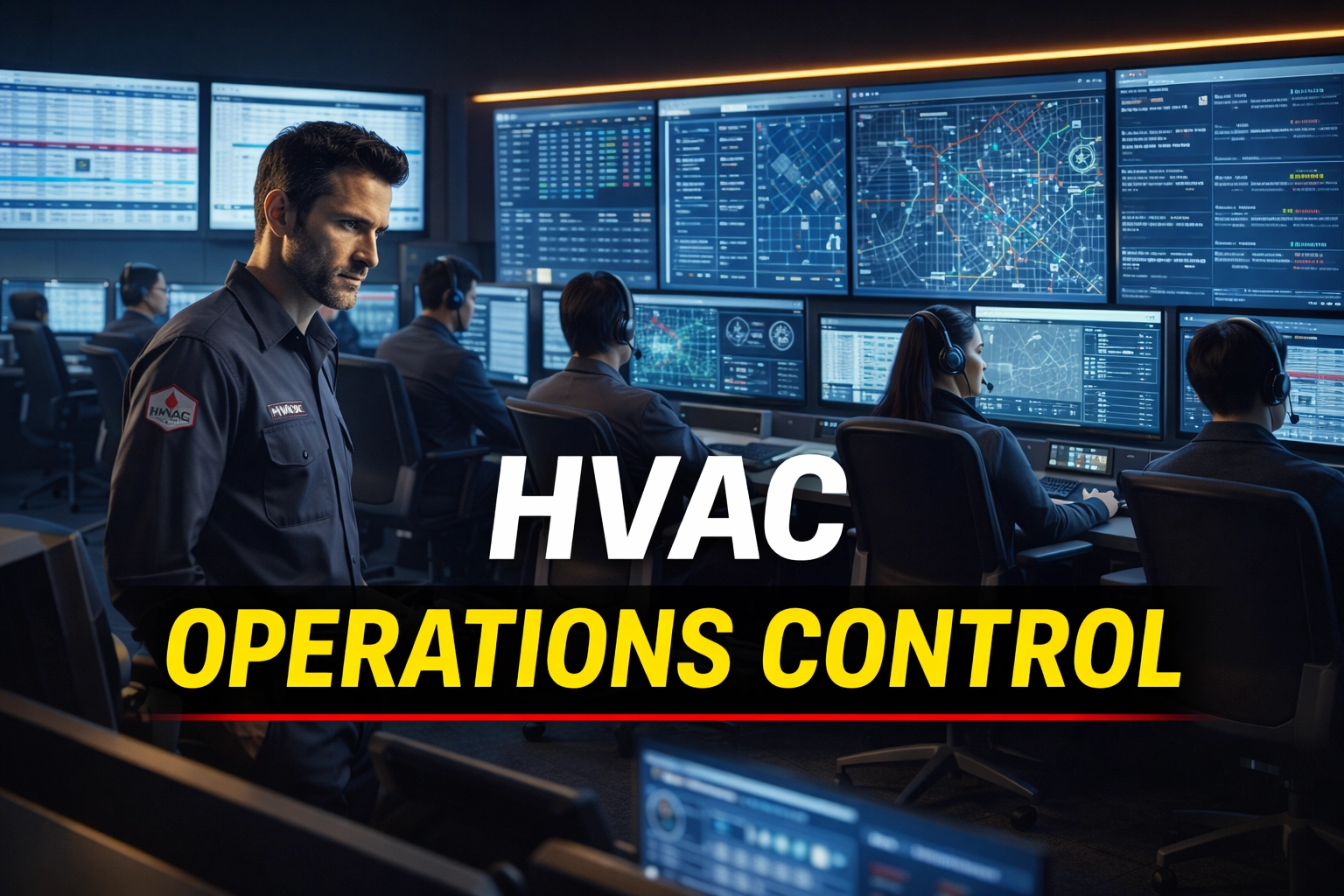
Dispatch is the heartbeat of an HVAC service business. Small inefficiencies stack up fast. A 15-minute delay in confirming a route can trigger late arrivals, frustrated customers, compressed job windows, technician overtime, and lower review scores. High-efficiency dispatching requires a disciplined combination of board visibility, technician skill matching, customer communication, and constant schedule triage.
A trained HVAC Virtual Assistant strengthens the dispatch engine by managing details that often slip through a busy office. They watch route progression, confirm arrival windows, flag parts-dependent follow-ups, identify same-day fill opportunities, and keep customers informed before frustration builds. In ServiceTitan and Housecall Pro, this means clean job statuses, accurate tags, complete customer notes, and careful board management throughout the day.
ServiceTitan works well for more complex service operations with dedicated boards, call booking flows, memberships, and reporting layers. Housecall Pro often fits smaller or fast-growing teams that need practical scheduling, invoicing, communication, and membership support. In both systems, the principle remains the same: maintain one clear source of truth, keep statuses current, and force every open job into a visible next action.
High-Efficiency Dispatching SOP
Open the dispatch board 15 to 30 minutes before the first call window. Review every scheduled job by zone, promised arrival window, technician skill match, job type, and status. Flag any booking with missing address details, incomplete equipment notes, or unclear access instructions. Correct those issues before the first truck rolls.
Audit the prior day’s unresolved jobs. Move every carryover into one of three buckets: scheduled follow-up, parts hold, or management review. Do not allow old tickets to sit in a vague open status. Clear categorization prevents lost revenue and customer frustration.
Confirm technician readiness. Check truck status, route order, special equipment needs, and first-job notes. Message each technician if a high-priority job requires extra context such as elderly occupants, commercial access rules, tenant coordination, or membership status.
Watch live progress throughout the day. Track when technicians are en route, on site, paused, or wrapping up. Update the board immediately when a job runs long, a customer requests a delay, or a higher-value emergency call enters the queue. Protect the rest of the day by adjusting downstream appointments early rather than apologizing late.
Prioritize dispatch using value and urgency. Route no-cool, no-heat, water leak, and commercial downtime calls ahead of lower-urgency tune-ups when capacity is limited. Match specialty jobs correctly. Send system diagnostic-heavy calls to stronger service techs and reserve install-support follow-ups for appropriate crews.
Fill cancellation gaps aggressively. Pull from same-day unsold estimates, deferred repairs, maintenance agreement members due for service, and open leads waiting for fast appointments. Contact those customers immediately. Present the opening as a convenience. Keep the schedule dense without sounding desperate.
Communicate ETA updates before the customer has to ask. Send a text or call when the technician is dispatched, delayed, or ahead of schedule. Include technician name, expected arrival window, and any preparation instructions. Proactive communication protects reviews and reduces inbound status calls that distract the office.
Document every dispatch decision inside the software. Record gate codes, pet alerts, system details, financing interest, IAQ discussions, and prior recommendations. Strong notes improve close rates on future visits and reduce repeated questioning that makes the company look disorganized.
Close the day with board cleanup. Verify that every completed job has a final status, invoice pathway, note completion, and next action. Push estimate follow-up to sales queues, send invoice reminders where needed, and schedule parts-related return visits only after confirming availability.
Best practice matters here. Standardize status names. Use consistent tags. Require technicians to update milestones. Audit no-response leads daily. Review unassigned jobs twice per day. These habits create dispatch precision that scales from a two-truck shop to a multi-crew operation.
Customer Retention and the Maintenance Agreement System
Many HVAC companies focus heavily on lead generation while underestimating the value of structured retention. That is a costly mistake. Maintenance agreements create recurring revenue, smoother shoulder-season demand, stronger customer loyalty, and more opportunities to identify repair and replacement work before breakdowns happen. A Virtual Assistant helps protect that revenue by turning membership management into a repeatable system instead of an occasional office task.
A strong maintenance agreement system starts with accurate data. The VA keeps records clean inside ServiceTitan or Housecall Pro, confirms agreement start and renewal dates, tracks visit completion status, and segments customers by equipment type, age, geography, and service priority. That data makes seasonal outreach far more effective.
Tune-up scheduling should begin before the market becomes chaotic. During spring and fall shoulder seasons, the VA contacts agreement customers early, offers convenient windows, confirms communication preferences, and books appointments before technicians are overcommitted with emergency demand. This protects the customer experience while stabilizing technician workloads.
The VA also supports retention after each visit. Update membership notes immediately. Record recommendations clearly. Flag customers who declined repairs, showed interest in replacements, or need financing follow-up. Send reminders for pending maintenance. Trigger outreach when an agreement is about to expire. These small actions reduce churn and increase customer lifetime value.
Maintenance Agreement Management SOP
Pull a weekly report of active, upcoming-expiration, and overdue maintenance agreements. Sort the list by season, service region, and customer value. Focus first on customers due within the next 30 to 45 days.
Review each customer account before outreach. Confirm phone number, email, equipment type, prior service history, and any open recommendations. Fix incomplete data before making contact.
Call or text the customer with a direct service-oriented message. Offer seasonal maintenance windows, remind them of membership benefits, and present two appointment options whenever possible. Reduce friction. Make scheduling easy.
Book the visit immediately in the field service software. Assign the correct service category, membership tag, and technician skill type. Add notes that help the field team arrive prepared.
Send confirmation and reminder messages. Include date, arrival window, and any homeowner preparation notes. Reduce no-shows by sending reminders 24 hours ahead and on the morning of service if the company’s process supports it.
Track completed visits daily. Reconcile missed appointments, reschedules, and technician no-access notes. Rebook unresolved maintenance visits within 48 hours so the agreement does not quietly fall behind.
Launch renewal outreach before expiration. Contact the customer while value is still fresh, ideally after a successful tune-up or repair experience. Explain benefits clearly, process payment, and update the agreement record without delay.
A disciplined maintenance system creates three advantages: stronger recurring revenue, better capacity planning, and more repeat service opportunities. It also protects the brand. Customers who feel remembered and supported are far less likely to shop around when their system fails.
Integrated Software and Tools
A Virtual Nexgen Solutions assistant is proficient in the industry’s leading technology stack. This removes the learning curve and allows for immediate productivity.
- Field Service Management: ServiceTitan, Housecall Pro, Jobber, FieldEdge.
- Communication: RingCentral, OpenPhone, Slack for internal technician coordination.
- Accounting: QuickBooks Online integration for real-time syncing of invoices.
- GPS Tracking: FleetSharp or Verizon Connect for monitoring truck locations.
- Marketing: NiceJob or Podium for reputation management and customer communication.
The 14-Day Onboarding Blueprint: Integrating Your HVAC VA
A Virtual Assistant performs best when onboarding is structured. Speed matters, but clarity matters more. The goal during the first 14 days is to create secure access, establish communication rules, document priorities, and assign measurable responsibilities without overwhelming the team.
During the first few days, define the operating environment. Grant access only to the systems required for the role, such as ServiceTitan, Housecall Pro, RingCentral, OpenPhone, Slack, Microsoft 365, Google Workspace, QuickBooks Online, and review-management tools. Use role-based permissions where possible. Confirm password handling standards and two-factor authentication. Build one source of truth for SOPs, call scripts, dispatch rules, membership workflows, and escalation guidelines.
Then set communication cadence. Decide where urgent dispatch communication happens, where technician notes are posted, and where daily reporting lives. Keep channels simple. Use one path for emergencies, one for normal operations, and one for end-of-day summaries. Confusion in communication creates missed jobs and duplicate work.
Shadowing should come next. Have the VA observe booking calls, dispatch changes, invoice handoffs, estimate follow-up, and maintenance agreement scheduling. Record edge cases. Explain how the company prioritizes emergencies, memberships, maintenance visits, commercial accounts, and replacement opportunities. Specialized context is what turns a general assistant into an HVAC operations partner.
14-Day Integration SOP
Day 1 through Day 3 should focus on software access, login validation, communication channels, security standards, and orientation to company services, service areas, and job types. Confirm access to scheduling boards, phone systems, calendars, and CRM records. Test every login before live work begins.
Day 4 through Day 6 should focus on observation and controlled execution. Assign the VA to watch inbound call handling, dispatch updates, and maintenance scheduling. Then move them into supervised tasks such as note entry, customer confirmations, tag cleanup, and reminder messages.
Day 7 through Day 10 should expand active ownership. Shift selected responsibilities such as missed-call follow-up, dispatch board monitoring, membership outreach, invoice reminder communication, and technician ETA updates to the VA. Review work daily. Correct quickly. Reinforce naming conventions and documentation standards.
Day 11 through Day 14 should lock in accountability. Measure response times, booking accuracy, board cleanliness, note quality, and completion of assigned workflows. Identify gaps. Update SOPs. Confirm who approves schedule overrides, after-hours escalation, customer refunds, or pricing questions.
Best practices make the difference. Record short screen-share walkthroughs for repeat tasks. Keep scripts concise. Document exception handling. Use a daily scorecard for the first two weeks. Protect the VA from unclear authority by defining what they can decide independently and what requires owner review.
When onboarding is rushed, the VA becomes underused and the owner assumes remote support does not work. When onboarding is structured, productivity rises quickly and the team gains confidence in the new operating model.
Advanced Data Analytics: How Your VA Provides Service Insights
Many HVAC owners rely on instinct to judge performance. Instinct matters, but reporting reveals where profit leaks actually occur. A skilled HVAC Virtual Assistant can maintain simple, actionable reporting that helps the owner make better decisions without getting buried in raw software dashboards.
Start with average ticket size. The VA can pull completed invoice data by technician, service type, membership status, lead source, and time period. This shows whether tune-up calls are converting into repair opportunities, whether certain technicians underperform on close rate, and whether specific marketing channels bring in stronger jobs.
Track response times closely. Measure how long it takes to answer calls, return missed calls, confirm bookings, dispatch technicians, and resolve open estimates. Slow response often signals hidden process breakdowns. It also affects reviews and booking rates. A VA can compile these metrics weekly and identify patterns such as slow Monday callback handling or delayed closeout on late-day jobs.
Review marketing ROI with discipline. Pull booked job counts and revenue tied to Google Business Profile, Local Services Ads, referral partners, maintenance agreement campaigns, yard signs, direct mail, and website forms. Match those figures against spend where possible. This helps the owner stop guessing which channels produce profitable work.
Service Insights Reporting SOP
Export weekly data from ServiceTitan, Housecall Pro, QuickBooks Online, call tracking tools, and review platforms. Use a fixed reporting template so trends remain easy to compare over time.
Validate the data before presenting it. Check for duplicate jobs, uncategorized invoices, missing lead-source tags, and incomplete technician closeouts. Clean data first or the report becomes misleading.
Summarize the key metrics in plain language. Include booked jobs, completed jobs, average ticket size, response time trends, maintenance agreement renewals, estimate follow-up status, review volume, and top-performing lead sources.
Highlight operational exceptions that need action. Flag technicians with unusually low average tickets, zones with high cancellation rates, recurring dispatch delays, and lead sources producing low-value work. Good reporting should point toward decisions, not just numbers.
Present one-page weekly insights to the owner or manager. Keep the report readable. Focus on movement, patterns, and actions. Recommend practical adjustments such as increasing tune-up outreach, tightening missed-call follow-up, or rebalancing dispatch coverage by zone.
Archive reports in a shared folder and compare month over month. Over time, this reporting discipline helps HVAC companies improve labor utilization, service quality, and marketing efficiency.
Scaling with Virtual Nexgen Solutions
The risk of inaction in a competitive market is the slow erosion of market share. While you focus on recruiting high-quality technicians, Virtual Nexgen Solutions handles the administrative engine. Our assistants are not just call takers. They are operational partners who understand the nuances of the HVAC trade, from SEER ratings to heat pump incentives, and they work inside the systems your team already uses.
For contractors who need stronger dispatch control, membership follow-up, cleaner software records, and better reporting visibility, Virtual Nexgen Solutions provides dedicated HVAC Virtual Assistants at $8 per hour. This structure helps growing service companies protect technician time, capture more inbound demand, and create consistent customer communication without taking on the burden of another full local salary.
By delegating these complex workflows to a dedicated remote professional, you transition from an owner-operator to a true business owner. This structural shift is what allows a three-truck operation to become a ten-truck powerhouse.
To discuss how an HVAC Virtual Assistant can transform your dispatching, maintenance agreement management, and office operations, schedule a 30-minute consultation here.
Frequently Asked Questions
Can a Virtual Assistant handle emergency dispatching after hours?
Yes. Virtual Nexgen Solutions provides coverage across all time zones, allowing your business to answer emergency calls and dispatch technicians 24/7/365 without requiring you to stay awake.
Do I need to provide the software for the VA?
The Virtual Assistant works within your existing software ecosystem, such as ServiceTitan or Jobber. You simply provide them with a seat or login credentials, and they manage the data within your secure environment.
How does the VA communicate with my technicians?
VAs use digital communication tools like Slack, WhatsApp, or the built-in messaging features of your field service management software. They can provide technicians with job updates, customer notes, and route changes in real time.
Is the pricing really $8 per hour?
Yes. Virtual Nexgen Solutions offers a flat rate of $8 per hour for dedicated, highly trained HVAC Virtual Assistants. There are no hidden fees or long-term contracts that lock you into a rigid structure.
How do I know if my data is secure?
We prioritize data security by using encrypted connections and following strict protocols. For businesses that handle sensitive information, we even offer HIPAA-compliant standards of data management across our various service departments.
Can they help with my HVAC marketing?
While their primary focus is operations, your VA can manage reviews, update social media profiles, and follow up on quotes to ensure your marketing spend results in actual booked jobs.
What is the onboarding process like?
Onboarding is designed to be frictionless, but it should still follow a structured plan. Virtual Nexgen Solutions aligns the VA with your software, communication channels, dispatch rules, and customer service standards so they can support live operations quickly and accurately.
Can a VA manage maintenance agreements and tune-up scheduling?
Yes. A trained HVAC Virtual Assistant can track renewals, call customers before expiration, schedule seasonal tune-ups, process renewals, and keep membership records clean inside your service platform.
What reports can an HVAC VA provide?
An HVAC VA can report on average ticket size, technician activity, response times, missed-call follow-up, renewal rates, pending estimates, and marketing source performance. These reports help owners make faster operational decisions.
How does a VA handle parts ordering?
The VA can contact your local distributors, check inventory for specific parts requested by technicians, track shipping status, and coordinate follow-up scheduling once availability is confirmed.
Can a VA work inside ServiceTitan and Housecall Pro every day?
Yes. Virtual Nexgen Solutions provides assistants who can manage day-to-day workflows inside ServiceTitan, Housecall Pro, Jobber, and related HVAC office systems, including dispatch support, note management, customer follow-up, and reporting.