When you post a job listing for an administrative coordinator or customer support specialist in major US metropolitan areas, you look at a base salary figure and think you have your overhead locked down. You pencil in $55,000 to $65,000 annually, budget for a modest onboarding period, and assume you are adding a straightforward asset to your balance sheet. But in the executive suite, that salary figure is merely the tip of the proverbial iceberg. Beneath the waterline lurks a massive submerged mass of mandatory payroll taxes, employer-sponsored health insurance contributions, workers' compensation premiums, 401(k) matching tiers, paid time off, sick leave, hardware acquisition, software license seat fees, and physical real estate overhead.
According to comprehensive labor economics reports from the U.S. Bureau of Labor Statistics (BLS), employer-sponsored benefits routinely account for 30 to 35 percent of total employee compensation. When you layer on mandatory federal and state contributions: such as FICA, FUTA, and SUTA: alongside recruitment expenditures highlighted in landmark Society for Human Resource Management (SHRM) cost-per-hire studies, the fully loaded cost of an in-house employee skyrockets to 1.25 to 1.5 times their base salary. For growing enterprises trying to protect margins, scale operations, and maintain agility, absorbing these fixed overhead liabilities can choke cash flow.
Enter the strategic alternative: partnering with a premier virtual assistant service. By contracting dedicated remote professionals through specialized agencies like Virtual Nexgen Solutions, small and mid-sized businesses can access elite operational talent at a flat rate of $8 per hour without the crushing administrative burden of local payroll overhead. Whether you need to hire a virtual assistant for calendar management, client intake, or specialized industry workflows, understanding the exact Total Cost of Ownership (TCO) is the ultimate key to unlocking profitable growth. In this definitive guide, we dissect the hard numbers, expose the hidden financial leaks of local hiring, and reveal why forward-thinking founders are transitioning to high-performance remote staffing models.
The True Total Cost of Ownership (TCO) Breakdown for US In-House Hires
To evaluate whether to expand your internal team or leverage an external agency, you must look past the gross salary and calculate true TCO. Let us dissect every single line item that enters your profit and loss statement when you bring an administrative professional onto your local payroll in 2026.
1. Base Compensation and Annual Salary
For a competent, experienced administrative or operational assistant in the United States, base salaries range from $50,000 to $68,000 depending on geographic location and industry specialization (such as real estate, legal, or healthcare). While this represents the primary cash outflow, it tells only a fraction of the financial story.
2. Mandatory Payroll Taxes and Statutory Contributions
As an employer, you are legally obligated to match federal and state taxes on every dollar earned by your local staff. This includes the Federal Insurance Contributions Act (FICA) tax of 7.65% (6.2% for Social Security and 1.45% for Medicare), alongside federal (FUTA) and state (SUTA) unemployment insurance taxes. On a $60,000 salary, mandatory statutory taxes instantly tack on over $5,000 in non-negotiable overhead.
3. Employer-Sponsored Health, Dental, and Vision Insurance
In today's competitive labor market, offering robust medical benefits is non-negotiable for attracting top local talent. According to benchmark employer surveys cited by Forbes, the average employer contribution for single coverage health insurance exceeds $7,000 annually, with family coverage climbing past $20,000. Combined with dental and vision plans, benefits consistently devour 30% to 35% of total compensation packages.
4. Retirement Contributions and 401(k) Matching
To remain competitive against corporate enterprises, small and mid-sized businesses frequently implement 401(k) matching programs: often matching employee contributions up to 4% or 5% of salary. On a $60,000 payroll, a 4% match adds another $2,400 per year directly to your fixed operational expenses.
5. Paid Time Off (PTO), Holidays, and Sick Leave
When you employ someone locally, you pay for hours they do not work. Standard corporate packages include 10 to 15 days of vacation, 8 to 10 paid federal holidays, and 5 sick days. That equates to roughly 4 to 5 weeks of paid non-productivity annually: representing thousands of dollars in pure labor cost where zero revenue-generating output occurs.
6. Hardware, Software Licenses, and Office Infrastructure
An in-house employee requires a physical desk, ergonomic chair, enterprise-grade laptop or desktop workstation, dual monitors, high-speed internet allocation, and software seat licenses (Microsoft 365, Google Workspace, CRM seats, communication tools). Setting up a single workstation averages $2,500 in upfront capital expenditure, plus monthly SaaS subscription fees ranging from $100 to $300 per month.
7. Recruitment Fees and Onboarding Drag
According to SHRM benchmarks, the average cost per hire for non-executive roles ranges between $4,700 and $5,475 when factoring in job board postings, background checks, HR interview hours, and lost productivity during the 60-day ramp-up period.
When you synthesize all these variables, that $60,000 in-house employee actually costs your business upwards of $85,000 to $95,000 in total first-year expenditure.
Strategic Growth Checkpoint: Are fixed payroll taxes, employee benefits, and recruitment cycles eating into your operating margins? Streamline your workload instantly by scheduling a consultation through our Calendly link to explore customized staffing solutions with Virtual Nexgen Solutions.
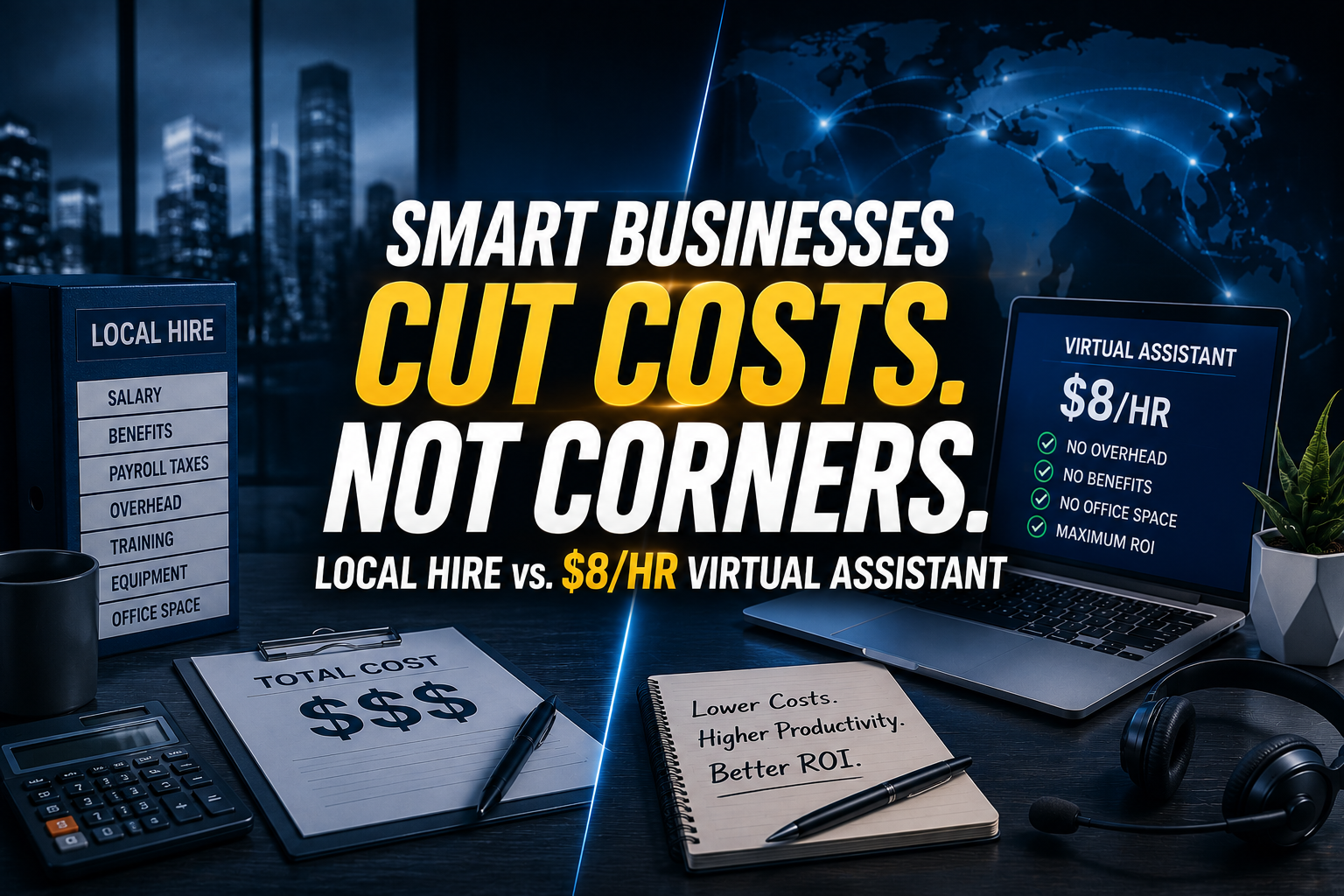
The Math Revealed: $68,400 In-House vs. $16,640 Dedicated VA Team at $8/hr
To make the financial reality crystal clear, let us run a side-by-side comparison of a full-time local administrative employee versus a dedicated virtual assistant contracted through Virtual Nexgen Solutions at our signature rate of $8 per hour.
Consider an annualized workload equivalent to full-time engagement (approx. 2,080 working hours per year).
The Local In-House Employee Financial Profile
- Base Salary: $60,000
- Payroll Taxes (FICA, FUTA, SUTA at ~8%): $4,800
- Health & Welfare Benefits: $8,500
- 401(k) Matching (4%): $2,400
- Recruitment & Onboarding (Amortized SHRM CPH): $4,700
- Hardware & Software Overhead: $2,500
- Total First-Year In-House Cost: $82,900
The Dedicated Virtual Assistant Financial Profile (Virtual Nexgen Solutions)
- Hourly Rate: $8.00 / hour
- Annual Hours (Full-Time Engagement - 2,080 hours): $16,640
- Payroll Taxes: $0 (Managed by agency)
- Health & Welfare Benefits: $0 (Managed by agency)
- Retirement Matching: $0 (Managed by agency)
- Recruitment & Onboarding Fees: $0 (Covered by Virtual Nexgen Solutions)
- Hardware & Software Overhead: $0 (VAs utilize fully equipped home offices)
- Total Annual VA Cost: $16,640
The Net Financial Delta
By choosing to contract a dedicated remote professional instead of hiring locally, your enterprise saves $66,260 every single year while maintaining full-time operational bandwidth. As noted in executive analyses published by Inc., redirecting these capital savings directly into marketing acquisition and core product development is the definitive hallmark of high-growth modern businesses.
10 Core Administrative & Operational Tasks That Destroy In-House ROI When Done Locally
Paying a high-salaried local employee to execute repetitive, low-leverage administrative tasks is one of the most silent profit destroyers in modern commerce. When skilled professionals spend their days wrestling with routine data entry, your hourly labor ROI plummets. Here are 10 core operational tasks that your in-house team should never touch:
- Email Inbox Management and Triaging: Sorting through hundreds of daily emails, flagging urgent client inquiries, and archiving spam.
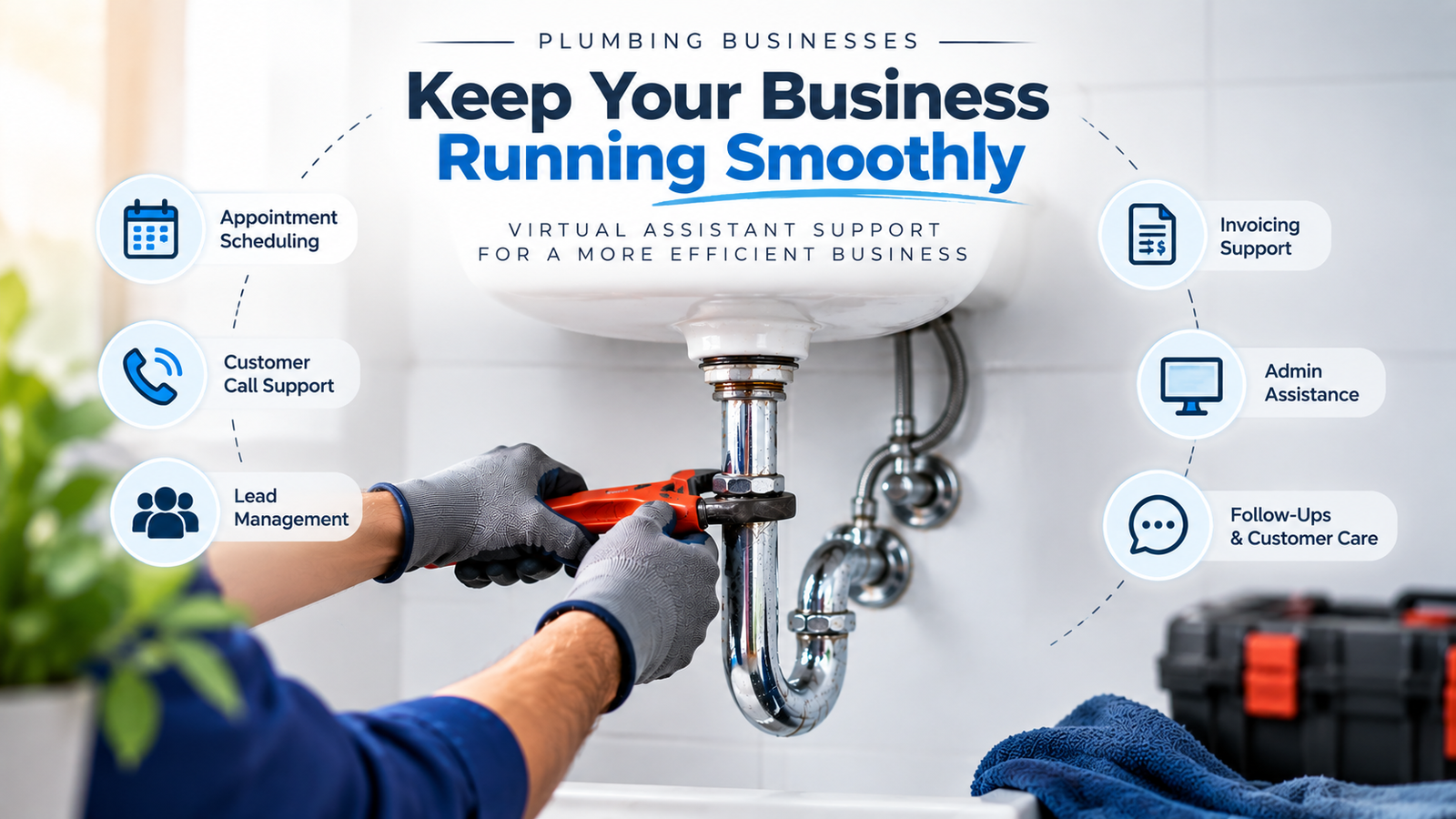
- Calendar Coordination and Appointment Scheduling: Coordinating multi-party meetings, setting client demos, and managing rescheduling logistics across time zones.
- Data Entry and CRM Hygiene: Updating customer records, inputting lead contact details, and ensuring pipeline accuracy in platforms like Salesforce or HubSpot.
- Invoicing and Accounts Receivable Follow-Ups: Generating client invoices, tracking payment statuses, and sending polite automated or manual payment reminders.
- Social Media Content Scheduling: Formatting copy, uploading graphics, and maintaining consistent publishing calendars across LinkedIn, Instagram, and X.
- Customer Support Ticket Management: Responding to Tier-1 customer inquiries via live chat, email, and ticketing systems with rapid turnaround times.
- Document Preparation and Formatting: Drafting standard operating procedures, formatting proposals, and compiling weekly executive summary reports.
- Vendor and Supplier Communication: Coordinating shipping updates, requesting vendor quotes, and tracking purchase order fulfillments.
- Travel Planning and Itinerary Management: Booking flights, securing accommodations, and organizing comprehensive travel schedules for executive teams.
- Market Research and Lead Generation: Scraping directories, verifying prospect contact data, and building targeted outbound sales lists.
By offloading these 10 heavy administrative pillars to a specialized virtual assistant for small business, you free your local team to focus exclusively on high-value revenue generation and strategic client relationship management.
Ready to Eliminate Admin Debt? Stop wasting internal payroll dollars on routine clerical work. Secure your dedicated operational partner today by booking a strategy session via our Calendly link.
The Technical Fixer: 7 SOPs That Prove VA Teams Outperform In-House Staff
To successfully delegate without friction, you need repeatable operational frameworks. Below are 7 exhaustive Standard Operating Procedures (SOPs) engineered by Virtual Nexgen Solutions to ensure your remote administrative team delivers flawless execution from day one.
SOP 1: The Executive Inbox Triage and Zero-Inbox Protocol
-
- Log into the executive email client (Microsoft Outlook or Google Workspace) using secure credentials and multi-factor authentication.
- Apply pre-configured folder filters to segment incoming messages into four distinct categories: Urgent Client, Vendor, Internal Team, and Newsletters.
- Archive promotional clutter and newsletters into reference folders without deleting.
- Draft pre-approved response templates for common inquiries regarding pricing, scheduling, and onboarding.
- Flag high-priority emails requiring direct executive intervention with a distinct color tag.
- Deliver a concise 3-bullet morning briefing summary to the executive via Slack or Teams outlining critical items requiring immediate action.
SOP 2: The Enterprise Calendar Management and Conflict Resolution System
-
- Review the master executive calendar every Sunday evening for the upcoming week.
- Enforce strict buffer times (15 minutes between back-to-back meetings and 90-minute deep work blocks).
- Evaluate incoming meeting requests against internal priority guidelines before accepting.
- Coordinate multi-party availability using automated scheduling links while respecting timezone boundaries.
- Attach all necessary briefing documents, agendas, and Zoom links to calendar event invites 24 hours prior to meeting times.
- Send polite rescheduling notices immediately upon receiving notice of executive schedule conflicts.
SOP 3: The Rigorous CRM Data Hygiene and Pipeline Audit
-
- Access the enterprise CRM platform (e.g., Salesforce, HubSpot, or Zoho) every Tuesday and Thursday morning.
- Run duplicate detection reports to merge redundant contact profiles and company accounts.
- Audit stale deals in the sales pipeline and tag opportunities requiring sales manager follow-up.
- Update missing phone numbers, mailing addresses, and industry tags for newly added leads.
- Verify that all closed-won and closed-lost deals contain accurate revenue figures and win/loss reason tags.
- Export a weekly data hygiene health score report for executive review.
SOP 4: The Accounts Receivable and Invoice Tracking Workflow
-
- Generate and dispatch client invoices on the agreed billing cycle via QuickBooks or Stripe.
- Monitor payment statuses daily through the merchant dashboard.
- Trigger automated reminder emails 3 days prior to invoice due dates.
- Execute polite phone outreach or personalized email follow-ups for accounts 5 days past due.
- Escalate severely delinquent accounts (over 30 days past due) directly to the finance director with full payment history attached.
- Reconcile daily cash receipts against bank deposit records every afternoon.
SOP 5: The Social Media Content Scheduling and Publishing Protocol
-
- Access the content calendar hosted in Notion or Asana every Monday morning.
- Review approved graphics, video assets, and copywriting copy for the upcoming posting cycle.
- Upload assets into social management platforms (Buffer, Hootsuite, or Sprout Social).
- Schedule posts for peak engagement windows optimized by audience analytics.
- Verify link parameters, UTM tags, and shortened URLs for tracking attribution.
- Monitor post performance after 24 hours and log core engagement metrics into the monthly marketing ledger.
SOP 6: The Customer Support Tier-1 Ticket Resolution System
-
- Monitor the helpdesk ticketing queue (Zendesk, Intercom, or Freshdesk) continuously during operational hours.
- Categorize incoming tickets by urgency, issue type, and customer tier.
- Resolve routine technical or billing queries using approved knowledge base macros.
- Escalate complex technical or account cancellation requests to senior internal specialists with detailed preliminary notes.
- Follow up with customers 24 hours after ticket closure to confirm complete satisfaction.
- Compile weekly support trend analysis reports to identify recurring product friction points.
SOP 7: The Comprehensive Weekly Executive Reporting Protocol
-
- Aggregate weekly performance data from CRM, helpdesk, financial, and marketing dashboards.
- Calculate key performance indicators including completed tasks, support resolution times, and pipeline growth.
- Highlight major operational bottlenecks, software glitches, or recurring client roadblocks encountered during the week.
- Draft strategic recommendations for process improvements for the upcoming week.
- Format the compiled data into a clean, executive-friendly slide deck or structured memo.
- Dispatch the report via secure email and archive a copy in the corporate knowledge repository.
Software Mastered by Virtual Nexgen Solutions Virtual Assistants
One of the greatest fears business owners express when considering outsourcing is the ramp-up time required to train remote talent on specialized enterprise software. At Virtual Nexgen Solutions, our administrative and industry-specific virtual assistants arrive fully trained on the exact software stack your business relies on every day. Our remote professionals possess advanced proficiency in platforms across major verticals:
- Field Services & Construction: ServiceTitan, Housecall Pro, Procore, Buildertrend, Jobber.
- Legal & Professional Services: Clio, Filevine, MyCase, PracticePanther.
- Real Estate & Property Management: AppFolio, Yardi, Buildium, DoorLoop, Salesforce.
- Insurance & Risk Management: Applied Epic, AMS360, HawkSoft, EZLynx.
- Accounting & Finance: QuickBooks Online, Xero, FreshBooks, Gusto.
- CRM & Marketing Automation: HubSpot, Salesforce, ActiveCampaign, Mailchimp.
- Productivity & Collaboration: Slack, Microsoft 365, Google Workspace, Notion, Asana, Trello.
By integrating seamlessly into your existing technological ecosystem, our virtual assistants require zero technical hand-holding, allowing you to achieve immediate ROI from day one.
Why Businesses Choose Virtual Nexgen Solutions Over Local Recruiting
The traditional recruitment model is broken. Spending months wading through hundreds of unqualified resumes on local job boards, conducting exhausting interview loops, and gambling thousands of dollars on unproven candidates is a high-risk gamble no growing business should have to take.
Virtual Nexgen Solutions offers a superior alternative built on rigorous vetting, rigorous training, and absolute operational reliability. Founded in 2016, we have spent a decade perfecting our talent acquisition and matching pipeline. We do not just provide generic administrative help; we analyze your specific operational workflows, design customized delegation strategies, implement seamless integrations, and continuously optimize for maximum performance.
With 24/7 availability, proven industry reliability across real estate, legal, healthcare, and e-commerce, and flat pricing at just $8 per hour, partnering with Virtual Nexgen Solutions eliminates recruitment friction, slashes your overhead by over 70%, and liberates your time to focus on scaling your core enterprise.
Secure Your Competitive Edge Today: Experience the power of dedicated, enterprise-grade virtual assistant support without the local overhead burden. Schedule your strategy consultation right now using our Calendly link.
Frequently Asked Questions
What is the true cost of hiring an in-house employee versus a virtual assistant?
While an in-house employee with a $60,000 base salary typically costs between $82,000 and $95,000 annually when factoring in mandatory payroll taxes, health benefits, retirement matching, hardware, and recruitment fees, a dedicated virtual assistant from Virtual Nexgen Solutions costs a flat $16,640 per year at $8 per hour with zero overhead liabilities.
How much does a virtual assistant cost per hour with Virtual Nexgen Solutions?
Our dedicated virtual assistants are available at a predictable, transparent rate of $8 per hour. There are no hidden recruitment fees, benefits markups, or long-term equipment overhead costs.
What administrative tasks can a virtual assistant handle daily?
Our virtual assistants manage email inbox triage, calendar coordination, CRM data hygiene, accounts receivable follow-ups, customer support ticketing, document preparation, travel planning, social media scheduling, and vendor communication.
Do Virtual Nexgen Solutions virtual assistants know how to use our existing software?
Yes. Our remote professionals arrive proficient in leading industry software platforms including QuickBooks, Salesforce, HubSpot, ServiceTitan, Applied Epic, Clio, AppFolio, and Google Workspace, requiring virtually zero training time.
How does the onboarding process work when hiring a virtual assistant?
We begin by analyzing your specific business needs and workflow requirements. Next, we handpick a vetted virtual assistant matched to your exact skill requirements, implement seamless technical integrations, and manage ongoing performance optimization.
Can virtual assistants work during our specific business hours and time zones?
Yes. Virtual Nexgen Solutions provides flexible coverage options, including US business hours alignment and 24/7 availability to support your customers around the clock.
What makes Virtual Nexgen Solutions different from other virtual assistant agencies?
We provide a deeply tailored approach since 2016. We combine rigorous talent vetting, specialized industry workflows (real estate, legal, insurance, healthcare, home services), transparent $8/hr pricing, and continuous performance optimization.
How do I get started with hiring a dedicated virtual assistant?
Getting started is simple. Schedule a personalized consultation call directly through our Calendly link to discuss your operational needs and launch your dedicated support team.