

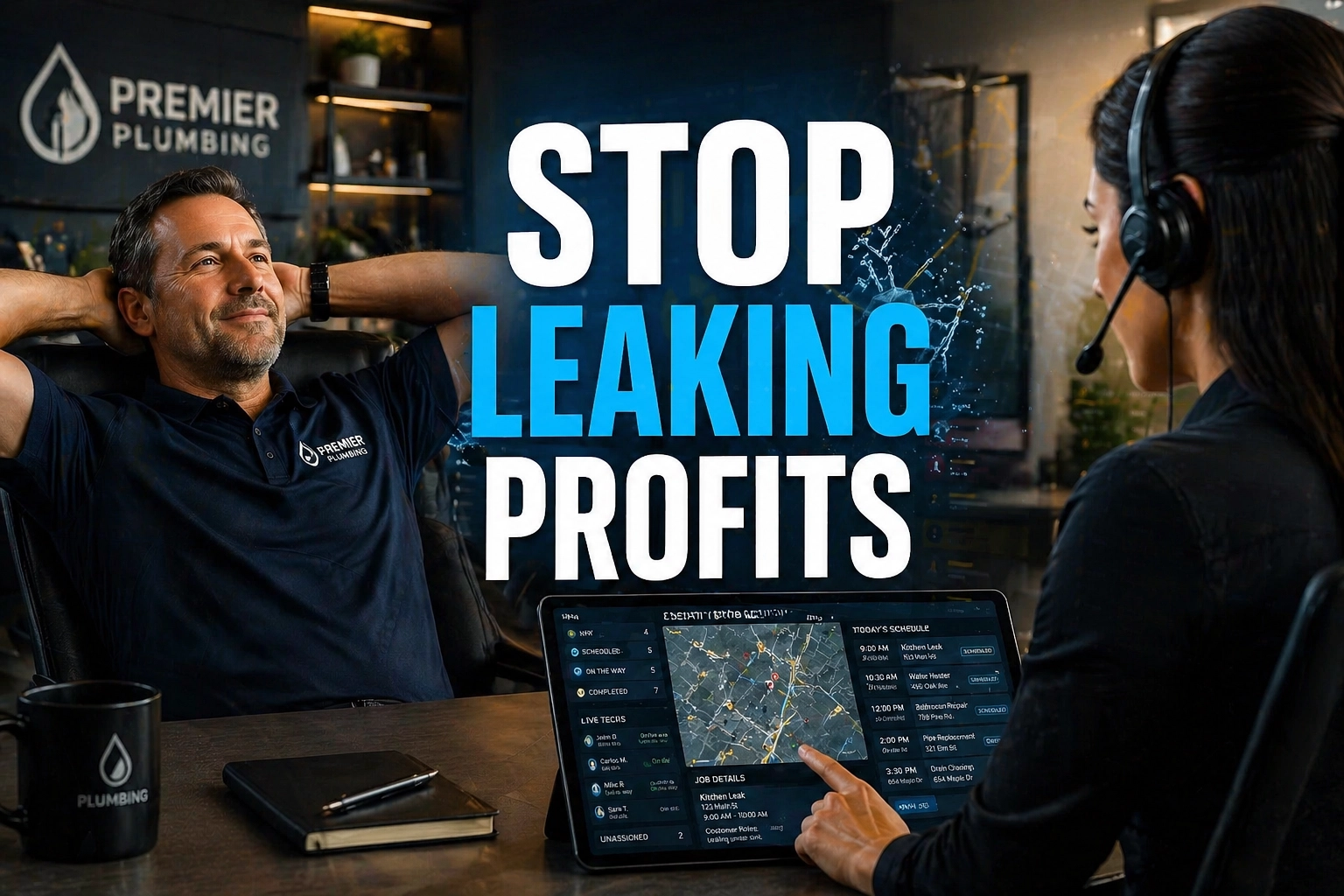
A Plumbing Virtual Assistant can be the difference between a service business that stays stuck in dispatch chaos and one that scales with control. In 2026, the biggest problem for plumbing and home services companies is not a lack of demand. It is admin debt, missed emergency calls, delayed quotes, poor follow-up, and profit leakage inside the office.
When a homeowner has a burst pipe at 9:14 PM, they do not wait for a callback tomorrow morning. They call the next company.
That is why the winning strategy for a modern plumbing brand is simple: build a No Lead Left Behind office. Put live humans on dispatch, keep lead intake active 24/7, standardize technician scheduling, follow up on every quote, and protect cash flow with disciplined billing and collections.
This is where a trained Home Services VA becomes the administrative engine behind growth. A human VA does not replace your plumbers. A human VA protects their time, fills the board, keeps customers informed, and makes sure your office supports revenue instead of slowing it down.
According to the U.S. Small Business Administration, cash flow and operational inefficiency remain major reasons small businesses struggle to grow, especially in service-heavy sectors where response speed shapes revenue outcomes. For plumbing companies, that makes front-office execution a profit issue, not just an admin issue.
https://www.sba.gov
Why Plumbing Companies Lose Revenue Faster Than They Realize
Most owners think the leak is in marketing. It usually is not.
The leak starts after the phone rings.
A homeowner calls after hours. Nobody answers. The caller hangs up.
A technician finishes a job, but the invoice sits unfinished for two days.
A quote goes out for a water heater replacement, then gets buried because the office is slammed.
A five-star customer leaves happy, but nobody requests a review.
A permit sits in limbo. A schedule gets reshuffled. Dispatch gets messy. Profit starts disappearing in small, repeatable ways.
That is profit leakage. And when it compounds, it creates admin debt. Your office starts carrying unfinished work from yesterday into tomorrow. Then tomorrow turns into next week.
For a growing plumbing company, the cost of inaction is steep:
- Lose emergency jobs to faster competitors
- Stretch response times and hurt close rates
- Create scheduling gaps that reduce technician utilization
- Slow billing and collections
- Damage local reputation when reviews go unmanaged
- Burn out owners who keep covering the office themselves
6 Daily Pain Points That Hurt Plumbing and Home Services Margins
Every plumbing or home services company feels pressure in the field. The companies that scale also fix pressure inside the office. Focus on these six pain points first.
- Voicemail steals emergency revenue. Many urgent callers never leave a message. They call the next plumber in Google results.
- Dispatch breaks under volume. Multiple service calls, technician delays, and part dependencies create scheduling confusion fast.
- Quotes go cold. Water heater, repipe, sewer, and fixture replacement estimates lose momentum without follow-up.
- Billing gets delayed. Invoices, claims paperwork, and payment reminders pile up after long service days.
- Reviews happen by accident. Happy customers are not prompted, and unhappy ones stay unanswered too long.
- Permits and inventory details slow the board. Missing permit steps or unavailable parts create avoidable reschedules.
What a Plumbing Virtual Assistant Actually Does
A specialized Plumbing Virtual Assistant does far more than answer emails. They support dispatch, protect the customer experience, standardize back-office execution, and help owners scale without adding a full in-house admin team that may cost around $60,000 per year before benefits, training, and overhead.
At $8 per hour, a trained VA from Virtual Nexgen Solutions can handle high-impact tasks such as:
- Answer inbound service calls and emergency calls
- Qualify leads and capture service details
- Schedule jobs and manage technician calendars
- Coordinate HVAC and Plumbing Dispatch workflows
- Follow up on open estimates and unsold quotes
- Send invoices and payment reminders
- Support billing, claims paperwork, and collections
- Request customer reviews and respond to feedback
- Track permits, supplier updates, and material needs
- Keep ServiceTitan, Housecall Pro, Jobber, and QuickBooks records accurate
The No Lead Left Behind Strategy for Plumbing Growth
If the goal is to scale, stop treating dispatch like a side task.
Build a system that catches every lead, every emergency call, every pending quote, and every open invoice. That is the No Lead Left Behind strategy.
1. Keep 24/7 live lead intake active
Capture after-hours emergency calls instead of sending people to voicemail. Route urgent issues correctly. Book next-day service when same-night dispatch is not required. Protect your pipeline while your field team sleeps.
2. Tighten technician scheduling
Run a live board. Confirm technician status. Fill gaps fast. Reduce windshield time. Protect high-value install windows. Reshuffle based on geography, skill set, urgency, and parts readiness.
3. Follow up on every quote
Do not wait and hope. Call, text, and email every pending quote on a schedule. Recover lost revenue from estimates that would otherwise die quietly.
4. Bill faster and collect sooner
Send invoices immediately after job completion. Confirm claim details. Track aging receivables daily. Call on overdue balances with a script and clear next step.
5. Turn completed jobs into reputation assets
Request reviews while the service experience is still fresh. Reply quickly. Surface happy customers. Address complaints before they become a pattern.
The 5 Pillars of the Leak-Proof Office
A strong plumbing office does not run on hustle alone. It runs on repeatable execution. These are the five pillars that keep revenue from leaking.
1. 24/7 Dispatch
Answer fast. Triage correctly. Route urgent jobs to the right technician. Keep homeowners informed with clear ETAs and updates.
2. Quote Follow-up
Track every estimate. Assign follow-up windows. Ask decision-based questions. Offer scheduling options. Recover lost jobs before competitors do.
3. Review Management
Request feedback after every completed service call. Send direct review links. Respond to all reviews quickly and professionally.
4. Inventory Tracking
Check material needs after each job. Confirm supplier availability. Prevent reschedules caused by missing parts.
5. A/R Management
Send invoices, process reminders, document payment status, and escalate overdue balances in stages. Protect cash flow every day.
12 SOPs a Plumbing VA Can Run Daily
A VA only becomes valuable when the work is standardized. Use these SOPs to build a dependable office.
1. Zero-Miss Emergency Call SOP
- Answer by the second ring.
- Use a calm branded greeting.
- Capture customer name, service address, callback number, and issue.
- Classify the call as emergency, urgent, or standard.
- Check the dispatch board.
- Offer the fastest realistic appointment window.
- Send confirmation by text or email.
- tag the lead source in the CRM.
2. After-Hours Lead Intake SOP
- Answer all after-hours calls live.
- Confirm whether water shutoff has been attempted.
- Identify safety risk or property damage risk.
- Escalate true emergencies to the on-call technician.
- Book next-available slots for non-emergency calls.
- Document notes clearly for the morning team.
3. Technician Scheduling SOP
- Review open jobs and technician availability at shift start.
- Group calls by geography.
- Match technician skill to job type.
- Pad time for diagnostic uncertainty.
- Reconfirm priority jobs midday.
- Fill cancellations fast from the pending list.
4. Quote Follow-up SOP
- Pull open estimates older than 24 hours.
- Prioritize high-value jobs first.
- Call the customer with a decision-focused script.
- Email the estimate again if needed.
- Offer two available install windows.
- Schedule the next follow-up if undecided.
5. Review Request SOP
- Watch for completed jobs in the field service platform.
- Verify customer satisfaction notes.
- Send a review request within two hours.
- Include a direct Google review link.
- Log the request in the CRM.
- Escalate unhappy feedback internally before it becomes public.
6. Negative Review Response SOP
- Check review platforms at set intervals.
- Flag negative reviews immediately.
- Draft a calm, professional response.
- Invite the customer to continue offline.
- Notify the operations lead.
- Track resolution status.
7. Invoice Closeout SOP
- Confirm job completion notes from the technician.
- Verify labor, materials, and add-ons.
- Generate the invoice the same day.
- Send payment instructions clearly.
- Record payment method and status.
- Queue overdue reminders automatically inside the system settings where available.
8. Insurance Claims Support SOP
- Gather customer policy details.
- Confirm claim number and carrier contact.
- Attach photos, invoices, and service notes.
- Send required documents in the preferred format.
- Track follow-up dates.
- Update the customer on claim progress.
9. Permit Coordination SOP
- Review jobs requiring permit submission.
- Collect property, scope, and contractor details.
- Submit forms to the municipality.
- Track approval status.
- Schedule inspections.
- Notify the field team once cleared.
10. Parts and Inventory Check SOP
- Pull next-day job materials from technician notes.
- Confirm stock internally or with suppliers.
- Document shortages early.
- Arrange will-call or delivery.
- Alert dispatch to any scheduling impact.
- Update job notes for the assigned technician.
11. Missed Call Recovery SOP
- Run missed call logs every hour.
- Call back all missed numbers immediately.
- Use a concise recovery script.
- Requalify the issue.
- Book the appointment.
- Document the reason the call was missed for process improvement.
12. Daily Profit Leakage Review SOP
- Review missed calls, unsold estimates, overdue invoices, and unrequested reviews.
- Count each category.
- Assign follow-up actions before day end.
- Escalate unresolved issues.
- Track trends weekly.
- Adjust SOPs to reduce repeat leakage.
Software and Systems Your VA Should Know
For plumbing and home services brands, software fluency matters. A strong Home Services VA should already be comfortable with tools such as:
- ServiceTitan
- Housecall Pro
- Jobber
- QuickBooks Online
- RingCentral
- Google Business Profile
Use those systems to standardize workflows, not to create more clicks. When dispatch, estimates, payments, and review requests sit in one operating rhythm, the office gets faster and cleaner.
2026 Trends Shaping Plumbing Back Offices
Service businesses are putting more pressure on speed, responsiveness, and cleaner scheduling in 2026. Dispatch teams now rely on stronger route planning, better call handling workflows, and tighter system integrations to reduce wasted time between jobs. That makes organized human dispatch even more important.
Platforms like ServiceTitan and Housecall Pro continue to push deeper operational visibility, which means owners can make better scheduling and revenue decisions when the back office data is current and complete. A trained VA helps keep those systems usable by entering clean notes, updating statuses, and making sure the team actually follows the process.
The result is simple: better response times, fewer dropped leads, cleaner customer communication, and stronger technician productivity.
For additional industry context, ServiceTitan continues to emphasize how response speed, scheduling discipline, and customer experience influence home service growth.
https://www.servicetitan.com
Why a Human VA Beats More Office Chaos
A busy plumbing company does not need more scattered admin. It needs disciplined execution.
A human VA can:
- Answer with empathy during high-stress emergency calls
- Clarify service details in real time
- Follow up persistently on pending jobs
- Handle billing conversations professionally
- Adapt when a technician is late, sick, or rerouted
- Protect the customer experience across every touchpoint
That is especially valuable for home service companies juggling plumbing, HVAC, drain cleaning, maintenance plans, and install work from the same office.
No Lead Left Behind for Plumbing Companies
How many plumbing jobs hit your voicemail and never come back?
If you run a plumbing or home services company, missed calls are not just annoying. They are pure profit leakage. Every emergency call you miss is a customer booking with someone else.
Most owners are trying to run service calls, manage techs, answer phones, send invoices, chase reviews, and follow up on quotes at the same time. That creates admin debt fast.
A specialized Plumbing Virtual Assistant handles dispatch, lead intake, quote follow-up, billing support, permits, and review management so your office stops leaking revenue.
Key Talking Points
- Keep phones covered 24/7
- Book more emergency jobs
- Tighten technician scheduling
- Follow up on every open quote
- Send invoices faster
- Build more five-star reviews
If your office is losing jobs after the phone rings, fix the backend before you spend more on marketing.
Build a Leak-Proof Office With Virtual Nexgen Solutions
If your team is missing emergency calls, struggling with dispatch overflow, or carrying too much admin debt, fix the office first. Virtual Nexgen Solutions provides trained human VAs for plumbing, HVAC, and home services businesses with 24/7 availability, industry-specific training, and platform familiarity across ServiceTitan, Housecall Pro, Jobber, and QuickBooks.
At $8 per hour, the math is straightforward. You can build consistent dispatch and back-office support for far less than the cost of an in-house admin team.
Explore more about Plumbing support and HVAC support, or book a 30-minute strategy session to map out a No Lead Left Behind workflow for your service business.
Frequently Asked Questions
1. What does a Plumbing Virtual Assistant do every day?
A Plumbing Virtual Assistant handles dispatch, inbound call intake, schedule coordination, quote follow-up, invoice support, permit tracking, review requests, and CRM updates. The role is designed to reduce admin debt and protect revenue.
2. Can a VA really manage 24/7 emergency dispatch?
Yes. With clear SOPs, call scripts, escalation rules, and access to your scheduling platform, a trained VA can support live lead intake and after-hours dispatch workflows effectively.
3. Which software can a home services VA use?
Most experienced home services VAs work inside ServiceTitan, Housecall Pro, Jobber, QuickBooks Online, RingCentral, and Google Business Profile workflows.
4. Can a VA help with HVAC and Plumbing Dispatch together?
Yes. Many home service brands run multiple service lines. A trained VA can coordinate dispatch across plumbing and HVAC teams as long as the routing logic, service categories, and escalation paths are documented.
5. How does a VA help with review management?
The VA requests reviews after completed jobs, sends direct links, tracks responses, and replies professionally to incoming feedback. That helps strengthen local visibility and trust.
6. Can a VA handle billing, insurance claims, and permits?
Yes. A trained VA can prepare invoices, send payment reminders, organize claims documentation, track claim follow-ups, submit permit paperwork, and monitor approval status.
7. How much does a Plumbing Virtual Assistant cost?
Virtual Nexgen Solutions offers specialized VAs at $8 per hour, which can be far more cost-effective than hiring an in-house admin employee at around $60,000 per year.
8. What happens if plumbing companies keep relying on voicemail and inconsistent office coverage?
They lose emergency jobs, create scheduling inefficiencies, slow billing, miss reviews, and increase owner burnout. That is the true cost of unchecked profit leakage.
Work With Virtual Nexgen Solutions
If your business needs dependable virtual assistant support, Virtual Nexgen Solutions can provide support around your existing workflow. Book a discovery call today.
Get in Touch Now!