
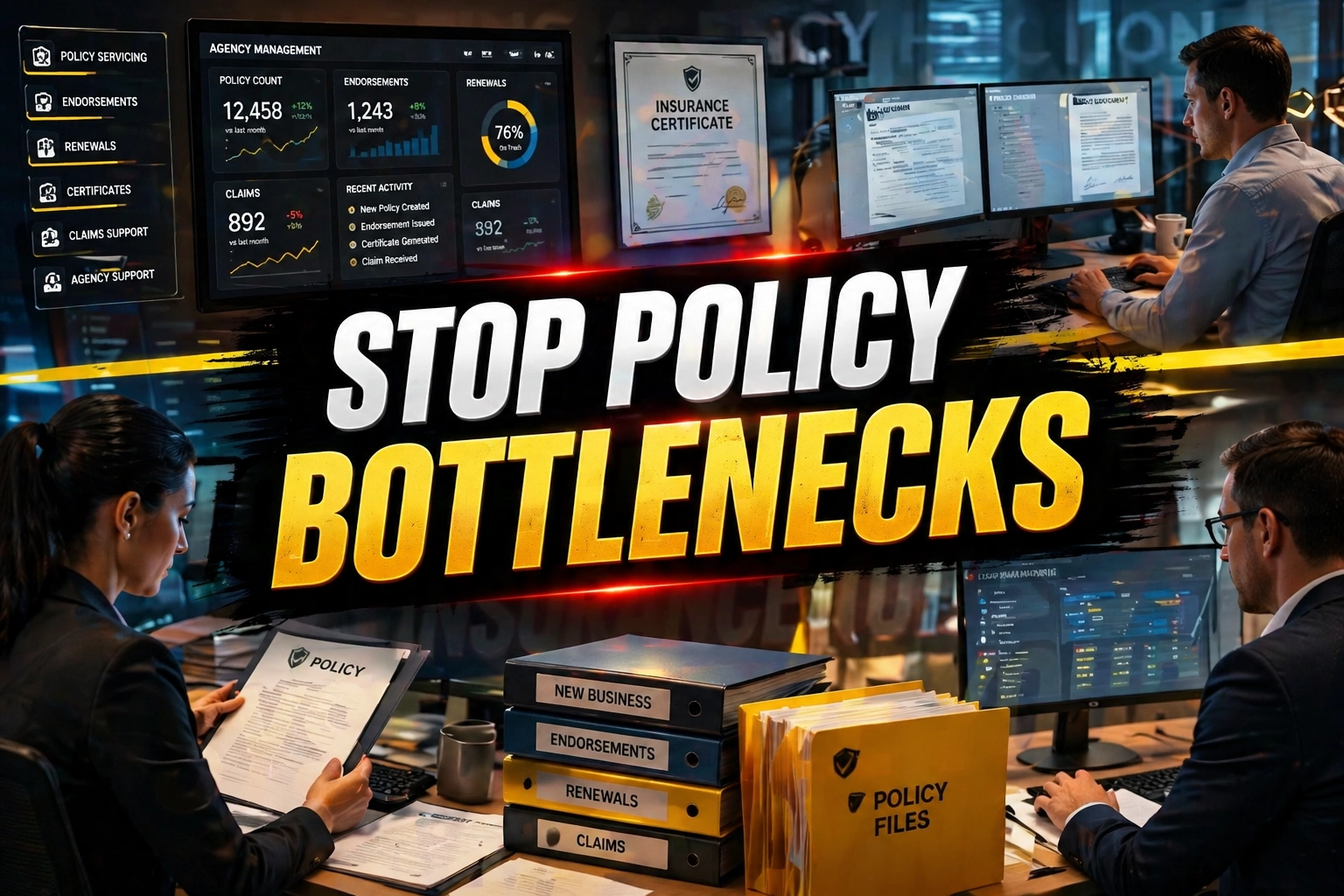
Independent insurance agencies are currently facing a quiet crisis. It is not a lack of leads or a softening market; it is the "Transaction Trap." For every dollar of premium brought in, a mountain of back-office "administrivia" threatens to bury the agency’s growth. If you are like most agency owners in 2026, your high-value producers are likely losing up to 70% of their day to policy servicing tasks that do not require a licensed agent's touch.
Reclaim that 70% of agency time. Stop treating your $100,000-a-year producers like $15-an-hour data entry clerks. The 2026 landscape demands a leaner, more agile approach to office administration. By integrating a dedicated Policy Servicing Virtual Assistant (VA) into your workflow, you transition from manual chaos to a streamlined agency engine.
The Transaction Trap: Why Your Agency is Leaking Profit
The Transaction Trap occurs when the volume of service work: endorsements, COI requests, and renewal prep: grows at the same rate as your book of business. Without a scalable human solution, your growth hits a ceiling. You cannot sell more because you are too busy servicing what you already have.
This is where "Admin Debt" starts to accrue. Every unfiled document and every delayed endorsement is a high-interest loan against your agency’s future. In 2026, the cost of processing a single Certificate of Insurance (COI) manually in-house often hovers around $15 when accounting for salary, benefits, and office overhead. Compare that to a systematized VA workflow where the cost drops to approximately $2 per COI.
When you hire a Virtual Nexgen Solutions VA at $8 per hour, you are not just "outsourcing." You are implementing a Task Orchestration strategy. Our VAs operate within your AI-Native Operating Layers: the modern tech stacks like Applied Epic or AMS360: to ensure that data flows seamlessly without your intervention.
6 Daily Pain Points Killing Your Agency’s Momentum
Before you can fix the friction, you must identify where it hurts. Most independent agencies suffer from these six chronic issues:
- The COI Avalanche: Contractors and commercial clients need certificates "five minutes ago." This constant interruption breaks your team's focus.
- Endorsement Backlogs: Simple vehicle additions or mortgagee changes sit in the "to-do" pile for days, leading to potential E&O (Errors and Omissions) risks.
- Renewal Friction: You wait until 30 days before expiration to start the renewal process, leading to "fire drill" re-marketing efforts.
- Inconsistent Data Entry: One person enters a name in all caps; another uses lowercase. Your CRM looks like a jigsaw puzzle with missing pieces.
- Audit Fatigue: Commercial audits are time-consuming and prone to human error, often resulting in unexpected premium hikes for clients.
- Admin Debt Overhead: You are paying $60k/year for a local admin who spends half their time on personal calls or administrative tasks that don't drive revenue.
10 Critical Tasks a Policy Servicing VA Handles
A Virtual Nexgen Solutions VA is trained to act as the administrative engine for your agency. Here are ten specific tasks they manage daily:
- Certificate of Insurance (COI) Issuance: High-speed, accurate generation and distribution.
- Policy Checking: Comparing new policies against the original quote to ensure no coverages were missed.
- Renewal Review Prep: Gathering current exposure data and preparing renewal summaries for agents.
- Endorsement Processing: Handling everything from driver additions to property limit changes.
- Document Indexing: Sorting and filing incoming mail and emails into Applied Epic or AMS360.
- Claims Intake: Taking the initial report and ensuring all necessary photos and statements are collected.
- MVR Ordering: Standardizing the process for adding new drivers to commercial and personal lines.
- Evidence of Property Insurance (EPI): Managing requests from lenders and mortgage companies.
- Cancellation Management: Tracking non-payment notices and following up with clients to prevent lapses.
- Billing Inquiries: Explaining payment schedules and reconciling carrier invoices.
The 2026 Policy Servicing Playbook: 12 Tactical SOPs
To achieve true agency efficiency, you need standardized operating procedures (SOPs). These are the step-by-step instructions our VAs follow to ensure quality and consistency.
1. The COI Sprint SOP
- Step 1: Open the request email and verify the holder’s requirements.
- Step 2: Log into the Agency Management System (AMS) and locate the active policy.
- Step 3: Generate the ACORD 25 form, ensuring all additional insured wording matches the contract.
- Step 4: Send the draft to the account manager for a 30-second review if it’s a high-limit request.
- Step 5: Email the final PDF to the holder and CC the client.
- Best Practice: Maintain a "Master Certificate" for frequent holders to speed up repeat requests.
2. Simple Vehicle Endorsement SOP
- Step 1: Receive the VIN and vehicle details via the agency portal or email.
- Step 2: Access the carrier website and input the change details.
- Step 3: Record the change in Applied Epic/AMS360 to keep the internal record accurate.
- Step 4: Generate an updated ID card and email it to the client immediately.
- Best Practice: Always run the VIN through a decoder to verify the year, make, and model before submitting to the carrier.
3. The 90-Day Renewal Prep SOP
- Step 1: Run a report in your AMS for policies expiring in 90 days.
- Step 2: Email the client a "Renewal Questionnaire" to capture any changes in exposure.
- Step 3: Download the current declarations page and schedule.
- Step 4: Upload these documents into the carrier's quoting portal to prepare for re-marketing.
- Best Practice: Flag any accounts with a loss ratio higher than 40% for immediate agent review.
4. New Business Policy Checking SOP
- Step 1: Download the issued policy from the carrier portal.
- Step 2: Open the final quote/proposal and compare limits, deductibles, and exclusions side-by-side.
- Step 3: Highlight any discrepancies in the "Task Notes" for the agent.
- Step 4: Index the policy into the client's file with the correct naming convention (e.g., 2026_GL_Policy_CarrierName).
- Best Practice: Use a checklist to ensure specific endorsements like "Terrorism" or "Cyber" are present if requested.
5. Document Indexing & Sorting SOP
- Step 1: Access the agency's general inbox or digital mailroom.
- Step 2: Identify the document type (e.g., Audit, Cancellation, Endorsement).
- Step 3: Match the document to the correct client ID in the AMS.
- Step 4: Assign a follow-up task to the relevant agent if action is required.
- Best Practice: Never leave a document in the "Inbox" folder overnight. File it immediately.
6. Commercial Audit Support SOP
- Step 1: Receive the audit notice and contact the client for payroll or sales records.
- Step 2: Organize the records into a clean digital folder for the carrier auditor.
- Step 3: Monitor the carrier portal for the final audit statement.
- Step 4: Notify the agent if the audit results in a premium increase over 10%.
- Best Practice: Proactively request quarterly reports from high-risk clients to avoid year-end audit shocks.
7. MVR (Motor Vehicle Report) Ordering SOP
- Step 1: Collect the driver’s name, DOB, and license number.
- Step 2: Order the report through the approved agency vendor.
- Step 3: Review the report for major violations (DUI, Reckless Driving) based on agency guidelines.
- Step 4: Upload the MVR to the client file and notify the agent of the driver's eligibility status.
- Best Practice: Mask sensitive data like Social Security numbers before filing the document.
8. Evidence of Property Insurance (EPI) SOP
- Step 1: Locate the mortgagee or lender request in the inbox.
- Step 2: Pull the current property dec page and verify coverage limits.
- Step 3: Create the ACORD 27 or 28 form as required by the lender.
- Step 4: Send the document via the lender's preferred portal or email.
- Best Practice: Set a reminder to check for renewal of the EPI if the lender requires annual proof.
9. Cancellation Prevention (Lapse) SOP
- Step 1: Monitor the "Non-Payment" reports from carriers daily.
- Step 2: Call the client to offer a courtesy reminder of the pending cancellation.
- Step 3: Document the call and the client's response in the AMS.
- Step 4: If payment is confirmed, verify the policy status with the carrier 24 hours later.
- Best Practice: Use a "save script" to emphasize the risk of driving or operating without coverage.
10. Customer Billing Reconciliation SOP
- Step 1: Review carrier commission statements against internal agency records.
- Step 2: Identify any discrepancies where the agency was underpaid or overpaid.
- Step 3: Contact the carrier's billing department to resolve the issue.
- Step 4: Update the agency's accounting ledger once resolved.
- Best Practice: Perform this reconciliation weekly to ensure cash flow remains steady.
11. Claims Intake & Follow-up SOP
- Step 1: Take the initial call from the client and remain empathetic.
- Step 2: Fill out the agency’s internal claim intake form.
- Step 3: Report the claim to the carrier portal immediately.
- Step 4: Set a task to follow up with the adjuster in 48 hours to confirm the claim number.
- Best Practice: Always provide the client with the adjuster's direct contact info and the next steps.
12. Reinstatement Request SOP
- Step 1: Confirm with the carrier that a policy is eligible for reinstatement.
- Step 2: Request the necessary "Statement of No Loss" from the client.
- Step 3: Submit the signed form and proof of payment to the carrier.
- Step 4: Track the request until the carrier issues the reinstatement notice.
- Best Practice: Educate the client on EFT (Electronic Funds Transfer) options to prevent future lapses.
Software Expertise: The Modern Agency Tech Stack
A Policy Servicing VA from Virtual Nexgen Solutions is not just a generalist; they are specialists in the tools you use every day. Our team has deep experience in:
- Applied Epic: Managing complex commercial lines and sophisticated document workflows.
- AMS360: Standardizing data entry and reporting for mid-to-large agencies.
- EZLynx: Streamlining personal lines quoting and client management.
- HawkSoft: Optimizing the independent agent experience with fast processing.
- Quoting Portals: Navigating carrier sites for Liberty Mutual, Travelers, Progressive, and more.
Why Virtual Nexgen Solutions is the Obvious Choice
Most agencies try to hire a local admin and end up paying for downtime. At Virtual Nexgen Solutions, we offer a specialized human workforce at a flat $8 per hour. We do not just provide "help"; we provide a system.
By offloading your back-office friction to us, you are not just saving money: you are buying back your time. Imagine what your agency could look like if your top producers spent an extra 25 hours a week on the phone with prospects instead of filling out ACORD forms.
The risk of inaction is clear: while you are bogged down in administrivia, your competitors are using leaner models to undercut your service speed and out-sell your team.
Ready to eliminate the friction? Book a 30-minute strategy call here to see how we can systematize your agency's servicing department.
Explore our dedicated Insurance Virtual Assistant services to learn more about our specific capabilities.
Frequently Asked Questions
1. Can a VA handle commercial lines as well as personal lines?
Yes. Our VAs are trained to handle the complexities of commercial policy servicing, including detailed COIs, audits, and commercial endorsements. They understand the difference between GL, Property, and Workers' Comp.
2. Is it safe to give a VA access to our Applied Epic or AMS360?
Absolutely. We follow strict security protocols and use role-based access. You control exactly what the VA can see and do within your system. We recommend using secure login managers and two-factor authentication.
3. Do I need to train the VA from scratch?
While every agency has its own unique "flavor," our VAs come pre-trained on the fundamentals of insurance administration and common software. You simply need to provide your specific agency guidelines, and they can hit the ground running.
4. How much can I really save compared to an in-house hire?
An in-house admin usually costs around $60,000 per year when you include salary, taxes, benefits, and office space. A Virtual Nexgen Solutions VA at $8 per hour costs roughly $16,000 per year for full-time support: a savings of over 70%.
5. What is the "Transaction Trap"?
The Transaction Trap is the point where an agency's growth stops because the staff is too busy servicing existing clients to find new ones. A VA breaks this cycle by taking over the service burden.
6. How do I communicate with my VA?
Most of our clients use Slack, Microsoft Teams, or email. We also integrate directly into your AMS tasks, so you can assign work just as you would to someone sitting in the next cubicle.
7. Can they talk to my clients directly?
Yes. Many of our VAs handle client-facing communication via email or phone for things like billing reminders, document requests, and claims intake.
8. What happens if the VA is sick or goes on vacation?
At Virtual Nexgen Solutions, we maintain a collaborative environment. We can cross-train backup VAs on your specific SOPs so that your agency's operations never skip a beat.
Work With Virtual Nexgen Solutions
If your business needs dependable virtual assistant support, Virtual Nexgen Solutions can provide support around your existing workflow. Book a discovery call today.
Get in Touch Now!