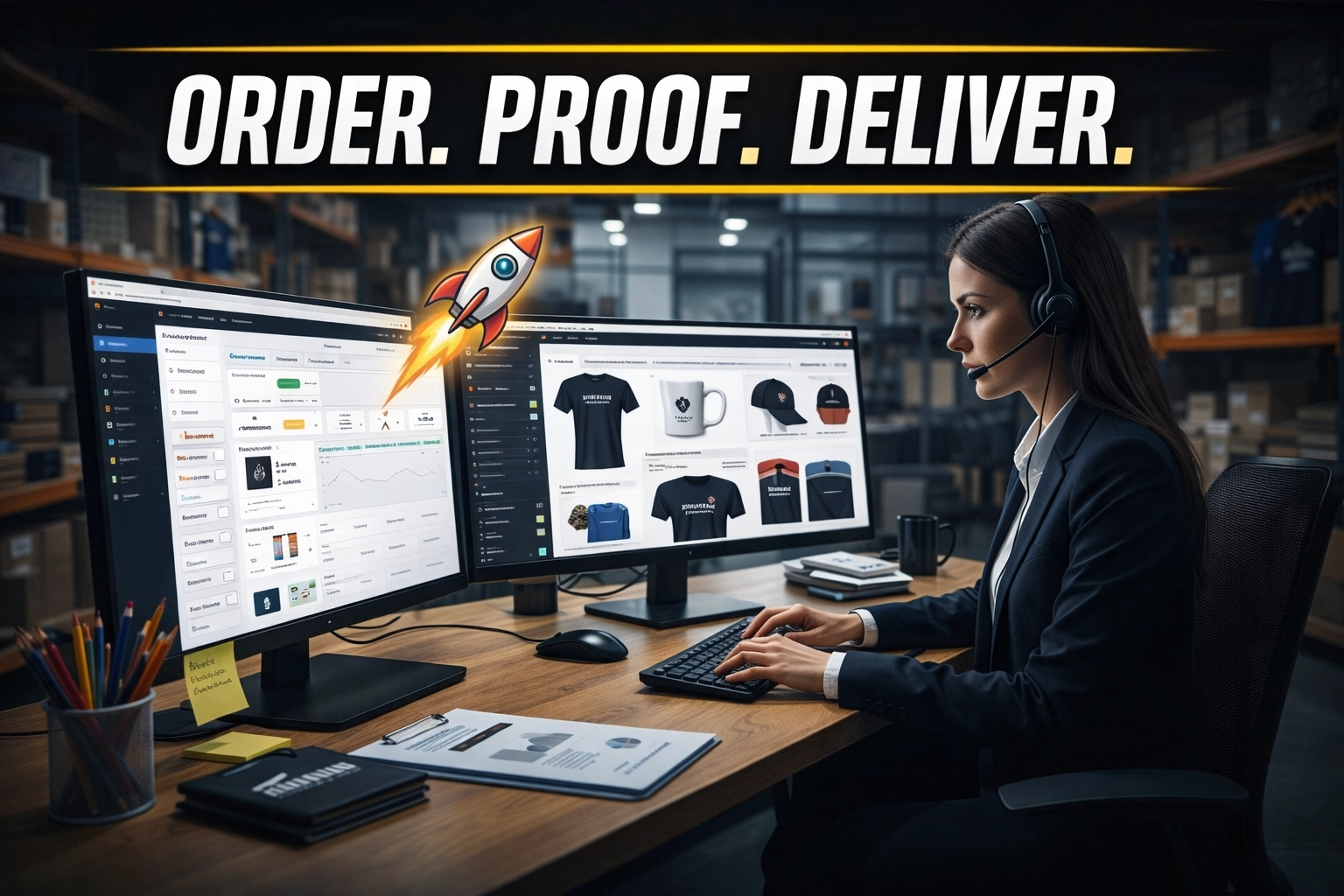
High-volume growth in the promotional products industry is often a double-edged sword. On one side, increased order volume represents market dominance and revenue expansion. On the other, it brings an exponential increase in administrative complexity that can paralyze a small to mid-sized firm. Every single branded pen, embroidered jacket, custom tumbler, onboarding kit, or event giveaway requires a chain of tightly connected operational steps: sourcing, quoting, supplier coordination, inventory checks, artwork proofing, purchase order generation, production follow-up, shipping confirmation, and post-delivery client communication.
That chain is far more complex than many outsiders realize. A promotional products order rarely moves in a straight line. A distributor may source from multiple suppliers, compare setup fees, confirm decoration methods, validate imprint sizes, check production calendars, recalculate freight, and revise proofs before a client ever says yes. Once the order is approved, the workload intensifies again. Teams must coordinate art approvals, supplier acknowledgements, production milestones, shipment tracking, and invoice reconciliation while protecting delivery dates tied to trade shows, company launches, recruiting events, seasonal campaigns, and client gifting programs.
In 2026, the bottleneck for promotional product distributors is no longer a lack of customers, but the operational drag of managing volume without a reliable support structure. A specialized Virtual Assistant for Promotional Product Companies serves as the administrative engine behind scalable growth. This role allows sales teams to stay focused on client strategy, prospecting, renewals, and larger account development while the back office runs with consistency and control. By leveraging a dedicated human professional for $8 per hour, companies can remove themselves from the cycle of chasing proofs, tracking numbers, revised invoices, and supplier responses.
The risk of inaction in this competitive landscape is severe. Failure to modernize the back office leads to missed in-hands dates, incorrect artwork placement, preventable reprints, margin erosion, and client frustration. A single overlooked proof approval or delayed supplier response can affect an event launch, employee kit rollout, or retail promotion. When a distributor is buried in routine coordination, they lose quoting speed, follow-up discipline, and the ability to confidently take on more accounts. The cost is not only operational stress. The cost is lost revenue, damaged credibility, and stalled growth.
The Daily Friction: 6 Pain Points for Promotional Product Distributors
Operating without a dedicated virtual assistant creates a ceiling on growth. These six daily pain points represent the most common friction areas that drain time and revenue from owners and sales reps.
- Artwork Format Deadlocks: Losing hours explaining the difference between a low-resolution JPEG and a vector file (AI or EPS) to clients, or manually coordinating with designers to fix art proofs.
- The "Ghost" Inventory Trap: Spending half a day calling suppliers to find out that the specific shade of navy blue polo is out of stock, only after the client has already approved the quote.
- Missing Event Deadlines: The catastrophic failure of an order arriving one day after the trade show or corporate retreat because a tracking number wasn't monitored or a delay wasn't flagged.
- Quote Lag Time: Leads turning cold because it took 48 hours to source three different product options and calculate shipping and decorating costs.
- Supplier Invoice Discrepancies: Discovering that a supplier overcharged for setup fees or freight long after the client has been invoiced, leading to a direct hit on the company’s bottom line.
- CRM Neglect: A database full of "one-off" buyers who never received a follow-up, resulting in thousands of dollars in lost recurring revenue from annual events.
10 Essential Tasks a Specialized Virtual Assistant Handles
A Virtual Nexgen Solutions professional is trained to integrate into the fast-paced promotional world. They manage the moving parts that create friction inside every order lifecycle and keep internal teams from getting buried in repetitive coordination.
- Product Sourcing: Search ASI ESP, SAGE, supplier portals, and preferred vendor lists for products that match the client’s budget, target quantity, compliance requirements, color preferences, and in-hands deadline.
- Quote Preparation: Build accurate quote packages inside CommonSku, NetSuite, Salesforce, or internal pricing templates with setup fees, decoration charges, shipping estimates, and margin controls included.
- Supplier Availability Checks: Confirm stock, production capacity, decoration options, and realistic lead times before products are presented to the client.
- Virtual Mockups and Proof Coordination: Organize mockups, submit artwork, request revisions, and keep every approval moving on schedule.
- Purchase Order Management: Generate and submit POs with item specifications, imprint instructions, ship-to details, and billing information that reduce production mistakes.
- Order Tracking and Status Updates: Monitor production and shipping milestones, then send proactive updates so clients never have to ask where the order stands.
- Supplier Relationship Support: Follow up with suppliers consistently, escalate delays, document response times, and help negotiate better timing on urgent or repeat orders.
- Company Store Administration: Maintain online stores, process inbound orders, update product listings, remove unavailable SKUs, and coordinate fulfillment.
- CRM and ERP Data Hygiene: Keep records updated across CommonSku, NetSuite, Salesforce, and connected systems so account teams have one reliable source of truth.
- Invoice and Post-Delivery Coordination: Reconcile supplier invoices, flag discrepancies, confirm delivery, and close the loop with clients after fulfillment.
Why the Promotional Product Supply Chain Creates So Much Administrative Drag
The promotional product supply chain looks simple from the outside because the end result is tangible: a finished branded item delivered to the client. In reality, each order moves through a fragmented vendor ecosystem with multiple opportunities for delay, confusion, and preventable error.
Start with sourcing. A client may request three options for branded outerwear under a target budget with embroidery, mixed sizing, and an event date two weeks away. That request sounds straightforward, yet it can require checking multiple suppliers, reviewing stock by color and size, validating decoration methods, comparing setup charges, and recalculating landed costs. A rep who spends too long gathering that information slows down quote turnaround and risks losing the deal.
Move to quoting. Pricing in promotional products is rarely a simple one-line number. Teams must account for product cost, setup fees, run charges, decoration count, shipping, rush production, drop shipping, samples, and margin targets. If even one variable is missed, the company either underprices the job or sends an inaccurate quote that must later be revised.
Then comes production. Once a client approves, the order still depends on a supplier acknowledging the PO, confirming art requirements, assigning a ship date, and maintaining production schedule integrity. Any silence from the supplier creates uncertainty. Any delay that is not caught early reduces the options available to solve it.
Shipping adds another layer. A job may be shipping to one office, multiple branch locations, an event venue, or a third-party fulfillment center. Tracking numbers can be split across cartons and carriers. Event-driven orders require constant monitoring because a one-day delay can destroy the value of the entire project.
This is where a trained human virtual assistant creates immediate leverage. A VA absorbs the communication load, maintains follow-up discipline, updates systems, and keeps everyone informed. Instead of reacting late, the business runs with visibility at every stage.
Artwork Proofing and Management: The Highest-Risk Step in the Workflow
Artwork management is one of the most critical responsibilities in a promotional products business because a small visual error can trigger reprints, rush charges, lost deadlines, and damaged client trust. A logo printed in the wrong color, positioned off-center, stretched, pixelated, or applied to the wrong item is not a minor issue. It is a direct operational and financial failure.
Many promotional distributors lose margin not on sales, but on avoidable art mistakes. Clients often send low-resolution files, outdated brand assets, screenshots, or incomplete instructions. Suppliers may interpret imprint placement differently. Sales reps may approve a proof too quickly while juggling ten other open orders. Without process discipline, errors slip through.
A virtual assistant plays a critical control role here. The VA gathers the correct art files, verifies file type, checks that the logo version matches the client’s branding, confirms PMS color instructions when needed, and compares every supplier proof against the PO before it reaches the client. That extra review layer prevents expensive surprises.
A strong proofing workflow also protects speed. When approvals are delayed, production slots disappear. A VA keeps proof requests moving, follows up on pending approvals, logs timestamps, and documents client signoff so the company has a clear record if a dispute arises later.
For promotional product companies serving corporate buyers, schools, nonprofits, field teams, distributors, franchises, and event marketers, artwork control is not optional. It is a margin-protection system.
Order Tracking and Status Updates Without Manual Overhead
Clients ordering promotional products do not only want the final item. They want certainty. They want to know that production is on schedule, the order has shipped, the cartons are moving, and the delivery date is still safe. If they do not receive updates, they start emailing or calling for reassurance. That creates more internal workload and pulls account managers away from selling.
A virtual assistant reduces that manual overhead by turning tracking and status communication into a routine process instead of a last-minute scramble. The VA checks open orders daily, confirms supplier milestones, logs tracking numbers, watches for delays, and sends concise updates before the client asks.
This matters even more for event-based business. Promo orders tied to conferences, recruiting fairs, product launches, employee onboarding, and direct mail campaigns cannot tolerate silence. If a shipment stalls in transit, the team needs time to reroute, expedite, split a partial shipment, or alert the client with realistic alternatives.
Consistent updates also improve the customer experience. Clients remember responsiveness. They remember when a distributor prevented panic by flagging a delay early or by confirming delivery before the event. In a crowded market, operational communication becomes a differentiator.
Managing Supplier Relations and Negotiating Lead Times
Supplier management is one of the least visible but most important drivers of profitability in the promotional products industry. A distributor’s success depends on more than finding products. It depends on maintaining responsive relationships with suppliers who can confirm stock quickly, honor ship dates, solve production issues, and support repeat business efficiently.
A virtual assistant strengthens those relationships through disciplined communication. The VA follows up on quote requests, verifies acknowledgements, checks production progress, escalates silent orders, documents late responses, and maintains a reliable record of which suppliers are easiest to work with under pressure. Over time, that information helps the business make better sourcing decisions.
Lead-time negotiation is another major advantage. Not every supplier delay is fixed, but many timelines can be improved when someone follows up early, asks specific questions, and presents urgency professionally. A VA can request earlier art release, confirm if rush production is available, ask whether partial shipments are possible, and identify alternate SKUs when a delay threatens the order.
This work protects both revenue and reputation. When supplier communication is weak, the client feels the instability. When supplier communication is managed well, the client experiences confidence.
CRM and ERP Integration: CommonSku, NetSuite, and Salesforce
Operational scale in promotional products requires accurate system management. Many growing companies rely on CommonSku, NetSuite, Salesforce, or a combination of these tools to manage customer relationships, quotes, orders, financial records, and reporting. The challenge is not only having the software. The challenge is keeping the data clean, synchronized, and actionable.
A virtual assistant supports this by handling structured data entry, record updates, status changes, contact tagging, opportunity follow-up tasks, and documentation across systems. When a quote is created in CommonSku, the VA can update the related client notes and expected next step. When an order is approved, the VA can confirm that financial and fulfillment details are reflected in NetSuite. When an account team uses Salesforce for pipeline visibility, the VA can log communication, update opportunity stages, and maintain reminders for reorders or annual programs.
This type of support prevents one of the biggest hidden problems in growing promotional businesses: disconnected information. Without disciplined CRM and ERP maintenance, teams start relying on inboxes, spreadsheets, and memory. That creates duplicate work, dropped tasks, and poor forecasting.
The goal is operational visibility. When systems are updated correctly, leaders can see quote volume, pending approvals, supplier bottlenecks, repeat opportunities, late orders, and revenue trends with far less guesswork.
E-commerce Management for Company Stores
Company stores have become a major growth channel for promotional product distributors. Corporate clients increasingly want branded storefronts for employee merchandise, onboarding kits, uniforms, sales incentives, school spirit wear, franchise ordering, and seasonal campaigns. These stores can create recurring revenue, but they also introduce a steady flow of administrative work.
A virtual assistant helps keep these stores reliable. The VA updates product listings, swaps discontinued items, verifies pricing, checks available inventory, monitors incoming orders, validates addresses, coordinates fulfillment, and answers routine order status questions. For stores with multiple SKUs, multiple decoration options, or periodic campaigns, this support becomes essential.
The operational value is significant. Without ongoing maintenance, stores quickly become inaccurate. Clients order products that are backordered. Prices remain outdated. Shipping timelines become unclear. End users lose trust in the storefront experience. The distributor then spends time cleaning up preventable issues.
With proper VA support, company stores become more than a side offering. They become a scalable service line with stronger client retention and more predictable reorder activity.
Strategic SOPs for Promotional Product Operations
To achieve high-volume growth, a promotional products company must move from " tribal knowledge" to documented, repeatable processes. These Standard Operating Procedures (SOPs) outline how a Virtual Assistant for Promotional Product Companies maintains order integrity.
SOP 1: The Quote-to-Sourcing Workflow
The goal of this process is to return a comprehensive quote to a prospect within four business hours of the initial inquiry.
- Extract Specifications Immediately: Review the inquiry and capture quantity, budget, target audience, preferred item type, decoration method, shipping ZIP code, and exact in-hands date. Do not start sourcing until every essential variable is documented.
- Search with Constraints First: Use ASI ESP, SAGE, and approved supplier lists to filter products by stock status, decoration capability, supplier rating, and realistic production timing. Prioritize products that can actually ship on schedule, not just products that look attractive in the search results.
- Validate Inventory Before Presenting: Contact suppliers to verify stock by color, size, and quantity. Confirm whether inventory is live or estimated. Ask whether replenishment is expected if stock is low.
- Request Freight and Lead-Time Details: Obtain real shipping estimates to the destination ZIP code and confirm standard versus rush production timing. Document all supplier responses in the CRM or quoting platform.
- Build the Quote Accurately: Enter pricing, setup fees, run charges, estimated freight, and expected delivery windows into CommonSku, NetSuite, Salesforce, or the internal quote template. Protect margin by checking discount codes and landed cost assumptions.
- Review Before Release: Verify that the product image, SKU, color, quantity breaks, decoration details, and timeline are accurate. Send the finished quote to the sales rep or account owner for final review before it reaches the client.
SOP 2: Artwork Proofing and Approval Tracking
Incorrect artwork is the most common cause of costly reprints and dissatisfied customers.
- Inspect the File Format First: Check whether the client has submitted a vector file such as AI, EPS, or a usable PDF. If the file is low-resolution, incomplete, or outdated, request corrected assets immediately and explain the production risk clearly.
- Confirm Brand Requirements: Review logo version, PMS color references, imprint size, placement notes, and any client brand standards. Do not assume the supplier will infer these details correctly.
- Submit Art with Complete Instructions: Upload the artwork through the supplier portal or email with the PO, decoration method, imprint location, color notes, and any scaling limitations. Include special instructions for multi-color or multi-location jobs.
- Monitor the Proof Queue Aggressively: Check the supplier portal or inbox every few hours until the proof is returned. Follow up quickly if the proof is delayed, because stalled proofs compress production time.
- Audit the Proof Line by Line: Compare the supplier proof against the PO and the client’s source materials. Verify product SKU, imprint placement, art orientation, logo clarity, spelling, colors, and final quantity. Catch errors before the client sees them.
- Push Approval with Deadlines: Send the proof to the client with a clear approval request, a concise explanation of what to check, and a firm response deadline that protects production timing.
- Log and Archive Approval: Save the client’s written approval, upload it to the order record, and notify the supplier to release the job to production. Maintain a clean audit trail for every revision and final signoff.
SOP 3: Proactive Production and Logistics Monitoring
A virtual assistant ensures that no order falls through the cracks during the manufacturing and shipping phases.
- Confirm Supplier Receipt Within 24 Hours: Verify that the supplier received the PO, accepted the artwork package, assigned a job number, and committed to a production schedule.
- Document Milestones in the System: Enter proof approval date, estimated ship date, carrier expectations, and critical event deadlines into CommonSku, NetSuite, Salesforce, or the internal tracker so the whole team can see status in one place.
- Run Mid-Production Checks: For orders with lead times longer than seven days, contact the supplier at the midpoint and confirm that production remains on target. Escalate immediately if there is any sign of slippage.
- Retrieve Tracking the Same Day: On the expected ship date, request tracking numbers before the end of the day. If no tracking is available, contact the supplier directly and ask for the reason, revised timeline, and recovery plan.
- Monitor Delivery Exceptions Actively: Watch for weather delays, address problems, missed scans, or partial shipments. Inform the sales rep and the client early, and present a practical next step rather than a vague warning.
- Confirm Delivery and Close the Loop: Verify delivery through the carrier portal, note proof of delivery when available, and schedule a client follow-up to confirm receipt and satisfaction.
SOP 4: Supplier Lead-Time Management and Relationship Maintenance
This SOP improves response quality, protects event-driven orders, and creates stronger supplier accountability.
- Maintain a Preferred Supplier Log: Track supplier responsiveness, production reliability, freight accuracy, and issue resolution history. Use that data when selecting vendors for urgent or high-value jobs.
- Communicate Urgency Precisely: When an order is time-sensitive, provide the in-hands date, event context, art deadline, and ship-to details up front. Ask the supplier to confirm what timeline they can truly support.
- Negotiate for Better Timing: Request rush production options, partial shipments, alternate decoration methods, or substitute SKUs when the standard timeline will miss the deadline.
- Escalate Early, Not Late: If a supplier becomes unresponsive or vague, move the issue up to a team lead or account manager on the supplier side before the order becomes critical.
- Document Every Commitment: Record promised ship dates, rush fee approvals, and special accommodations inside the CRM or ERP so there is a clear internal reference if the timeline changes.
- Review Performance After Completion: Note whether the supplier met the timeline, communicated well, and handled corrections professionally. Use the result to refine future sourcing decisions.
SOP 5: CRM and ERP Record Management
Accurate records prevent dropped tasks, duplicate work, and invisible revenue leakage.
- Create or Update the Client Record: Confirm contact data, shipping addresses, billing details, and account notes inside CommonSku, NetSuite, Salesforce, or the company’s preferred system.
- Link Every Quote and Order Properly: Attach source files, pricing notes, supplier details, and approval history to the right opportunity or order record so nothing lives only in email.
- Update Statuses in Real Time: Move records from inquiry to quoted, proof pending, approved, in production, shipped, and delivered as the job progresses.
- Set Follow-Up Tasks Automatically: Add reminders for reorders, annual events, post-delivery review requests, or unresolved invoice issues.
- Reconcile Financial Data Carefully: Confirm that approved quotes, supplier invoices, and final client invoices align with NetSuite or accounting workflows before closing the order.
- Audit Weekly for Data Hygiene: Review open records, stale opportunities, missing ship dates, and incomplete notes so reporting stays accurate.
SOP 6: Maintenance of the Company Store Inventory
For clients with ongoing company stores, the VA manages the backend to ensure a seamless shopping experience.
- Run a Weekly Product Audit: Review all active store listings and compare them against supplier stock, decoration availability, and current pricing.
- Remove or Replace Risky Items Fast: If an item is discontinued, backordered, or no longer cost-effective, hide it from the storefront and prepare a recommended alternative for approval.
- Process Orders Daily: Download new store orders, validate quantities, shipping addresses, and personalization details, then submit the order to the supplier or decorator with complete instructions.
- Monitor Fulfillment Statuses: Track each company store order from submission through shipment and update the client or end user if there is a delay.
- Maintain Store Accuracy: Update product descriptions, turnaround times, and category organization so buyers have a reliable experience.
- Report Sales and Reorder Trends: Send monthly summaries showing top-selling items, low-performing SKUs, and replenishment needs so the client can plan future campaigns with confidence.
Specialized Software Mastery
A Virtual Nexgen Solutions professional arrives ready to work with the specialized tools that define the promotional products industry. Mastery of these platforms is essential for high-volume efficiency, especially when quotes, proofs, orders, stores, and financial records must stay aligned.
- ASI ESP / SAGE Online: Use these sourcing platforms to identify supplier options, compare product specifications, review ratings, and verify stock before the quote goes out.
- CommonSku: Support quote creation, CRM activity, sales order tracking, production visibility, and reporting for growing promotional distributors.
- NetSuite: Maintain cleaner order records, invoice workflows, supplier billing visibility, and financial coordination across the business.
- Salesforce: Keep pipelines current, log account activity, update opportunity stages, and support better follow-up discipline for repeat buyers and annual programs.
- Facilisgroup: Assist teams using integrated distributor workflows, order processes, and supplier coordination tools inside established operational environments.
- Adobe Creative Cloud: Review art files, validate dimensions, organize brand assets, and support the proofing process with better file control.
For platform-specific process design, distributors can also review external resources from CommonSku and Oracle NetSuite to understand how these systems support order visibility and business operations at scale.
Scaling with Virtual Nexgen Solutions
Building a robust promotional products business requires more than product knowledge and good taste in merch. It requires a disciplined administrative structure that can absorb complexity without slowing down revenue. That is exactly where a specialized human VA creates leverage.
Virtual Nexgen Solutions supports businesses that need dependable operational support across quoting, artwork proofing, supplier coordination, order tracking, CRM upkeep, and company store management. The advantage is not only labor cost. The advantage is consistency. When the same trained person follows the workflow every day, fewer details get missed, approvals move faster, suppliers respond sooner, and clients receive better communication.
For $8 per hour, promotional product companies can offload the repetitive but mission-critical work that keeps internal teams stuck in the weeds. That includes tracking open jobs, requesting proof updates, validating art files, cleaning CRM records, updating NetSuite or Salesforce entries, managing company store orders, and following up with suppliers about stock and lead times. Sales reps then gain back hours to focus on prospecting, account growth, cross-sells, renewals, and strategic client conversations.
This shift matters most when order volume rises. A company that grows without back-office support usually experiences slower quotes, weaker follow-up, more reactive customer service, and more avoidable mistakes. A company that grows with structured VA support builds capacity without adding unnecessary payroll overhead.
Explore how Virtual Nexgen Solutions supports operations through Virtual Nexgen Solutions, learn more about the company on the about page, and review related support areas such as E-commerce operations and Logistics coordination.
If your promotional products business needs faster quote turnaround, stronger proof control, cleaner system management, and better client communication, Book a working session.
Frequently Asked Questions
Does a promotional product VA need access to my ASI or SAGE account?
Yes. To source products efficiently and verify supplier availability, the VA should have a secure sub-user login. That access allows faster quoting and better inventory validation without disrupting your main account.
Can a promotional product VA manage artwork proofing without being a full-time designer?
Yes. The primary value is process control. The VA checks file types, coordinates with suppliers, compares proofs against the PO, tracks revisions, and documents approvals. For original brand design work, a separate designer may still be appropriate.
How does a VA help reduce printing errors?
A trained VA adds a review layer before art goes to production. They verify logo version, file quality, color notes, placement instructions, product SKU, and client approval records. That process significantly lowers the chance of costly reprints.
Can a VA keep clients updated on order status without my sales team doing it manually?
Yes. The VA can monitor supplier milestones, capture tracking numbers, watch for shipping exceptions, and send organized updates so clients stay informed throughout production and delivery.
Can a VA work inside CommonSku, NetSuite, and Salesforce?
Yes. A specialized VA can update records, log notes, maintain statuses, attach files, track opportunities, and support cleaner visibility across your CRM and ERP workflows.
Can a VA manage online company stores for corporate clients?
Yes. The VA can update listings, monitor stock, process store orders, coordinate fulfillment, and report on best-selling items or products that need replacement.
How does a VA support supplier relations and lead-time negotiation?
The VA follows up consistently, requests realistic ship dates, escalates delays early, and documents supplier commitments. That discipline helps protect event-driven orders and improves accountability.
How quickly can a promotional product company integrate a VA?
Most teams can begin delegation within 7 to 10 business days, depending on the number of systems involved, the current workflow maturity, and the level of SOP documentation already in place.