
When a water-loss call comes in, your crew may need to be moving before your office has finished recording the details. If intake, dispatch, field documentation and carrier follow-up all depend on the same busy manager, small delays can become missed jobs, incomplete files and slower payment.
A virtual assistant for restoration companies can support the administrative work behind mitigation: from first notice of loss (FNOL) and crew coordination to moisture-log checks, estimate preparation and receivables follow-up. For operators focused on emergency response, Virtual Nexgen Solutions’ administrative support can be tailored around existing processes, with technical decisions left to your qualified team.
What does a virtual assistant for mitigation companies do?
A virtual assistant for mitigation companies is a remote operations support professional who keeps job information, communication and administrative follow-through organized while field staff handle the property.
Depending on your procedures and the VA’s training, responsibilities may include:
- Capturing FNOL details and creating job records.
- Coordinating on-call dispatch and customer ETA updates.
- Tracking missing photos, moisture readings and equipment notes.
- Preparing estimate information and supporting documents for qualified review.
- Updating carrier or third-party administrator (TPA) portals.
- Following up on supplements, invoices and aging receivables.
The VA is an administrative support layer, not a replacement for IICRC-trained technicians, project managers or estimators. Your team remains responsible for field inspections, drying plans, safety decisions, technical scope and final estimate approval.
Why is mitigation administration different from general restoration support?
Mitigation is the emergency-response phase: extraction, drying, board-up, tarping and other immediate work to limit further damage. Reconstruction or broader restoration may follow, but the first operational pressure is getting the right crew to the site and keeping the active-job record current.
That creates three specific admin challenges:
- Urgency: A caller may need an immediate response, not a message to be returned during business hours.
- Changing workload: Weather events can drive a sudden surge in calls, dispatches and customer updates.
- A time-sensitive job file: As work progresses, photos, readings, equipment details and customer authorizations need to be collected and organized.
The ANSI/IICRC S500 page describes procedures and precautions for professional water-damage restoration, including project documentation and administrative procedures. Your VA can help collect and organize records against your company’s checklist; the standard and your company’s procedures, not a generic VA checklist, should guide technical work.

Where can a restoration virtual assistant support the mitigation job lifecycle?
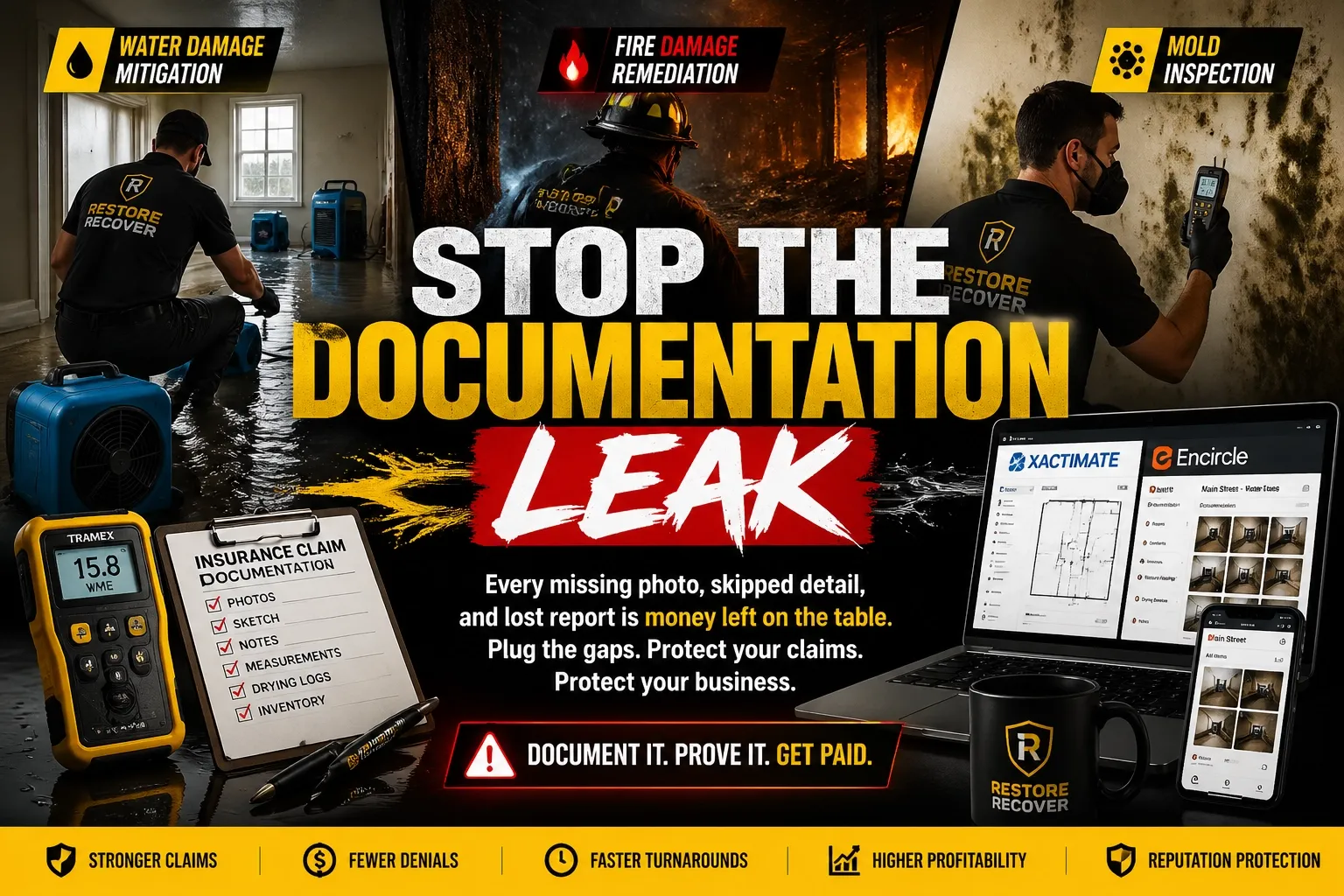
Think of the VA’s role as preventing the documentation gap: the distance between what the field team did and what the job record can clearly show.
1. FNOL intake and job setup. The VA records the caller’s contact details, property address, reported loss type, whether damage is ongoing, access notes, known safety concerns, carrier or claim information, and referral source. They create the job record and route urgent or unclear issues according to your escalation rules. They should not make coverage promises or give technical safety advice.
2. Dispatch coordination. Using your approved on-call rotation, the VA contacts the assigned crew, records acceptance and ETA, updates the customer, and escalates if the crew cannot respond. Your dispatch policy should specify who can authorize exceptions and what happens when no crew is available.
3. Documentation follow-through. The VA checks whether field uploads are labeled and attached to the correct job. They can flag missing room names, dated readings, equipment records or authorization documents for the technician or project manager to resolve while details are still fresh.
The AccuServe moisture-map guidance explains why readings should be traceable to their locations and materials, with supporting maps, logs and photos. A VA can check for missing fields against your checklist; interpreting readings and deciding whether drying is complete belong to qualified staff.
4. Estimate and TPA file preparation. A trained VA may organize field notes and source documents, prepare an estimate shell or enter information in Xactimate under your workflow, and assemble portal uploads. A qualified estimator or manager should review scope, quantities, pricing, narratives and submissions. Program rules vary, so keep a current checklist for each carrier or TPA rather than assuming one portal’s requirements apply to all.
5. Supplements, billing and closeout. The VA can log submission dates, track requests for additional information, organize supporting documents and follow up on invoice status. Before marking a file complete, use an owner-approved checklist for required authorizations, photos, logs, estimates, invoices and customer communications.
What work should stay with certified or qualified staff?
A restoration virtual assistant should not independently make decisions that require field expertise, professional judgment or specific authorization. Keep these responsibilities with the appropriate team member:
- Inspecting the property and determining the source or extent of damage.
- Selecting drying methods, equipment placement or drying goals.
- Making safety decisions or advising occupants about hazardous conditions.
- Assessing suspected asbestos, lead, microbial growth or contamination.
- Determining technical scope, coverage, pricing exceptions or claim strategy.
- Approving estimates, supplements, customer commitments or final work.
Set clear escalation triggers. For example, a caller reports a possible electrical hazard: the VA follows your approved script and escalates immediately rather than offering improvised instructions.
How can a VA help during a storm surge?
Storm-mode support works best when it is planned before call volume rises. Define an overflow process for intake, dispatch, status updates and recordkeeping. Decide which calls go to your internal team, which can be handled by a VA, and when a call must be escalated to a manager.
Prepare practical tools in advance:
- A current crew and backup-contact rotation.
- A short intake form with required fields.
- Approved messages for arrival windows and customer updates.
- A list of urgent conditions that require immediate escalation.
- A simple queue showing new calls, dispatched jobs and unresolved follow-ups.
A VA can help keep the queue moving, but cannot create crew capacity when every team is already committed. Build the coverage plan around actual staffing and response commitments.
Should you use a VA, an in-house administrator or an answering service?
An in-house administrator may be a good fit when work requires frequent on-site coordination or close daily collaboration. An answering service can take messages or route calls, depending on the service, but may not manage ongoing job documentation. A VA can take on defined, repeatable administrative tasks across intake, job records, follow-ups and file preparation.
Published prices vary by provider, experience and scope. Virtual Nexgen’s May 2026 restoration guide listed a VA rate of $8 per hour, while 5CVAS’s restoration VA article listed services starting at $9 per hour. These are provider-published figures, not a market average or like-for-like quote. Confirm the role, coverage hours, experience, supervision, setup and any additional fees before comparing options.
How should you hire and onboard a mitigation VA?
Start with one workflow that is repetitive and measurable. Then expand only after the handoff is working.
- Choose the bottleneck. Examples include missed after-hours intake, incomplete job files or delayed invoice follow-up.
- Write the process down. Provide scripts, required fields, response windows, escalation contacts and examples of complete records.
- Test the role. Use a sample intake scenario or file-review task. Assess accuracy, writing clarity, empathy and escalation judgment.
- Limit access. Create individual accounts with only the permissions needed. Use your approved security tools, and document how access is reviewed and removed.
- Review the first month. Hold regular check-ins, sample completed records and update the checklist when recurring gaps appear.
Track a small set of operating measures: call-answer rate, FNOL-to-dispatch time, job-file completion, missing-document follow-ups, estimate turnaround, supplement status, days sales outstanding and administrative hours returned to field managers. Establish a baseline before you set improvement targets.
For more detailed restoration workflows, explore Virtual Nexgen’s guides to the restoration scaling playbook, water-damage support, Xactimate workflows and technical efficiency.
Is a virtual assistant the right fit for your mitigation company?
A VA is worth considering when repeatable administrative work is taking time away from field leadership, job review or customer service, and you can define the work, provide training and review results. It may not be the right first step if your intake process is unclear, nobody owns dispatch decisions, or your team lacks capacity to supervise and approve delegated work.
Virtual Nexgen Solutions provides dedicated, industry-trained VAs, structured onboarding and quality checks, privacy-conscious workflows and support that can scale with your requirements. To discuss a practical starting point, book a 30-minute conversation.
Frequently asked questions
What does a virtual assistant for mitigation companies do?
A VA can support intake, dispatch coordination, job-file organization, documentation follow-up, portal updates, estimate preparation support and receivables tracking. Technical decisions and approvals stay with qualified staff.
Can a restoration virtual assistant use Xactimate or Encircle?
A VA may work in tools such as Xactimate, Encircle or DASH if they have relevant experience, authorized access and training on your workflow. Assess proficiency and require qualified review for technical work and submissions.
Can a VA answer emergency calls instead of an answering service?
A VA can handle calls and follow your dispatch process if coverage hours, scripts, escalation rules and system access are clearly arranged. Confirm what happens outside the agreed coverage window.
What should never be delegated to a VA?
Do not delegate field safety decisions, technical inspections, drying plans, environmental assessments, scope or coverage judgments, or final estimate approval unless the person is properly qualified and authorized to perform that work.
How do you measure whether a mitigation VA is helping?
Track baseline and ongoing measures such as answer rate, dispatch time, file completeness, estimate turnaround, open follow-ups, receivables and hours returned to your team. Results depend on your workload, process and review discipline.
How quickly can a VA start?
Timing depends on the role, availability, software access and readiness of your procedures. Set a start date only after you have selected the initial workflow, documented its steps and assigned an internal reviewer.
Work With Virtual Nexgen Solutions
If your business needs dependable virtual assistant support, Virtual Nexgen Solutions can provide support around your existing workflow. Book a discovery call today.
Get in Touch Now!