
When calls come in faster than your office can assign work, dispatch becomes a daily bottleneck. HVAC and plumbing contractors use field service software to organize appointments and technician schedules, and yes, ServiceTitan is one platform contractors use for dispatch.
The more useful question is whether its tools fit your operation, team, and budget. And if you already use it, whether a trained virtual assistant can take routine administrative work off your dispatcher’s plate without taking dispatch decisions out of your hands.
What is ServiceTitan?
ServiceTitan is field service management software for home and commercial service businesses, including HVAC and plumbing contractors. Its platform brings together workflows such as call booking, scheduling, dispatch, invoicing, and customer and job management. Depending on the plan and configuration, businesses may also use other tools, such as reporting and marketing capabilities.
ServiceTitan’s HVAC and plumbing software pages describe solutions for those trades. The company also publishes customer stories about contractors using its dispatch tools, including Above and Beyond Service Company and Rainforest Plumbing & Air. These are vendor-published examples, not independent reviews, but they show that the software is used in real HVAC and plumbing operations.
What does ServiceTitan dispatch do?
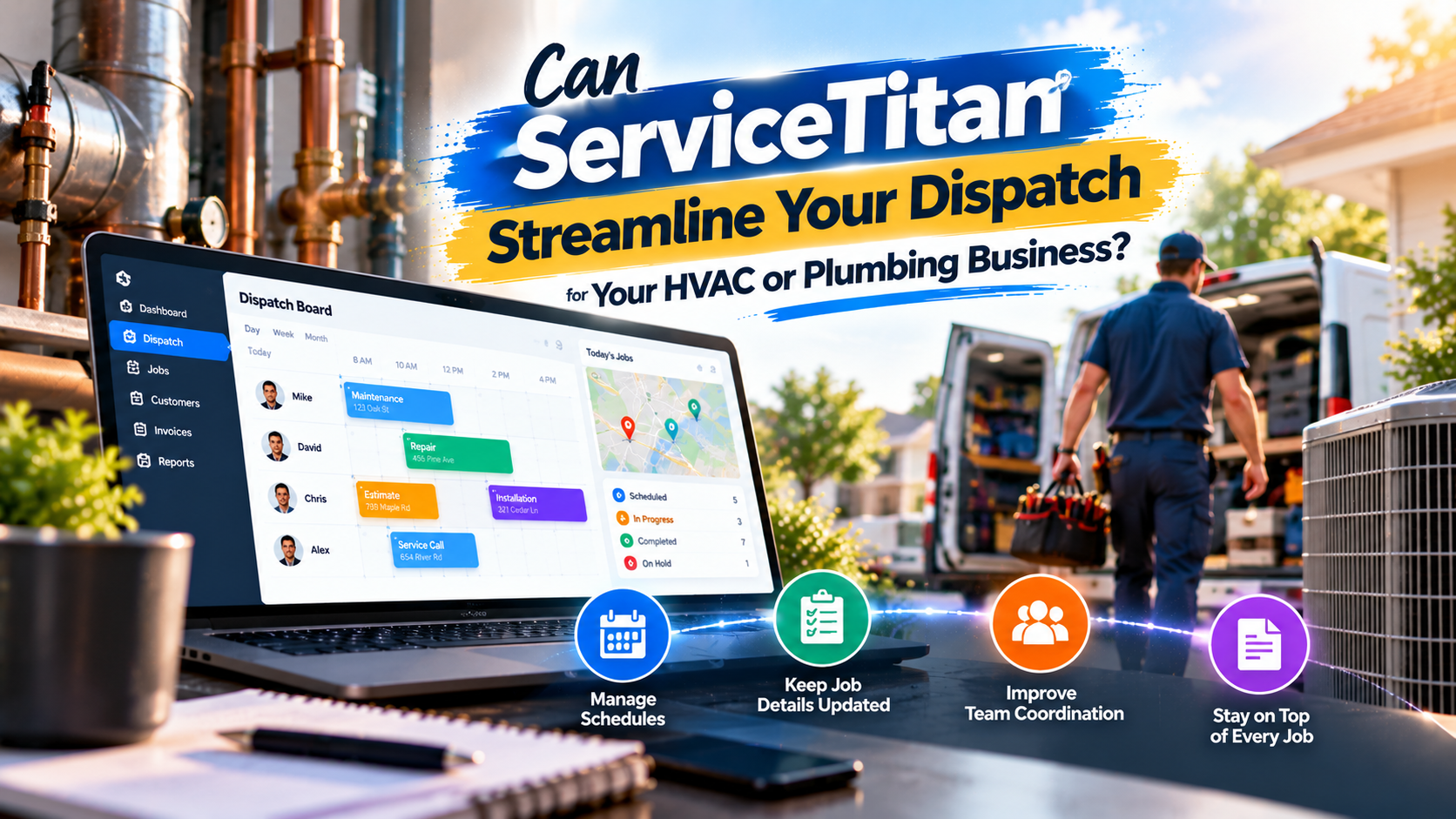
At its core, ServiceTitan dispatch helps office staff coordinate technicians and job appointments. The ServiceTitan dispatch documentation describes Daily and Weekly Dispatch Boards, a Job Tray for managing jobs, and a Schedule Board for viewing schedules. Staff can use point-and-click actions to extend, shorten, or reschedule jobs.
The exact workflow depends on your setup, but a dispatcher may use the system to:
- Review job appointments and technician schedules.
- Manage jobs that still need an assignment.
- Update an appointment when the schedule changes.
- Use configured technician skills and business units to help organize the board.
- Coordinate with technicians and manage related notifications.
Some scheduling and dispatch workflows depend on how your account is configured, and the tools available can vary by plan or add-on. For example, the current ServiceTitan pricing page lists dispatching and scheduling in its plan descriptions, while advanced capabilities may be packaged differently. Check with ServiceTitan about the features and terms that apply to your account.
Is dispatching an extra subscription?
ServiceTitan’s help documentation currently describes dispatching as a core feature available to its customers without an additional subscription. That does not mean the whole platform is free or that every dispatch-related capability is included in every plan. ServiceTitan uses per-technician pricing and asks prospective customers to request pricing, so confirm your total costs, implementation requirements, and any add-ons directly with the company.
Why HVAC and plumbing contractors consider ServiceTitan
For a contractor, dispatch is connected to more than a calendar. A new service request needs to be booked, recorded, and matched with the right appointment window. A schedule change may require customer communication, an updated job record, and coordination with a technician.
A connected field-service platform can help keep these activities in one operating system rather than scattering information across separate calendars, inboxes, and spreadsheets. ServiceTitan positions its platform around linked field-service workflows that include booking, scheduling, dispatch, invoicing, and customer information. That wider scope may appeal to a business looking to manage several office and field processes together.
The trade-off is that a broader system takes time to configure and learn. If your current process is simple, a large platform may be more than you need. If you have multiple technicians, service lines, or detailed scheduling rules, the coordination tools may be worth evaluating.
What to consider before choosing ServiceTitan
Cost and pricing structure: ServiceTitan does not publish a universal dollar price on its pricing page. Its pricing is described as per technician, with pricing available by request. Ask for a written breakdown that covers subscription costs, implementation, training, contract terms, and any features you may need as add-ons.
Onboarding and workflow fit: A new system requires clean processes, accurate job and customer information, and staff who know how to use it. Before committing, map how a call becomes a booked job, how your team handles urgent requests, and who approves schedule changes. Ask how your workflows will be configured and what support is available during onboarding.
Business size and complexity: A growing contractor with several technicians and connected office workflows may value a platform that can support more than scheduling alone. A smaller operation with straightforward booking needs may prefer a simpler tool. The right fit depends on your volume, team structure, and plans for growth, not just the number of features in a software demo.
Alternatives: ServiceTitan is not the only option. Contractors also evaluate products such as Jobber, Housecall Pro, Workiz, and Service Fusion. Compare the specific workflows you use, software costs, setup effort, integrations, and support before choosing. Ask each provider to demonstrate your real dispatch scenario rather than a generic example.
Can a virtual assistant work inside ServiceTitan?
Yes. A trained virtual assistant can support routine work inside ServiceTitan, subject to your processes, training, and the access permissions you provide. This can help your dispatcher spend less time on repeatable updates and more time handling exceptions.
Tasks that may be suitable for delegation include:
- Booking appointments using your approved rules.
- Updating job records and adding customer or call notes.
- Making permitted updates to the dispatch board.
- Sending approved appointment confirmations or schedule updates.
- Flagging conflicts, incomplete details, or customer requests for review.
The boundary matters: your contractor or dispatch lead should retain dispatch judgment. Decisions about emergency priority, technician suitability, route changes, job duration, and exceptions should follow your company’s rules and remain with the person responsible for operations. A VA can prepare information and carry out approved updates; they should not improvise decisions that affect safety, service commitments, or technician workload.
For example, a VA might book a routine maintenance request into an available slot using your scheduling rules, record the customer’s details, and notify the dispatcher if the customer reports a possible emergency. The dispatcher then decides how to handle the urgent request.
If you’re weighing the software question against the staffing question, see our related guide on how an HVAC virtual assistant can support scheduling and dispatch.
How to delegate ServiceTitan tasks responsibly
- List repeatable tasks. Start with appointment booking, confirmations, job-note entry, or board updates, not every dispatch responsibility at once.
- Write down the rules. Document booking criteria, customer communication templates, escalation triggers, and who approves schedule changes.
- Set role-based access. Give the VA access only to the information and system functions needed for assigned duties. Use your organization’s privacy and security practices.
- Train and review. Walk through real examples, supervise early work, and create a clear route for questions.
- Measure and adjust. Review booking accuracy, completed follow-ups, record completeness, and escalations. Expand responsibilities only when the process is consistent.
At Virtual Nexgen Solutions, our dedicated, industry-trained VAs support HVAC and plumbing businesses with software workflows and administrative work. Our structured five-step onboarding is designed to clarify tasks, access, training, and quality checks before responsibilities expand. We use privacy-first workflows, and our support is intended to complement your team, not replace operational oversight. Depending on the work delegated and the client’s processes, we aim to help businesses reduce administrative workload by up to 60% and increase operational capacity by up to 3x; results vary.
Explore our HVAC virtual assistant support and plumbing virtual assistant support, or book a discovery call to discuss your ServiceTitan workflow.
Frequently asked questions
Do HVAC and plumbing contractors use ServiceTitan for dispatch?
Yes. ServiceTitan serves HVAC and plumbing businesses, and its public documentation describes dispatch boards and scheduling workflows for coordinating jobs and technicians.
Does ServiceTitan include dispatching?
ServiceTitan’s help documentation describes dispatching as a core feature available to customers without an additional subscription. Confirm your plan and whether any specific advanced dispatch capabilities require separate pricing.
Can a virtual assistant update the ServiceTitan dispatch board?
A trained VA can make approved updates, such as entering job details or updating an appointment, if your account permissions and procedures allow it. Keep technician assignment decisions, emergency prioritization, and other dispatch judgments with your designated lead.
How much does ServiceTitan cost?
ServiceTitan’s pricing page uses a per-technician model and requires prospective customers to request pricing. Ask for a full quote that includes implementation, training, contract terms, and any features or add-ons your team needs.
Is ServiceTitan right for every contractor?
No single platform suits every business. Compare its features, costs, setup requirements, and fit with your day-to-day process against other options before deciding.
Work With Virtual Nexgen Solutions
If your business needs dependable virtual assistant support, Virtual Nexgen Solutions can provide support around your existing workflow. Book a discovery call today.
Get in Touch Now!