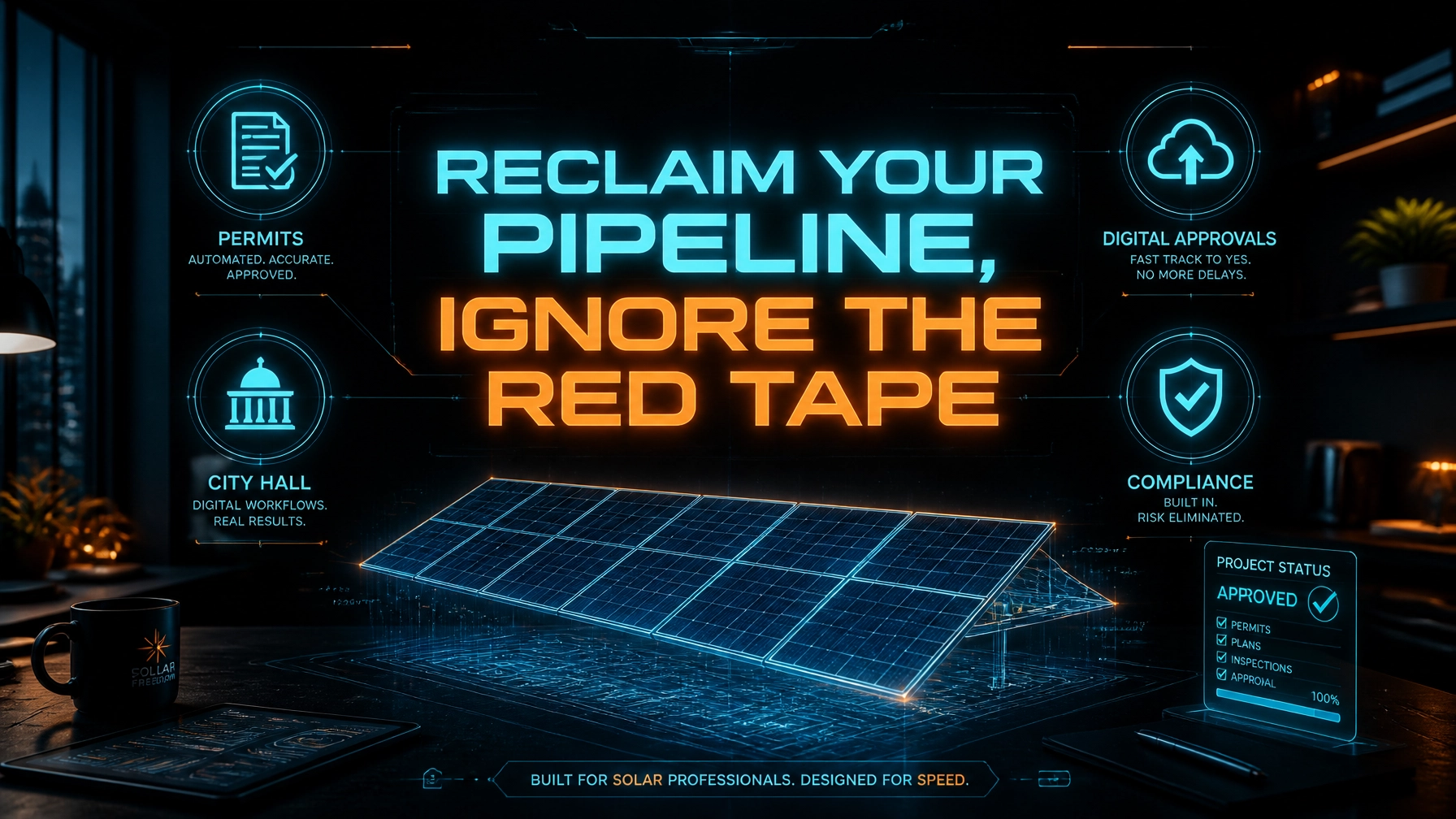
The solar gold rush of 2026 is here, but for most installers, the finish line is buried under a mountain of digital paperwork and bureaucratic red tape. You have the crews, you have the inventory, and you definitely have the demand. Yet, your projects are sitting in a "pending" queue while your cash flow stagnates and your customers grow restless. The "soft costs" of solar, specifically the administrative burden of permitting and interconnection, now account for more than half of the total system cost in the United States.
If you are still asking your top project managers or, worse, your lead installers to handle the tedious back-and-forth with local Authorities Having Jurisdiction (AHJs), you are leaking profit every single day. You are currently paying for high-level expertise but wasting it on entry-level data entry. In an industry where speed is the ultimate competitive advantage, your ability to navigate 18,000+ different local building departments determines whether you scale or stall.
At Virtual Nexgen Solutions, we see this "Admin Debt" crushing growing solar firms. You don't need a $60,000-a-year in-house admin who takes sick days and requires office space. You need a streamlined system and a specialized Virtual Assistant at $8 per hour who understands the nuances of NEC 2026 and AHJ-specific quirks.
Here is how you reclaim your pipeline and stop wasting time on solar permitting in 2026.
The AHJ Fragmentation Trap: Why Your Pipeline is Clogged
The biggest hurdle you face is the lack of a unified permitting framework. Every city, county, and utility provider has its own set of rules. One AHJ might demand a wet-stamped structural letter, while the one five miles away only accepts digital submittals via an outdated portal. This fragmentation creates a massive "Admin Debt" where your team spends more time researching rules than actually moving projects.
Pain Point 1: The Fragmentation Friction
When your team moves into a new territory, the learning curve is steep. You face immediate rejections because you didn't realize a specific county requires a specific placard size or a unique fire-safety setback. These "small" errors lead to weeks of delays.
Tactical SOP 1: Building a Jurisdiction Database
- Create a centralized "AHJ Master Tracker" in your CRM or a shared database.
- Assign your Virtual Assistant to identify the specific AHJ for every new contract signed.
- Record the submittal method (online portal, email, or physical mail).
- Document the exact permit fee structure to ensure accounting is accurate.
- List required documents: Site plan, single-line diagrams, spec sheets, and PE stamps.
- Update this database every time a project reaches "Permit Approved" to capture any "hidden" requirements found during the process.
Tactical SOP 2: Creating a Standardized Site Audit Checklist
- Provide your field technician with a standardized mobile form.
- Require photos of the main service panel, roof condition, and all relevant labels.
- Task your Virtual Assistant with reviewing these photos within 60 minutes of the site audit.
- Flag any missing data points (like a blurry breaker rating) immediately while the tech is still near the site.
- Upload the verified data into your design software to ensure the first draft of the plan set is accurate.
- Store the final "Verified Audit Package" in a dedicated folder for the design team.
Hack 1: The "Zero-Revision" Pre-Flight Check
The most effective way to speed up your pipeline is to stop getting rejections. A permit rejection doesn't just cost you time; it kills your momentum. By integrating a specialized QA step, handled by a Virtual Assistant, you ensure that every submittal is perfect before the city official ever sees it.
Pain Point 2: The Revision Death Loop
A plan set is submitted. Two weeks later, it’s rejected for a missing UL listing sheet. You fix it and resubmit. Another two weeks pass, and it’s rejected again for a labeling error. This loop can easily turn a 30-day install into a 90-day nightmare.
Tactical SOP 3: The Pre-Submittal QA Audit
- Open the AHJ-specific checklist from your Master Tracker.
- Cross-reference the PV plan set against the latest NEC 2026 requirements.
- Verify that all equipment (modules, inverters, racking) matches the spec sheets included in the package.
- Ensure all structural calculations are present and signed if the AHJ requires a PE stamp.
- Check for common clerical errors: misspellings of the homeowner’s name or incorrect parcel numbers.
- Mark the project as "QA Verified" in your CRM before the VA hits the "Submit" button.
Tactical SOP 4: Automated AHJ Follow-Up Protocol
- Schedule a recurring task for your Virtual Assistant to check the status of every "Pending" permit every 48 hours.
- Log into the AHJ portal or call the building department directly.
- If a permit is "Under Review" past the average lead time, prompt the VA to send a professional inquiry to the assigned reviewer.
- Record the date, time, and name of the official contacted in your CRM notes.
- Update the project status immediately to keep the sales team and homeowner informed.
- Escalate any permit that has been stagnant for more than 10 business days to the Project Manager.
The "Permit Purgatory" and the Cost of Inaction
Every day a project sits in "Permit Purgatory" is a day you aren't getting paid. The financial impact of these delays is often invisible until you look at your year-end margins. While you wait for a clerk to click "Approve," your overhead, truck leases, warehouse rent, and insurance, continues to drain your bank account.
Pain Point 3: The Profit Leakage of Stagnant Jobs
When projects stall, your sales team loses confidence and homeowners start looking for cancellation clauses. This churn is the silent killer of solar businesses. You are essentially paying for a pipeline that isn't flowing.
Tactical SOP 5: Interconnection Application Management
- Identify the utility provider for the project location.
- Download the specific interconnection forms (Net Metering, Tier 1/2, etc.).
- Pre-populate the application with homeowner and system data.
- Send the document to the homeowner via e-signature for quick turnaround.
- Submit the application to the utility portal as soon as the permit is approved (or concurrently if allowed).
- Track the utility's "Deemed Complete" status and follow up every 3 days.
Tactical SOP 6: Managing PE (Professional Engineer) Coordination
- Maintain a list of approved third-party engineering firms.
- When a project requires a structural or electrical stamp, the VA sends the plan set and site audit photos to the engineer.
- Track the "Sent to Engineering" date in your CRM.
- Follow up if the stamp is not returned within 48 hours.
- Review the stamped document for any notes or required changes to the original plan set.
- Integrate the stamped document into the final permit package for submittal.
Hack 2: 24/7 Processing via Virtual Support
While your local team sleeps, your Virtual Assistant at Virtual Nexgen Solutions is working. By leveraging timezone differences, you can achieve a "Next-Day" turnaround on permit prep. If your sales team closes a deal at 6 PM EST, your VA can have the permit package ready for review by the time you open your laptop at 8 AM.
Pain Point 4: The Overnight Backlog
In a traditional setup, the work stops when the office closes. If you have a high-volume sales week, your admin team falls behind, creating a backlog that takes weeks to clear. This "Admin Debt" compounds during peak solar seasons.
Tactical SOP 7: The "End of Day" Handover
- Ensure all newly signed contracts and site audit data are uploaded by 5 PM local time.
- The Virtual Assistant begins the "Permit Prep" phase during their shift.
- The VA verifies all data, generates the required forms, and organizes the technical spec sheets.
- If the AHJ allows digital submittal, the VA completes the process overnight.
- The VA sends an "Early Morning Status Report" to the Project Manager.
- The PM starts their day with a list of submitted permits and projects ready for the next stage.
Tactical SOP 8: Digital Document Organization and Archiving
- Create a standardized folder structure for every project (e.g., [ProjectID] - [ClientName]).
- Sub-folders: Audit, Design, Permits, Interconnection, Photos, Closeout.
- Task the VA with renaming every file according to a strict convention (e.g., SITE-PLAN-V1-2026-06-01.pdf).
- Remove old versions to avoid confusion for the installation crews.
- Ensure all documents are accessible via mobile for the field teams.
- Audit the folder completeness before the project is moved to "Ready for Install."
Case Study: Residential Solar Growth in Florida
A mid-sized residential solar firm in Orlando was struggling with the rigorous wind-load requirements and the sheer volume of AHJs in the Sunshine State. They were paying an in-house permit coordinator $55,000 plus benefits, yet their average permit-to-install time was 42 days.
Virtual Nexgen Solutions implemented a dedicated $8/hour Virtual Assistant and a standardized AHJ tracking system. Within 90 days, the firm reduced their permit-to-install time to 24 days. By shifting the administrative burden to a VA, the owner was able to reassign the in-house coordinator to a sales support role, resulting in a 15% increase in lead conversion. The total savings on administrative overhead exceeded $30,000 in the first six months.
Hack 3: Streamlining Technical Documentation
Permitting isn't just about forms; it's about the technical specifications of the hardware you're installing. In 2026, equipment availability can change rapidly. Your permit packages must accurately reflect the exact serial numbers or equipment models being used.
Pain Point 5: Equipment Mismatch Rejections
If your designer specifies an Enphase IQ8HC microinverter, but your warehouse only has IQ8M in stock, you cannot simply swap them without updating the permit. If the inspector finds a mismatch, you fail the inspection, and the project grinds to a halt.
Tactical SOP 9: Equipment Specs and UL Listing Management
- Maintain a master digital library of spec sheets for every component in your inventory.
- Your Virtual Assistant cross-references the warehouse stock with the design plan before every permit submittal.
- If a substitution is necessary, the VA coordinates with the designer to update the plans immediately.
- The VA ensures the correct UL listing and certification documents are included in the submittal package.
- The VA updates the "As-Built" documentation if changes occur after the permit is issued.
- This library is audited monthly to include any new hardware models or firmware updates.
Tactical SOP 10: Managing HOA and Historic District Approvals
- Identify if the property is located within a Homeowners Association (HOA) or a designated historic district.
- Research the specific architectural guidelines for solar installations (setbacks, visibility, color requirements).
- The VA prepares the HOA application, including the proposed layout and equipment photos.
- Send the application to the homeowner with a clear explanation of why this step is critical.
- Follow up with the HOA board weekly until approval is granted.
- Do not submit for city permits until the HOA "Letter of Approval" is secured to avoid rework.
Hack 4: Proactive Customer Communication
One of the most significant causes of "Profit Leakage" is the cost of answering "What's the status of my permit?" phone calls. When your project managers spend their day as customer service reps, they aren't managing projects.
Pain Point 6: The "Black Hole" Customer Experience
Customers who don't hear from you during the 4-6 week permitting phase assume nothing is happening. This leads to anxiety, negative reviews, and cancellations. Providing proactive updates is the best way to maintain trust.
Tactical SOP 11: Milestone Communication Workflow
- Set up a trigger in your CRM for every major permitting milestone (e.g., Permit Submitted, Under Review, Correction Requested, Approved).
- The Virtual Assistant drafts a personalized email or SMS for the homeowner at each stage.
- The message explains exactly what the status means and what the next step is.
- If a delay occurs at the city level, the VA sends a "Transparency Update" before the customer has to ask.
- All communications are logged in the CRM for the sales team to see.
- This process reduces inbound "status check" calls by over 70%.
Case Study: Commercial Solar Expansion in Texas
A commercial EPC (Engineering, Procurement, and Construction) firm in Houston wanted to expand into North Texas but was hesitant because of the complex county-level requirements. Their project managers were already at capacity.
By partnering with Virtual Nexgen Solutions, they utilized a Virtual Assistant to research and document the specific requirements for 12 new counties. The VA handled all submittals and utility coordination for a 250kW rooftop project in Dallas. The firm was able to manage the expansion without hiring a single new full-time employee in Texas. The $8/hour VA cost was a fraction of the $60,000 they would have spent on an in-house regional admin.
Hack 5: Standardizing the Closeout Process
The work isn't done when the panels are on the roof. The final hurdle is the inspection and the "Permission to Operate" (PTO) from the utility. A Virtual Assistant ensures that this final mile doesn't become a marathon.
Tactical SOP 12: The Post-Install Closeout Procedure
- Collect the final "As-Built" photos from the installation crew.
- The VA schedules the city inspection as soon as the crew confirms completion.
- The VA calls the homeowner to confirm they will be home for the inspector.
- If the inspection fails, the VA immediately notifies the PM and schedules the correction.
- Upon passing, the VA submits the final inspection sign-off to the utility for PTO.
- The VA tracks the PTO status until the meter is swapped and the system is live.
The Software Stack for Solar Success in 2026
To truly streamline your operations, your Virtual Assistant needs to be an expert in the tools that drive the industry. At Virtual Nexgen Solutions, we train our team on the leading software used by top-tier solar installers:
- Aurora Solar: For precision design and production estimates.
- SolarGraf: To generate quick, accurate proposals and permit-ready layouts.
- Sighten: For integrated financing and project management workflows.
- Nearmap: High-resolution aerial imagery for accurate remote site audits.
- HubSpot / Salesforce: To manage the customer journey and project milestones.
- Slack: For real-time communication between your field crews and your VA.
Stop Paying for Potential, Start Paying for Performance
The difference between a solar company that thrives in 2026 and one that struggles is operational efficiency. You can continue to sink $60,000 a year into a single administrative hire, or you can leverage Virtual Nexgen Solutions for a fraction of the cost. At $8 per hour, our Virtual Assistants provide the technical support you need to eliminate Admin Debt and plug the Profit Leakage in your business.
Don't let red tape dim your company's future. Systematize your permitting, empower your team, and focus on what you do best: installing the future of energy.
Frequently Asked Questions
How does a Virtual Assistant handle physical permit submittals?
While many AHJs have moved to digital portals in 2026, some still require physical drops. Your Virtual Assistant handles the preparation, payment coordination, and scheduling. For physical submittals, they coordinate with a local courier or your field team to ensure the documents are delivered correctly.
Can a VA really understand complex NEC 2026 codes?
Yes. Our VAs are trained specifically in the administrative side of solar compliance. They use your standardized checklists and your engineering partners' guidance to ensure every package meets the latest standards. They act as a specialized QA layer for your team.
Is it safe to give a remote assistant access to our utility and city portals?
Security is our priority. We use secure password management tools and VPNs to ensure that all access is controlled and monitored. You maintain full ownership of all accounts, and our VAs follow strict data privacy protocols.
What happens if a permit is rejected?
Your Virtual Assistant is responsible for the immediate follow-up. They identify the specific reason for the rejection, coordinate the necessary fix with your design or engineering team, and resubmit the package: often within 24 hours.
How do you handle the different time zones?
We operate 24/7. We can assign a Virtual Assistant to work during your business hours for real-time communication, or we can use the "Overnight Prep" model where they process your backlog while your local team is off the clock.
Will I have to train the VA on how to use my CRM?
Our VAs come with high-level digital literacy and experience in common solar tools like HubSpot and Salesforce. While every business has unique workflows, the learning curve is minimal, and we provide SOP-driven onboarding to get them up to speed fast.
How do we communicate with the Virtual Assistant?
Most of our clients use Slack, Microsoft Teams, or WhatsApp for quick daily communication, along with regular video check-ins. You have a direct line to your VA just as you would with an in-house employee.
What is the minimum contract for a Virtual Assistant?
At Virtual Nexgen Solutions, we offer flexible scaling. Whether you need a full-time dedicated assistant for a large-scale expansion or a part-time specialist to handle a seasonal surge, we tailor our solutions to your specific needs.
Ready to Systematize Your Growth?
Stop wasting your most valuable resource: time. Let Virtual Nexgen Solutions handle the administrative engine of your solar business so you can focus on building the grid of tomorrow.