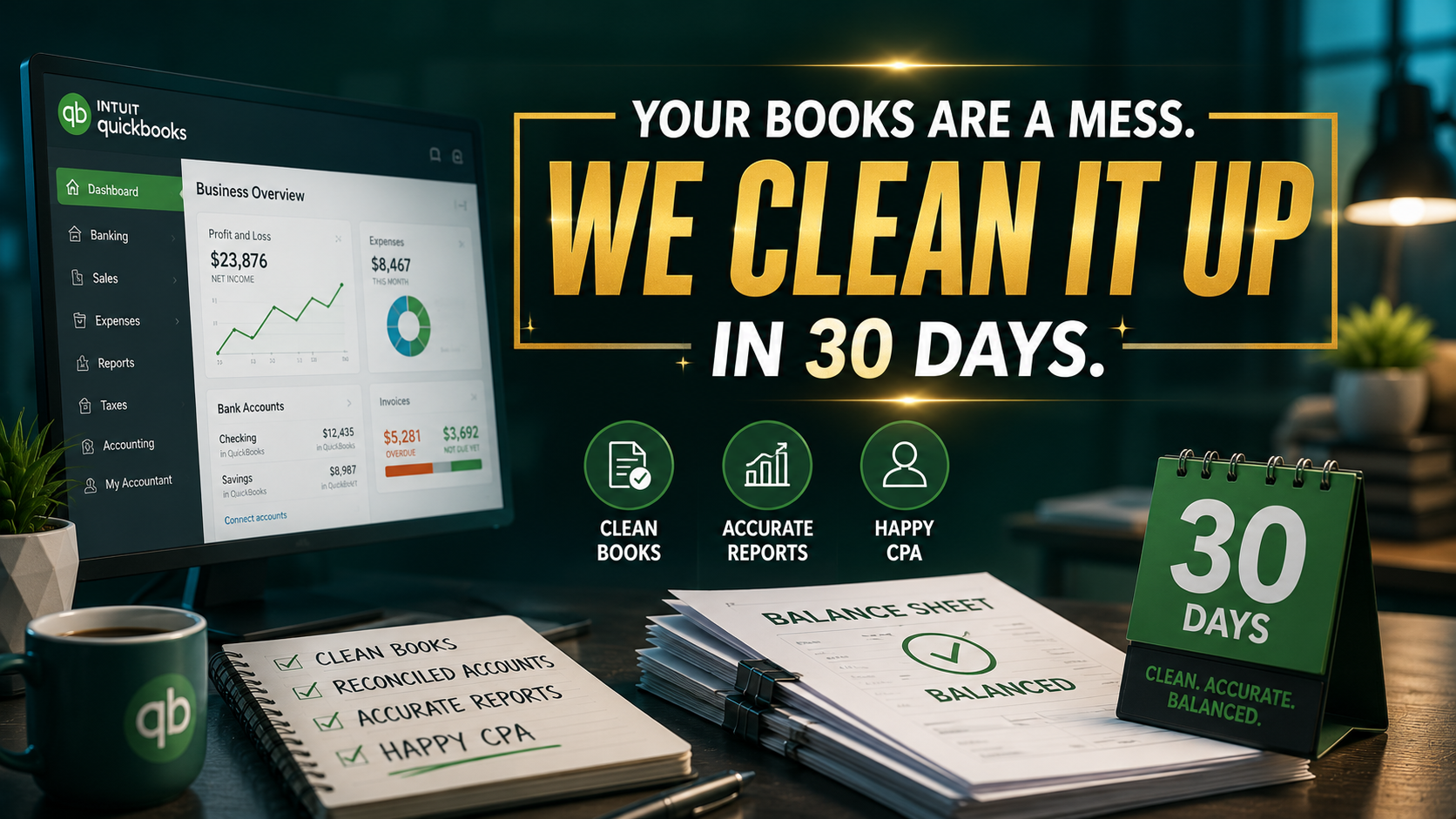
Your business is leaking profit through the "Accounting Abyss." For many owners in sectors like HVAC, Law, or Real Estate, accounting is not just a back-office function; it is the primary source of Admin Debt. This debt accumulates every time a transaction is left uncoded, every time a receipt is lost, and every time a bank reconciliation is deferred to "next weekend."
By 2026, the complexity of multi-channel revenue and diverse payment gateways has made manual bookkeeping a growth killer. You are likely spending 10–15 hours a week on tasks that generate zero revenue. This is Profit Leakage. When you spend Sunday night reconciling accounts instead of strategizing for Monday's sales calls, you aren't saving money, you are taxing your future growth.
At Virtual Nexgen Solutions, we see this cycle daily. Specialized Virtual Assistants are no longer a "nice-to-have" luxury; they are the administrative engine required to maintain clean books, avoid CPA "surge pricing" at tax time, and provide the real-time visibility needed to scale.
What Is an Accounting Virtual Assistant?
An accounting virtual assistant is not a generalist admin. While a general VA might manage your calendar or book travel, an accounting-specialized VA possesses a foundational understanding of GAAP (Generally Accepted Accounting Principles) and proficiency in cloud-based accounting ecosystems.
The Specialization Gap
A specialized VA from Virtual Nexgen Solutions understands the difference between a Balance Sheet and a P&L. They know that a "Transfer" in QuickBooks is not the same as an "Expense." They are trained in the technical workflows of software like QuickBooks Online, Xero, FreshBooks, and Sage.
Difference Between Accounting VA, Bookkeeping VA, and CPA
- Bookkeeping VA: Focuses on the "now." They handle daily transaction entry, receipt management, and bank feeds.
- Accounting VA: Focuses on the "monthly cycle." They handle reconciliations, A/R aging reports, and preliminary financial statement preparation.
- CPA (Certified Public Accountant): Focuses on the "future and compliance." They handle tax strategy, audits, and high-level advisory.
Stop using your CPA for bookkeeping. Paying a CPA $250/hr to code bank transactions is a classic example of Profit Leakage. A Virtual Nexgen Solutions VA handles the heavy lifting for $8/hr, delivering a clean file to your CPA that reduces their billable hours and maximizes your tax deductions.
The 2026 Accounting Landscape: Industry Statistics & Problems
The accounting industry is facing a structural staffing crisis. According to 2026 market data:
- 32% of firms report missing deadlines as their #1 operational pain point.
- 18% of business owners spend more than 10 hours a week on manual data entry.
- 25%–35% annual turnover is the standard for in-house junior bookkeepers.
- $95,000 is the average "fully loaded" cost (salary + benefits + overhead) of a mid-level staff accountant in the US.
Operational Challenges
Most businesses suffer from Data Fragmentation. Financial data is spread across Stripe, Shopify, ServiceTitan, and bank statements. Without a dedicated professional to systematize these flows, your financial "truth" is always 30 days behind. This delay causes missed opportunities and reactive decision-making.
Staffing Challenges
Hiring in-house requires office space, hardware, health insurance, and 401(k) contributions. Furthermore, the "training drain" is real. You spend three months training a bookkeeper on your specific industry (e.g., HVAC dispatch workflows or Legal trust accounting), only for them to leave for a slightly higher salary elsewhere.
25 Tasks an Accounting Virtual Assistant Actually Handles
To maximize the ROI of an $8/hr VA, you must delegate the technical, repetitive tasks that clog your schedule.
Daily Bookkeeping & Ledger Management
- Bank Feed Triage: Categorizing daily transactions in QuickBooks or Xero.
- Receipt Matching: Using tools like Dext or Hubdoc to attach digital receipts to bank transactions.
- Credit Card Reconciliation: Ensuring every swipe is accounted for and documented.
- Data Entry: Manual entry for handwritten invoices or legacy systems.
- Inter-company Transfers: Recording movements between business entities accurately.
Accounts Payable (AP) & Bill Pay
- Bill Entry: Entering vendor invoices into Bill.com or Melio.
- Payment Scheduling: Setting up payments for owner approval.
- Vendor Management: Updating W-9s and contact information in the CRM.
- Expense Reporting: Reviewing employee spend and reconciling against company policy.
- Purchase Order (PO) Matching: Verifying that bills match approved POs in systems like Procore or ServiceTitan.
Accounts Receivable (AR) & Revenue
- Invoicing: Creating and sending professional invoices to clients.
- AR Aging Oversight: Monitoring who owes you money and for how long.
- Collections Follow-up: Sending polite reminders for overdue payments.
- Payment Processing: Recording payments received via ACH, check, or credit card.
- Sales Tax Calculation: Ensuring the correct tax rates are applied based on jurisdiction.
Payroll & Compliance
- Time Tracking Review: Auditing hours in Gusto or ADP before the pay cycle.
- Contractor Management: Onboarding 1099 contractors and tracking their earnings.
- Benefit Reconciliation: Ensuring health insurance deductions match the monthly bill.
- Sales Commission Calculation: Calculating monthly payouts for sales teams based on closed deals.
- Audit Support: Gathering documents and "pulling the files" for internal or external audits.
Reporting & Tax Prep Support
- Month-End Close: Performing the final reconciliation of all accounts.
- Financial Statement Preparation: Generating P&L, Balance Sheet, and Cash Flow statements.
- Budget vs. Actual Analysis: Flagging areas where the business is overspending.
- 1099 Prep: Year-end preparation of contractor tax forms.
- CPA Document Portal Management: Uploading all required year-end files to your CPA’s secure portal.
The Real Cost: $8/hr vs. The In-House $60k Trap
When you hire in-house, the "sticker price" of the salary is just the beginning.
The In-House Breakdown (Example: $55,000 Salary)
- Base Salary: $55,000
- Payroll Taxes (7.65%): $4,207
- Health Insurance: $6,000
- Office Space/Desk/Utilities: $4,000
- Software Licenses/Hardware: $2,500
- Recruitment & Training: $5,000 (Amortized)
- TOTAL: $76,707 per year
The Virtual Nexgen Solutions Model ($8/hr)
- Hourly Rate: $8.00
- Annual Cost (40 hrs/week x 52 weeks): $16,640
- Benefits/Taxes/Overhead: $0 (Managed by Virtual Nexgen Solutions)
- Training Cost: $0 (Specialized VAs come pre-trained on software)
- TOTAL: $16,640 per year
The Result: You save $60,067 per year while gaining the same (or higher) level of technical expertise. That $60k is pure profit that can be reinvested into marketing or sales to drive further growth.
7 Signs Your Business Is Drowning in Admin Debt
- The "Tax Season Scramble": You spend January and February frantically looking for receipts from last March.
- CPA Friction: Your accountant sends frequent emails asking for "missing information" or "clarification on this $4,000 expense."
- The Gut-Feel Fallacy: You make purchasing or hiring decisions based on your bank balance rather than a real-time Profit & Loss statement.
- Unreconciled Feeds: Your QuickBooks "Banking" tab shows 100+ transactions waiting for review.
- Stale AR: Your "Aging Report" shows clients who are 90+ days overdue, but you haven't had time to call them.
- Payroll Anxiety: You dread the bi-weekly crunch of verifying hours and processing payments.
- The Sunday Night Ledger: You consistently work weekends just to "catch up" on the books.
Step-by-Step Guide to Hiring Your Accounting VA
1. Audit Your Tasks
Identify exactly where the bottleneck lies. Is it daily entry, or the complex reconciliation of e-commerce returns? List every software you use (QuickBooks, ServiceTitan, Clio, etc.).
2. Choose Your Model
Avoid the "freelancer trap" of low rates but zero accountability. Partner with an agency like Virtual Nexgen Solutions that provides a management layer and guaranteed performance.
3. Verify Technical Proficiency
Do not settle for "familiar with QuickBooks." Ensure the VA understands technical workflows such as progress invoicing, class tracking, and job costing.
4. Set Up a Secure Environment
Use LastPass or Dashlane for password sharing. Provide "Standard User" access to your accounting software, never give "Admin" or "Primary Admin" rights to a remote assistant.
5. Standardize Your SOPs
Document how you want transactions coded. For example: "Any Amazon purchase under $50 goes to 'Office Supplies'; anything over $50 requires a receipt for review."
5 Actionable SOPs for Accounting Operations
SOP 1: The Daily Bank Feed Triage
- Objective: Keep books current within 24 hours.
- Steps:
-
- Log into QuickBooks/Xero at 9:00 AM EST.
- Review "For Review" tab in Banking.
- Match bank rules for recurring expenses (Rent, Utilities, Software).
- Flag any "Unknown" transactions for the owner in a shared Google Sheet.
- Move all matched transactions to the ledger.
SOP 2: The 5-Day Month-End Close
- Objective: Produce accurate financial statements by the 5th of the following month.
- Steps:
-
- Day 1: Ensure all receipts are uploaded to Dext/Hubdoc.
- Day 2: Reconcile all Bank and Credit Card accounts.
- Day 3: Review AR Aging and send collection notices.
- Day 4: Verify AP is current and bills are entered.
- Day 5: Generate P&L and Balance Sheet for owner review.
SOP 3: A/R Aging & Collections Follow-Up
- Objective: Reduce DSO (Days Sales Outstanding).
- Steps:
-
- Run the "A/R Aging Summary" every Tuesday.
- Identify accounts 15+ days overdue.
- Send "Polite Reminder 1" via email.
- For accounts 30+ days overdue, schedule a phone follow-up.
- Update "Notes" in the CRM with the client's payment promise date.
SOP 4: Receipt Management & Audit Prep
- Objective: Zero lost deductions.
- Steps:
-
- Check the business email inbox for digital receipts daily.
- Upload receipts to the accounting software.
- Match the receipt to the specific bank transaction.
- If a transaction over $75 has no receipt, email the employee/owner for a copy.
- File a digital copy in a Year/Month structured folder on Google Drive.
SOP 5: 1099 Contractor Management
- Objective: Seamless year-end tax compliance.
- Steps:
-
- Request a signed W-9 from every new contractor before their first payment.
- Enter contractor details and tax ID into the "Vendors" section.
- Flag the vendor as "Track for 1099."
- Verify total payouts quarterly to ensure accuracy.
- By Jan 5th, generate a report of all contractors exceeding the $600 threshold.
Case Study 1: Service Business ROI (Colorado)
Scenario: A mid-sized HVAC and plumbing company in Colorado was struggling with "Revenue Leakage." Their technicians were using ServiceTitan, but the office staff was three months behind on exporting those jobs into QuickBooks for final reconciliation. The owner was spending 20 hours a month on bookkeeping and still couldn't tell which service lines were profitable.
Solution: Virtual Nexgen Solutions deployed a specialized Accounting VA at $8/hr. The VA took over the ServiceTitan-to-QuickBooks sync, daily bank reconciliation, and job costing.
Metrics Impact:
- Owner Time Recovered: 20 hours/month (Reallocated to sales, leading to 3 new commercial contracts).
- Admin Cost Reduction: Replaced a $45k/year part-time in-house bookkeeper with a $16,640/year VA.
- Profit Visibility: Reduced "Month-End Close" time from 90 days to 4 days.
- Annual Savings: $28,360 in direct overhead.
Case Study 2: E-commerce Scale (California)
Scenario: A fast-growing e-commerce brand based in California selling across Shopify, Amazon, and Walmart. The multi-channel complexity resulted in thousands of micro-transactions. The founder was drowning in "Admin Debt," unable to accurately calculate Net Profit after ad spend and shipping.
Solution: A Virtual Nexgen Solutions VA implemented A2X to systematize the flow of data from Shopify and Amazon into Xero. The VA handled all inventory reconciliations and categorized high-volume transaction fees.
Metrics Impact:
- Accuracy: Eliminated a $12,000 "suspense account" balance caused by uncoded transactions.
- Overhead: Avoided hiring a $65k/year staff accountant.
- ROI: The VA cost ($1,386/mo) was offset entirely by the discovery of $1,500/mo in overcharged shipping fees flagged during reconciliation.
- Net Impact: The VA paid for themselves and added $2,000/mo in recovered profit.
Expert Opinions & Industry Insights
Industry leaders in the accounting space emphasize that "The Cloud" was only the first step. The second step is "The Specialist." Modern accounting software is powerful, but it requires a human to manage the "last mile" of data integrity.
Expert insight suggests that by 2027, the role of the "Junior Bookkeeper" will be almost entirely virtual. Businesses that maintain high-cost, in-house staff for these roles will face a competitiveness gap, as their lean competitors reinvest those savings into aggressive customer acquisition.
Common Mistakes & Future Trends
Common Mistakes
- Granting Full Admin Access: Always use granular permissions to protect your bank feeds.
- Hiring Generalists for Technical Work: A general VA will make errors in job costing that cost thousands to fix.
- Ignoring the Review Process: Even with an $8/hr VA, the owner or CPA must perform a monthly 30-minute review of the statements.
Future Trends
- Vertical Specialization: VAs who only do bookkeeping for Law Firms (Clio/Filevine) or only for Construction (Procore).
- Real-time Job Costing: Moving away from monthly reports toward daily "Project Health" dashboards.
- Global Talent Arbitrage: Using high-skilled talent from lower-cost regions to provide 24/7 financial oversight.
Tips and Tricks for Efficiency
- Tip 1: Use a "Questions" Sheet. Have your VA list all transactions they aren't sure about in one shared document. Review it once a week for 10 minutes rather than answering 50 separate emails.
- Tip 2: Systematize Receipt Capture. Use a dedicated email address (e.g., receipts@yourcompany.com) that forwards directly to Dext or Hubdoc.
- Tip 3: Weekly Cash Flow Snapshots. Ask your VA to send a simple Friday email with: 1) Current Bank Balance, 2) Total AR, 3) Total AP due next week.
Frequently Asked Questions
- Is it safe to give a virtual assistant access to my bank accounts?
You do not give them withdrawal access. Most banks allow "View-Only" or "Accountant" access, which lets the VA see transactions without the ability to move money. - Which software is best for a virtual assistant to use?
QuickBooks Online and Xero are the industry standards due to their robust remote collaboration features. - How much does an accounting virtual assistant cost?
At Virtual Nexgen Solutions, the rate is a flat $8 per hour. - Can a VA help with my business taxes?
They prepare the books so your CPA can file the taxes in minutes rather than hours. They do not file the tax returns themselves. - How many hours a week do I need?
Most small businesses start with 10–20 hours a week, while mid-sized companies require a full-time 40-hour assistant. - Do they work in my time zone?
Yes, we ensure our VAs are available during your standard US business hours. - What if my books are currently a mess?
Our VAs specialize in "Cleanup Projects" to bring your ledger current before transitioning to daily maintenance. - Can they handle payroll?
Yes, they can manage time tracking, payroll processing in Gusto/ADP, and tax payment recording. - How do I track their work?
We provide detailed activity logs and use project management tools to show exactly what tasks were completed each day. - Do I need to provide the software?
The business typically holds the software licenses (QuickBooks, etc.), and you simply add the VA as a user. - Can they handle international currencies?
Yes, our specialized VAs are trained in multi-currency reconciliations in Xero and QuickBooks. - Is there a long-term contract?
We offer flexible engagement models designed to scale with your business needs. - How is a VA different from a local bookkeeping service?
Cost and availability. Local services often charge $75–$150/hr and have limited bandwidth. We provide a dedicated resource at $8/hr. - What if I don't like my VA?
We offer a seamless replacement process to ensure you have the right fit for your team. - Can they help with invoicing my clients?
Absolutely. They can manage your entire Accounts Receivable process, from invoice creation to collection reminders. - How do we communicate?
We use Slack, Microsoft Teams, Email, and Zoom for seamless daily communication. - Can they help with job costing?
Yes, this is a core specialty for our VAs working with HVAC, Construction, and Legal clients. - Do they understand 1099 compliance?
Yes, they track vendor payouts and gather W-9s throughout the year. - What industries do you serve?
We specialize in Real Estate, Insurance, Law, Healthcare, HVAC, Construction, and E-commerce. - How fast can I start?
We can typically onboard and start your VA within 3 to 5 business days.
Conclusion
Admin Debt and Profit Leakage are silent killers of business growth. By 2026, the businesses that thrive will be those that embrace specialized virtual support to streamline their financial engines. For $8/hr, you can transition from a reactive "Sunday Night Bookkeeper" to a proactive CEO with real-time financial clarity.