
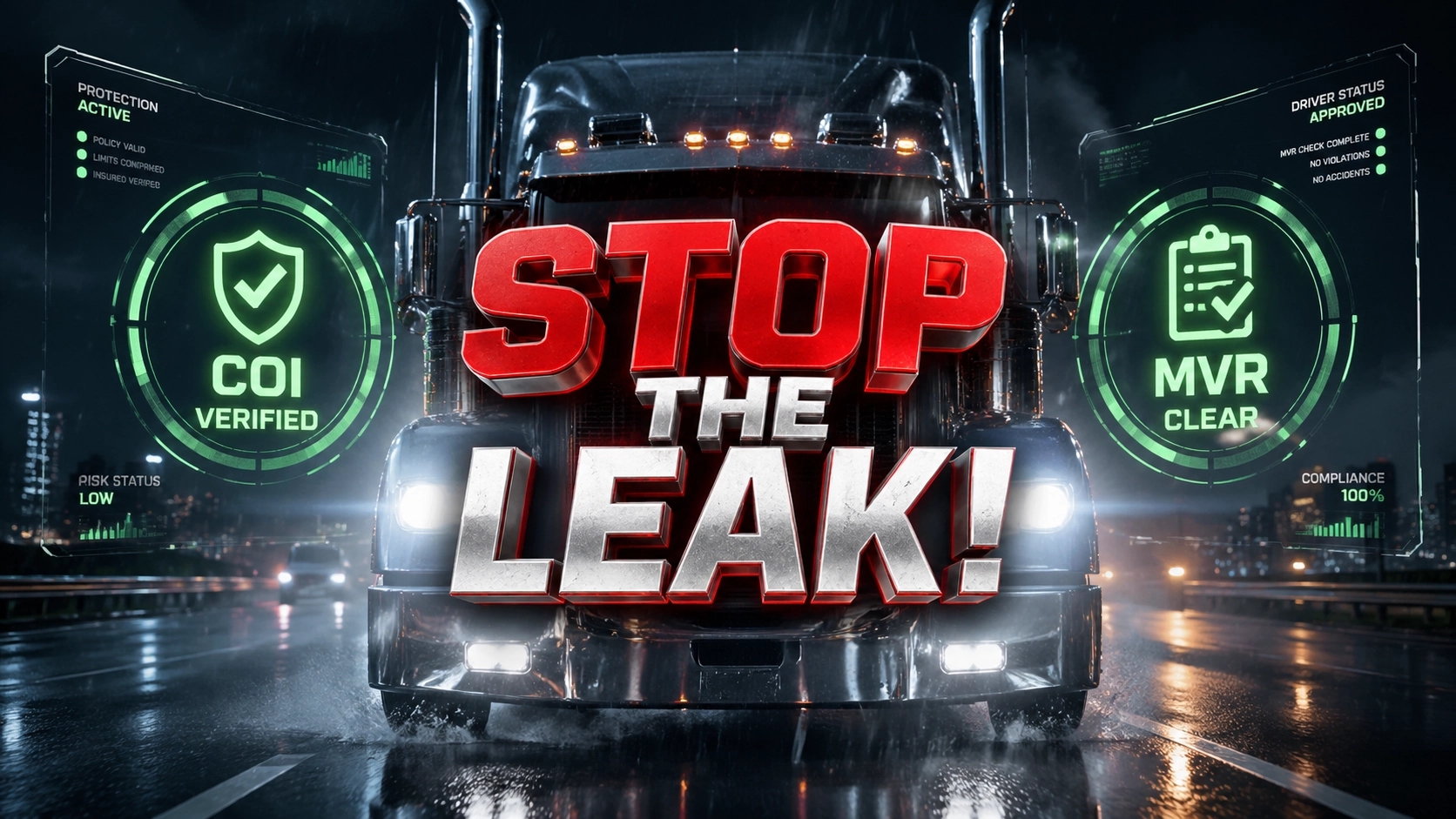
Commercial trucking insurance in 2026 is no longer a game of who has the best carrier access; it is a game of who has the leanest operations. As premiums continue to fluctuate and nuclear verdicts push carriers toward stricter underwriting, independent agencies face a silent killer: admin debt. If your high-commission producers spend four hours a day processing Certificates of Insurance (COI) or chasing Motor Vehicle Reports (MVR), your agency is leaking profit. A specialized Trucking Insurance Virtual Assistant is the only way to plug those leaks and reclaim your competitive edge.
The current market demands speed. When a fleet manager needs a COI to get a rig on the road, a four-hour delay is an eternity. By the time your local account manager gets around to it, the fleet has already looked elsewhere. This trucking insurance virtual assistant guide breaks down how to deploy a logistics-focused VA to handle the heavy lifting of insurance administration for $8 per hour, allowing your agency to scale without the $60,000-a-year overhead of an in-house hire.
The 2026 Crisis in Commercial Trucking Insurance
The logistics industry is under immense pressure. Rising fuel costs, regulatory shifts, and a tightening insurance market mean trucking companies are more price-sensitive than ever. For the agency, this creates a margin compression crisis. You are expected to provide more service, more filings, more frequent MVR checks, more safety consulting, for the same or lower commission.
Admin debt occurs when your agency's internal processes are so bogged down by manual paperwork that you cannot proactively sell. Most agencies are trapped in a cycle of "reactive service," where they only talk to clients when there is a problem or a renewal. This is a recipe for churn. To survive, you must standardize your back-office and free up your producers to act as risk advisors rather than data entry clerks.
What is a Trucking Insurance Virtual Assistant?
A Trucking Insurance Virtual Assistant is not a generic data entry worker. These are industry-specific professionals trained in the nuances of commercial transportation coverage. They understand the difference between Non-Trucking Liability and Bobtail insurance. They know how to navigate the FMCSA’s SAFER portal and how to input data accurately into systems like Applied Epic or AMS360.
At Virtual Nexgen Solutions, our VAs act as the administrative engine for your agency. They provide human-led expertise that ensures your compliance is airtight and your certificates are issued in minutes, not days. Unlike a local hire who requires office space, benefits, and a high salary, a specialized VA provides the same technical proficiency at a fraction of the cost.
The Transaction Trap: Why Your Producers Are Failing to Scale
Most agency owners wonder why their top producers hit a "revenue ceiling." The answer is the Transaction Trap. As a producer builds a book of business, the service requirements of that book grow. Eventually, they spend 80% of their time on renewals, endorsements, and COIs, leaving only 20% for new business development.
When you hire a Trucking Insurance Virtual Assistant, you break this cycle. You shift the $15-per-hour administrative work to a dedicated professional, allowing your $100,000-per-year producer to focus on high-value relationships. This is the difference between an agency that plateaus at $1M in revenue and one that scales to $10M.
6 Daily Pain Points for Trucking Insurance Agencies
If you recognize these symptoms, your agency is suffering from severe admin debt and profit leakage:
- The COI Bottleneck: Producers are interrupted mid-sale to issue emergency certificates for drivers stuck at loading docks.
- Renewal Burnout: The 90-day renewal window becomes a frantic scramble for updated driver lists and equipment schedules.
- Inconsistent Data: Client information in your Agency Management System (AMS) is outdated, leading to errors in policy submissions.
- MVR Delays: Waiting days to vet a new driver because the local team is "too busy" with paperwork.
- Audit Anxiety: Carrier audits become a nightmare because documentation is scattered across emails and local drives.
- Missed Cross-Sell Opportunities: No one has time to check if a client needs Cargo, Workers’ Comp, or Physical Damage coverage.
10 Specific Tasks Your VA Will Handle
A specialized VA from Virtual Nexgen Solutions integrates into your workflow to manage the following:
- COI Issuance: Rapid response to certificate requests with accurate holder information.
- MVR Processing: Ordering and preliminary vetting of Motor Vehicle Reports based on your agency’s criteria.
- Policy Checking: Comparing the issued policy against the quote to ensure zero coverage gaps.
- Endorsement Management: Processing mid-term changes for added units or deleted drivers.
- Renewal Prep: Gathering updated schedules and loss runs 90 days before expiration.
- AMS Data Entry: Keeping Applied Epic, AMS360, or EZLynx updated in real-time.
- Submission Formatting: Preparing clean, complete market submissions for underwriters.
- Premium Finance Tracking: Following up on missed payments to prevent policy cancellations.
- FMCSA Monitoring: Checking DOT numbers for alerts or status changes.
- Document Management: Organizing carrier correspondence and client files within your digital portal.
12 Tactical SOPs for Your Trucking Insurance VA
To outscale the competition, you need standardized processes. Implement these 12 SOPs to ensure your VA operates with surgical precision.
1. The 5-Minute COI Protocol
Instruction: Prioritize all Certificate of Insurance (COI) requests with a hard 5-minute turnaround.
Steps:
- Monitor the dedicated "certificates@" email inbox.
- Verify the requested limits against the active policy in the AMS.
- Generate the ACORD 25 form.
- Add the requested Holder to the AMS.
- Email the certificate directly to the holder and CC the client.
- Best Practice: Always check for "Waiver of Subrogation" requirements before hitting send.
2. Standardized MVR Vetting
Instruction: Screen new drivers immediately to keep the fleet moving.
Steps:
- Receive driver's license and signed release from the client.
- Log into the state portal or third-party provider to order the MVR.
- Compare MVR results against the carrier's "Acceptable Driver" guidelines.
- Highlight any major violations (DUI, Reckless Driving).
- Send a "Pass/Fail/Review" summary to the producer.
- Best Practice: Maintain a master "Driver List" spreadsheet for every client to track upcoming license expirations.
3. The 90-Day Renewal Kickoff
Instruction: Start every renewal three months in advance to prevent last-minute scrambles.
Steps:
- Generate a list of policies expiring in 90 days.
- Email the client a "Renewal Questionnaire" to update equipment and driver lists.
- Request current Loss Runs from carriers.
- Compare the new schedule against the expiring policy.
- Flag any significant changes for the producer.
- Best Practice: Call the client if they haven't responded within 72 hours of the initial email.
4. Policy Comparison Audit
Instruction: Every new and renewal policy must be audited within 48 hours of receipt.
Steps:
- Open the quote and the issued policy side-by-side.
- Verify premiums, taxes, and fees match exactly.
- Check that all requested endorsements (e.g., Reefer Breakdown) are included.
- Confirm the VIN numbers on the equipment schedule.
- Draft a "Correction Request" to the carrier if any discrepancies are found.
- Best Practice: Use a highlighter tool in the PDF to mark verified sections.
5. DOT Status Monitoring
Instruction: Perform a weekly check on the FMCSA status of all high-risk clients.
Steps:
- Input the client’s DOT number into the SAFER system.
- Review the "Safety Rating" and "Out of Service" (OOS) percentages.
- Look for new alerts in the SMS (Safety Measurement System).
- Download the latest report and attach it to the client file in the AMS.
- Alert the producer if the client’s safety score drops.
- Best Practice: Link this task to the FMCSA Registration site for verification.
6. AMS360/Applied Epic Data Scrub
Instruction: Ensure the "Source of Truth" is actually truthful.
Steps:
- Review one client folder per day for data completeness.
- Update contact names, phone numbers, and email addresses.
- Ensure all active policies are correctly attached to the "Active" status.
- Purge or archive old documents that are over 7 years old.
- Standardize file naming conventions (e.g., YYYY-MM-DD_DocumentName).
- Best Practice: Never leave "Draft" policies sitting in the system for more than 24 hours.
7. Premium Finance Follow-up
Instruction: Protect your commission by preventing cancellations for non-payment.
Steps:
- Check the daily "Intent to Cancel" notices from finance companies.
- Contact the client via phone and email immediately.
- Explain the consequences of a lapse in coverage (FMCSA filings).
- Facilitate the payment between the client and the finance company.
- Document all contact attempts in the AMS.
- Best Practice: Always notify the producer if a client is consistently late on payments.
8. Endorsement Processing (Add/Delete Units)
Instruction: Process fleet changes within the same business day.
Steps:
- Receive the VIN and year/make/model from the client.
- Submit the change request to the carrier portal.
- Issue an updated Auto ID card and COI.
- Update the equipment schedule in the AMS.
- Email the updated documents to the client.
- Best Practice: Double-check the VIN using a VIN decoder to ensure the vehicle type is correct.
9. Market Submission Assembly
Instruction: Build a submission that underwriters actually want to quote.
Steps:
- Gather the ACORD 125, 126, 127, and 137.
- Attach 3-5 years of Loss Runs.
- Include the updated Driver List and Equipment Schedule.
- Write a brief "Risk Narrative" summarizing the client’s safety program.
- Upload the complete package to the carrier portal.
- Best Practice: Organize the PDF so the most important info (Loss Runs) is first.
10. Claims Administrative Support
Instruction: Assist the client in the initial steps of a claim to show value.
Steps:
- Take the initial report from the client.
- Gather photos, police reports, and driver statements.
- Submit the claim to the carrier.
- Provide the client with the claim number and adjuster contact info.
- Follow up with the adjuster every 7 days for status updates.
- Best Practice: Reassure the client that the agency is their advocate throughout the process.
11. Lost Business Survey
Instruction: Find out why they left so you can win them back later.
Steps:
- Identify accounts that moved to a competitor.
- Email or call the former client with a brief 3-question survey.
- Log the reason (Price, Service, Carrier change) in the AMS.
- Set a "Follow Up" task for 6 months before their next renewal.
- Best Practice: Always remain professional; today’s lost client is next year’s prospect.
12. New Business Lead Entry
Instruction: Get prospects into the pipeline immediately.
Steps:
- Monitor lead sources (Website, Referrals).
- Enter basic prospect data into the CRM/AMS.
- Assign the lead to the appropriate producer.
- Send an initial "Introduction" email on behalf of the producer.
- Track the lead status until it is "Quoted" or "Closed."
- Best Practice: Never let a new lead sit unaddressed for more than 30 minutes.
System Expertise: Where Our VAs Work
Your agency relies on specific software to function. A Virtual Nexgen Solutions VA is already proficient in the industry-standard tools, meaning you spend zero time teaching them how to click buttons. We specialize in:
- Applied Epic: Managing complex workflows and enterprise-level data.
- AMS360: Optimizing client management and reporting.
- HawkSoft: Managing commercial auto accounts with cleaner client records, activity logs, renewal follow-up, document attachments, certificate tracking, and task visibility across the service team. For trucking agencies, HawkSoft works best when the VA standardizes unit schedules, driver records, expiration timelines, and endorsement notes so no one is guessing which truck was added, which driver was removed, or which filing still needs follow-up. A strong VA also uses HawkSoft to document every client touchpoint, tag urgent service items, and keep underwriting notes organized so producers and CSRs can move faster during renewals and claim-related service work.
- EZLynx: Handling rating support, client records, document storage, and workflow visibility for agencies writing both commercial and supporting personal lines. In trucking, EZLynx becomes far more useful when a VA keeps insured details, garaging information, unit data, contact roles, and certificate holder history consistent across the account. That reduces rework, cuts down on quoting errors, and helps your team issue cleaner service requests. A trucking-focused VA can also use EZLynx notes, tasks, and document timelines to manage endorsement requests, renewal prep, loss run follow-up, and cross-sell tracking for related coverages such as General Liability, Workers’ Comp, and Physical Damage.
- SaferWeb & FMCSA Portal: For real-time compliance and filing checks.
By hiring a VA who already knows these systems, you eliminate the "training lag" and start seeing ROI on day one.
The Cross-Sell Engine: How VAs Turn COI Requests into New Revenue Streams
Most agencies treat Certificates of Insurance like a pure service task. That is a mistake. In trucking, every COI request reveals how the insured is operating right now. It shows who they haul for, which shippers require extra wording, whether warehouse contracts are getting stricter, and whether the account is expanding into new lanes, trailers, or contractual obligations. A strong VA does not just send the certificate and move on. They mine the request for revenue signals.
Here is the logic: when a shipper asks for specific wording, additional insured status, waiver language, higher limits, or proof tied to a new contract, that request often points to a coverage conversation your producer should be having. If nobody captures that signal, your agency misses the easiest cross-sell moments in the book. That is profit leakage hiding in plain sight.
A trucking insurance VA becomes the first filter. They review the COI request, compare it against the current policy, flag gaps, and push the right follow-up to the producer. That turns a reactive admin action into a standardized sales assist.
What a VA should look for inside every COI request
Train your VA to scan for specific triggers before issuing the certificate:
- New certificate holders that suggest the insured has added shippers, brokers, or warehouse relationships.
- Special wording requests that indicate tighter contractual requirements.
- Requests for higher liability limits than the current policy supports.
- References to leased equipment, subcontracted drivers, or trailer interchange.
- Jobsite, warehouse, or terminal access language that hints at General Liability exposure.
- Repeated requests from the same holder that may justify a master certificate workflow.
- Evidence the insured is moving into interstate, refrigerated, hazmat, or specialized hauling work.
Each trigger should route into a documented next step. Do not leave it to memory. Build it into the VA checklist.
SOP: Turn every COI into a cross-sell review
Instruction: Review every certificate request for revenue opportunities before issuing it.
Steps:
- Open the COI request and identify the certificate holder, required wording, and requested limits.
- Compare the request against the insured’s current policy package in the AMS.
- Flag any mismatch between requested wording and active coverage.
- Check whether the request suggests a new operation, lane, contract, trailer type, or exposure.
- Add a note in the AMS labeled "Cross-Sell Review Needed" with a short summary.
- Assign the follow-up task to the producer or account manager.
- Issue the COI only after confirming the request fits the current policy structure.
- Best Practice: Use a standard red-flag list so every VA reviews COIs the same way.
SOP: Build a COI holder opportunity log
Instruction: Track certificate holders like prospecting data, not just service data.
Steps:
- Create a running spreadsheet or AMS report of all active certificate holders by client.
- Group holders by shipper, broker, warehouse, and contractor type.
- Count repeat requests from the same holder over the last 90 days.
- Note any holder requests that involve unusual wording or high limits.
- Share the log with producers every week.
- Highlight accounts with expanding holder activity as likely growth accounts.
- Best Practice: Treat rising COI volume as an expansion signal, not an inconvenience.
SOP: Escalate coverage gaps tied to contract wording
Instruction: Catch contractual risk before it becomes an E&O problem.
Steps:
- Read the requested wording carefully.
- Compare it to the insured’s endorsements and policy terms.
- Identify whether additional insured wording, primary wording, waiver language, or cargo requirements fall outside the current setup.
- Draft a concise summary for the producer: what was requested, what exists now, and what may need to be quoted.
- Set a same-day follow-up task if the truck is waiting on release.
- Save the request and your note in the client file.
- Best Practice: Never guess on contract wording. Escalate anything unclear immediately.
SOP: Cross-sell Physical Damage and Trailer Interchange from equipment clues
Instruction: Use certificate details to spot missing equipment-related coverage.
Steps:
- Review whether the insured is referencing non-owned trailers, leased units, or newly added power units.
- Check the current policy for Physical Damage, Trailer Interchange, and hired or non-owned exposure.
- Compare scheduled equipment against the latest COI request details.
- Flag missing or outdated equipment records.
- Send a short "Coverage Check Recommended" message to the producer.
- Document the issue in the AMS.
- Best Practice: If the operation changes faster than the schedule updates, assume coverage review is needed.
SOP: Trigger Workers’ Comp and General Liability reviews from shipper requirements
Instruction: Use shipper contract requests to widen the account cleanly.
Steps:
- Note any COI request asking for premises access, terminal operations, loading/unloading language, or subcontractor language.
- Review whether the account currently carries Workers’ Comp and General Liability through your agency.
- If either policy is missing, create a producer follow-up task.
- Include the certificate holder name and exact request language in the note.
- Tag the task as "Cross-Sell Opportunity."
- Best Practice: Keep the note short and direct so the producer can act fast.
When agencies systematize this process, COIs stop being dead-end admin work. They become conversation starters. Producers get cleaner intelligence. Service teams stay responsive. Clients feel supported because the agency is catching operational changes early instead of discovering them at renewal. That is how a VA helps grow a commercial trucking book without adding chaos.
24/7 Availability: Why Logistics Agencies Need a Global Workforce
Trucking does not operate on local office hours. Loads move overnight. Dispatchers send updates at odd times. Drivers get turned away at docks after normal business hours because a certificate is missing, a driver needs to be added, or a shipper wants revised wording before releasing freight. If your agency only functions from 9 to 5 in one time zone, you are forcing a 24/7 industry into a part-time service model.
That gap creates admin debt fast. It also damages retention. A trucking client does not care that your office reopens tomorrow morning if a load is delayed tonight. They care that the truck moves now.
A global workforce solves this without the cost burden of staffing a full local night shift. With the right VA structure, your agency can create follow-the-sun coverage for service tasks that directly affect client revenue. That includes COI processing, inbox triage, endorsement intake, finance notice follow-up, driver onboarding preparation, and renewal document collection.
Why after-hours responsiveness matters in trucking
The cost of waiting is higher in logistics than in most industries. One missed certificate can delay a pickup. One unprocessed driver document can sideline a unit. One missed finance notice can create a cancellation problem with downstream compliance consequences. Your agency may not cause the problem, but your response speed still shapes the client’s opinion of your value.
Use a global VA team to protect three things:
- Client retention: Respond when the trucking client actually needs help.
- Producer focus: Keep producers out of the inbox at night unless a real exception needs escalation.
- Operational continuity: Start the next workday with cleared queues instead of overnight backlog.
What 24/7 support should actually cover
Do not overcomplicate the model. Your after-hours VA support should focus on repeatable, documented workflows:
- COI intake and processing
- Email triage for urgent service issues
- Data gathering for add/remove driver requests
- Basic endorsement intake and documentation prep
- Premium finance notice logging
- Carrier and client document filing
- Renewal questionnaire follow-up across time zones
That structure gives your agency more coverage without turning every after-hours issue into a panic drill.
SOP: Run an after-hours COI queue
Instruction: Keep trucks moving by clearing urgent certificate requests outside local business hours.
Steps:
- Monitor the shared certificate inbox continuously during assigned after-hours coverage.
- Identify urgent requests tied to same-day pickups, dock access, or shipper holds.
- Verify policy details and certificate wording against the AMS.
- Issue the COI when the request matches active coverage.
- Escalate any wording or limit mismatch to the designated producer using the emergency protocol.
- Document all actions in the AMS before closing the task.
- Best Practice: Use an "urgent freight release" tag to prioritize requests affecting live shipments.
SOP: Create a global handoff between shifts
Instruction: Prevent dropped tasks when one VA team hands work to the next.
Steps:
- Maintain a live handoff sheet with open items, deadlines, and owner names.
- Update each task before shift end with status, blockers, and next action.
- Highlight anything tied to expirations, cancellations, or trucks waiting on paperwork.
- Notify the incoming shift of top-priority accounts.
- Confirm receipt of the handoff before signing off.
- Best Practice: Keep handoff notes short, factual, and timestamped.
SOP: Triage overnight service emails
Instruction: Separate true urgency from inbox clutter.
Steps:
- Sort incoming emails into COI, endorsement, billing, renewal, claim, and general service categories.
- Flag all messages affecting active loads, driver eligibility, or cancellation status.
- Assign routine items to the next business-day queue.
- Respond to urgent items with acknowledgment and action status.
- Save attachments to the correct client file in the AMS.
- Best Practice: Use standard subject tags so the morning team can scan priority fast.
SOP: Prepare overnight driver onboarding files
Instruction: Keep new drivers moving toward approval while the local office sleeps.
Steps:
- Review submitted license copies, releases, and driver details.
- Check the file for missing documents.
- Order the MVR if the workflow allows.
- Update the driver tracking sheet and AMS notes.
- Prepare a summary for the producer or CSR for morning review.
- Best Practice: Flag missing signatures immediately so the client can correct them before the next dispatch cycle.
SOP: Manage urgent cancellation and finance notices after hours
Instruction: Reduce the risk of compliance problems from missed notices.
Steps:
- Review all incoming finance and carrier notices during the shift.
- Identify intent-to-cancel, late payment, and filing-related warnings.
- Log the notice in the AMS with date, deadline, and policy number.
- Send the client a concise alert if your agency protocol allows.
- Escalate same-day deadline notices to the designated agency contact.
- Best Practice: Never leave a cancellation-related notice unlogged for the morning team.
A 24/7 structure is not about being available for everything. It is about being available for the moments that protect revenue, retention, and trust. In trucking, those moments happen at all hours. Agencies that build a global workforce handle more volume with less friction. Agencies that do not keep paying the tax of delays, backlog, and producer burnout.
The ROI: $8/hr vs. the $60,000 Local Hire
When you hire a local Account Manager, you aren't just paying a salary. You are paying for payroll taxes, health insurance, 401k matching, office space, hardware, and the "water cooler tax", the time spent on non-productive office socialization. A $60,000 salary quickly becomes an $85,000 total burden.
Contrast that with a Virtual Nexgen Solutions VA at $8 per hour. There are no benefits to manage, no office space to rent, and you only pay for productive hours. You can hire three specialized VAs for less than the cost of one local employee. This allows you to build a 24/7 service engine that keeps your agency running while you sleep.
Case Study: Scaling from 50 to 500 Power Units with 1 VA
Consider a mid-sized agency focusing on owner-operators. With 50 power units on the books, the owner was spending 20 hours a week on COIs and MVRs. Growth was impossible because they were at capacity.
By integrating one Virtual Nexgen Solutions VA, the owner offloaded all certificate issuance and driver vetting. This freed up 80 hours a month. The owner used that time to target small fleets (10-20 units). Within 12 months, the agency scaled to 500 power units. The overhead only increased by the cost of the VA ($8/hr), while the revenue increased by 10x. This is how you outscale the competition.
How to Hire and Onboard Your Trucking Insurance VA
Success with a VA is not about luck; it is about the system. Follow these steps to ensure a seamless integration:
- Identify the Gaps: Use the 6 pain points listed above to decide where your agency is hurting most.
- Define the Workflow: Choose 3 of the 12 SOPs to start with. Do not try to offload everything at once.
- Secure Access: Ensure your VA has a dedicated login for your AMS and carrier portals.
- Daily Huddle: Spend 10 minutes every morning on a brief call or chat to set priorities.
- Measure Results: Track the number of COIs issued and MVRs processed to see the immediate impact on your time.
If you are ready to eliminate your admin debt and stop the profit leakage that is holding your agency back, Virtual Nexgen Solutions is here to help. We provide the industry-specific talent you need to transform your agency into a high-growth machine.
Ready to see how a Trucking Insurance VA can transform your book of business? Schedule a 30-minute strategy call here to get started.
Frequently Asked Questions (FAQs)
What is the difference between a general VA and a Trucking Insurance VA?
rnA general VA handles basic tasks like email or scheduling. A Trucking Insurance VA is trained in the specifics of the transportation industry, including ACORD forms, MVR vetting, FMCSA-related workflows, and Agency Management Systems like Applied Epic, HawkSoft, and EZLynx. They understand how service speed affects trucking clients in real time.
Can a VA really handle my Certificates of Insurance?
rnYes. By following a strict SOP and having access to your AMS, a VA can issue COIs accurately and faster than a local employee who is juggling in-person interruptions. More importantly, a trucking-focused VA can review the request for cross-sell triggers such as new contract requirements, higher limits, or missing related coverages.
How does a VA help reduce admin debt in a trucking agency?
rnA VA removes repetitive work from producers and CSRs, including COIs, endorsement prep, renewal follow-up, document management, MVR processing, and system updates. That gives your licensed team more time to focus on client strategy, remarketing, retention, and new business.
Why does 24/7 availability matter so much for logistics accounts?
rnTrucking clients operate outside standard office hours. Loads move overnight, dispatch keeps rolling, and urgent certificate or driver issues can delay freight if nobody responds. A global VA workforce helps your agency handle those time-sensitive tasks without the cost of building a full local night shift.
How do you ensure data security for my agency?
rnWe use secure, encrypted connections and can work within your existing security protocols. Our VAs are trained in data privacy and we recommend using password-sharing and access-control tools so your agency keeps visibility over every login and permission level.
Is there a long-term contract?
rnVirtual Nexgen Solutions offers flexible arrangements. We believe in the value of our $8/hr service and aim to earn your business every month through performance and ROI.
Do I need to train the VA on my software?
rnNo. We hire VAs who are already experienced in systems like AMS360, Applied Epic, HawkSoft, and EZLynx. You only need to show them your specific agency preferences, naming conventions, and workflows.
What if I only need help during the renewal season?
rnOur model is designed for scalability. You can use a VA to manage the heavy lifting of renewal seasons and then adjust as your agency needs change, though most clients find that the $8/hr rate makes them a permanent part of their growth strategy.
Work With Virtual Nexgen Solutions
If your business needs dependable virtual assistant support, Virtual Nexgen Solutions can provide support around your existing workflow. Book a discovery call today.
Get in Touch Now!