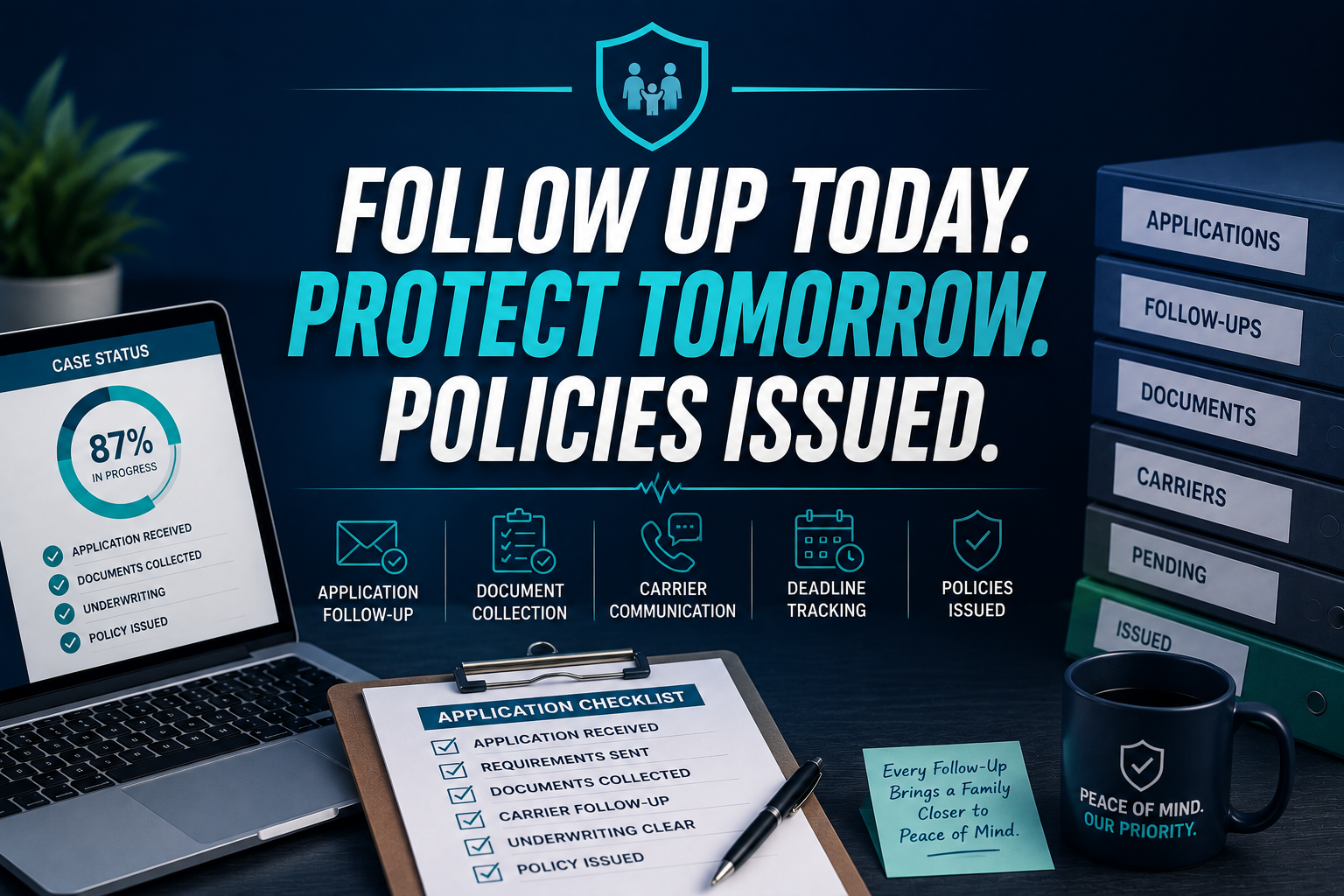
A life policy can be approved on Monday and still sit undelivered in an inbox two weeks later. During Medicare AEP, a missing signature, Scope of Appointment record, or carrier status update can create the same problem: the client waits, the agent loses visibility, and the coverage window gets tighter.
Health and life insurance agencies face a unique follow-up burden. Applications may require MIB authorization, an Attending Physician Statement, lab results, medical exams, financial statements, or clarification from the applicant. One missed requirement can keep an otherwise viable case in underwriting limbo.
A dedicated insurance virtual assistant gives you an application and policy issue desk. The VA tracks each case, follows up on approved instructions, updates your systems, and alerts you when an agent or licensed professional must make a decision. Your team stays focused on advising clients instead of chasing status updates.
10 Core Tasks a Health and Life Insurance Virtual Assistant Handles Daily
- Check application status across carrier underwriting portals.
- Record missing signatures, MIB consent, APS requests, labs, and exams.
- Contact clients about outstanding non-advisory requirements.
- Log every carrier, provider, and client follow-up.
- Maintain Medicare AEP, MA OEP, and SEP calendar checkpoints.
- Track AHIP certification and annual training documentation.
- Confirm policy approval, issue date, premium, and delivery method.
- Send approved policies through DocuSign or secure client channels.
- Update HubSpot, Salesforce, Redtail, or your agency CRM.
- Schedule renewal, plan-change, and post-issue check-ins.
Treat this desk as a controlled queue, not a shared inbox. Assign each application an owner, status, aging date, next action, and escalation date.
Case Study 1: Life Insurance Application Follow-Up
An anonymized life insurance agency in Florida had 38 active applications and no consistent requirements log. Fourteen cases lacked a recent status update. After assigning a Virtual Nexgen Solutions VA for 20 hours per week, the agency created a six-stage queue and weekly escalation review.
Within 60 days, 31 of the 38 applications had documented next steps. Average client follow-up time fell from five business days to one business day. The agency also recovered two policies that had been approved but never formally delivered.
Case Study 2: Medicare AEP Enrollment Desk
An anonymized Medicare brokerage serving clients across Arizona and Nevada entered AEP with one producer and 146 renewal conversations. The VA organized the queue by client, plan type, eligibility event, documentation status, and agent review date.
The desk completed 132 documented client check-ins before the agency’s internal deadline. The broker reduced unresolved application records from 27 to six and gained approximately 18 hours per week for plan discussions and appointments. The VA handled administrative follow-up only; the licensed agent retained plan recommendations and enrollment responsibility.
SOPs to Keep Applications and Policies Moving
Open Every Application Correctly
Goal: Create one reliable record for every submitted case.
- Confirm applicant name and product.
- Record carrier and submission date.
- Add agent and client contacts.
- Save the confirmation number.
- List expected requirements.
- Set the next review date.
Review Carrier Status
Goal: Identify stalled cases before clients call.
- Access approved carrier portals.
- Search each open application.
- Copy the current status.
- Note new requirements.
- Compare status with aging.
- Escalate exceptions to the agent.
Follow Up on Requirements
Goal: Secure missing documents without giving advice.
- Confirm exactly what is missing.
- Identify the responsible party.
- Send the approved request.
- Set a response deadline.
- Log the communication.
- Escalate sensitive questions.
Manage APS and Medical Records
Goal: Keep provider requests visible and documented.
- Record the provider name.
- Note the request date.
- Store the reference number.
- Schedule a provider follow-up.
- Update receipt status.
- Notify the agent of delays.
Protect Medicare Enrollment Windows
Goal: Keep eligible clients and agent reviews on schedule.
- Load CMS calendar dates.
- Segment AEP, OEP, and SEP cases.
- Verify required documentation.
- Schedule client check-ins.
- Flag approaching deadlines.
- Keep recommendations with the agent.
Confirm Policy Issue and Delivery
Goal: Turn an issued policy into a completed client record.
- Verify issue status.
- Confirm policy number.
- Check delivery instructions.
- Send approved documents securely.
- Record client receipt.
- Schedule a confirmation call.
Close the Case Properly
Goal: Prevent issued policies from disappearing after approval.
- Confirm all required fields.
- Save final documents.
- Update CRM status.
- Record commission checkpoint.
- Set renewal reminder.
- Archive the completed checklist.
If you need help documenting these procedures, review Virtual Nexgen Solutions’ administrative support services and adapt the workflow to your agency’s tools.
Industry Software Mastered by Our Virtual Assistants
- CRMs: HubSpot, Salesforce, and Redtail for task tracking, contact records, notes, and follow-up dates.
- Carrier systems: Generic carrier underwriting portals for status checks, requirement review, and issue confirmation.
- Document tools: DocuSign, Adobe Acrobat, Google Drive, and Google Workspace.
- Medicare resources: CMS enrollment calendars, SEP/AEP tracking, and AHIP certification documentation.
- Multi-line systems: Applied Epic, AMS360, HawkSoft, and EZLynx when your agency uses them for client and policy records.
The VA does not select plans, interpret medical information, recommend coverage, approve underwriting exceptions, or make enrollment decisions. Keep those responsibilities with the licensed agent, broker, or authorized operations manager.
Why Insurance Agencies Choose Virtual Nexgen Solutions
Virtual Nexgen Solutions builds support around your actual workflow. Start with life application follow-up, Medicare enrollment tracking, policy delivery, or all three. Your VA can work inside your CRM, carrier portals, Google Workspace, and document systems while following your escalation rules.
At $8 per hour, support costs less than hiring an in-house CSR or licensed assistant at roughly $40,000–$55,000 in annual salary before payroll taxes, benefits, training, and paid time off. The Bureau of Labor Statistics insurance sales agent data also illustrates why skilled insurance labor carries a meaningful cost. Use a VA for administrative work and preserve licensed staff time for advice, selling, and client relationships.
For a broader operational view, read the insurance virtual assistant agency guide or explore the insurance support department.
FAQ
What is an insurance virtual assistant?
An insurance virtual assistant is a remote professional who handles administrative work for an insurance agency. Typical responsibilities include application status tracking, document organization, client reminders, CRM updates, policy delivery confirmation, renewal follow-up, and carrier portal checks. The licensed agent keeps responsibility for advice, recommendations, underwriting decisions, and enrollment decisions.
What does an insurance virtual assistant do?
An insurance virtual assistant tracks health and life applications, identifies missing requirements, follows up with clients and providers, updates CRM records, monitors Medicare enrollment calendars, and confirms issued-policy delivery. The VA can support HubSpot, Salesforce, Redtail, DocuSign, Google Workspace, and approved carrier underwriting portals according to your procedures.
How much does an insurance virtual assistant cost?
Virtual Nexgen Solutions provides insurance virtual assistant support at $8 per hour. That rate can reduce the cost of routine administrative work compared with an in-house CSR or licensed assistant earning approximately $40,000–$55,000 annually before benefits, payroll taxes, paid time off, and recruiting expenses.
Can a virtual assistant follow up on life insurance applications?
Yes. A trained VA can check carrier status, log MIB, APS, exam, lab, financial, and signature requirements, send approved client reminders, contact medical-record providers according to your instructions, and escalate delays. The VA should not interpret medical information or provide underwriting advice.
Can a virtual assistant track Medicare AEP and OEP deadlines?
Yes. A VA can maintain AEP, MA OEP, and SEP calendars, segment client records, schedule check-ins, verify administrative documentation, and alert the licensed agent about approaching deadlines. CMS states that Medicare’s AEP runs from October 15 through December 7, while MA OEP runs from January 1 through March 31.
What software can an insurance virtual assistant use?
An insurance VA can support HubSpot, Salesforce, Redtail, DocuSign, Google Workspace, Google Drive, Adobe Acrobat, carrier underwriting portals, and Medicare compliance tracking resources. For multi-line agencies, support may also include Applied Epic, AMS360, HawkSoft, or EZLynx when those platforms are part of your approved workflow.
Can an insurance virtual assistant handle medical records and APS follow-up?
Yes, a VA can track APS and medical-record requests, record provider details, schedule administrative follow-ups, document reference numbers, and notify the agent when records remain outstanding. Use secure access controls and approved communication procedures. Keep medical interpretation, underwriting judgment, and client advice with authorized professionals.
How do I hire an insurance virtual assistant?
Start by listing recurring tasks, systems, access requirements, escalation rules, and service-level targets. Then choose a provider with insurance workflow experience, assign a limited application queue, review accuracy weekly, and expand after the process is stable. Contact Virtual Nexgen Solutions to discuss your desk.